


I went into this review expecting to confirm what most editorial pages already say: that Adobe After Effects is the motion graphics standard, worth the subscription, end of story. What I found from the current documentation, pricing data, user feedback, and competitor landscape was more complicated than that. After Effects is still a genuinely powerful specialist tool in 2026. But the group of buyers who should actually pay for it is narrower than Adobe’s marketing suggests, and the real cost of ownership goes well beyond $22.99/month.
This isn’t a hit piece. Adobe shipped real updates in January 2026 with version 26.0, and the Creative Cloud ecosystem integration remains a legitimate competitive advantage. But if you’re here to figure out whether AE is the right buy for your workflow and budget, I owe you more than a feature tour.
The Bottom Line
Adobe After Effects is still the strongest choice for motion designers working inside the Creative Cloud pipeline, but only if you actually need what it does. For occasional creators, simple title work, or anyone allergic to subscription lock-in, the math stops making sense fast. DaVinci Resolve Studio at $295 one time and Apple Motion at $49.99 exist, and they’re not toys.
TL;DR
- Best for: Motion designers, VFX compositors, Adobe-native editors, agencies already living in Premiere/Photoshop/Illustrator, and teams that rely on template culture and plugin breadth
- Not ideal for: Occasional creators, buyers who only need simple titles or light social edits, users on weaker hardware, anyone looking for a one-time purchase, or people who need a primary long-form video editor
- Price: $22.99/month for the single app (annual, billed monthly). $275.88/year. No perpetual license exists
- Main strength: Deep Adobe ecosystem integration, massive plugin library, and genuine 2026 feature momentum
- Main drawback: Subscription lock-in combined with steep learning curve, heavy hardware demands, and documented performance pain on complex projects
- Score: 7.6 / 10
Review Verdict in 30 Seconds
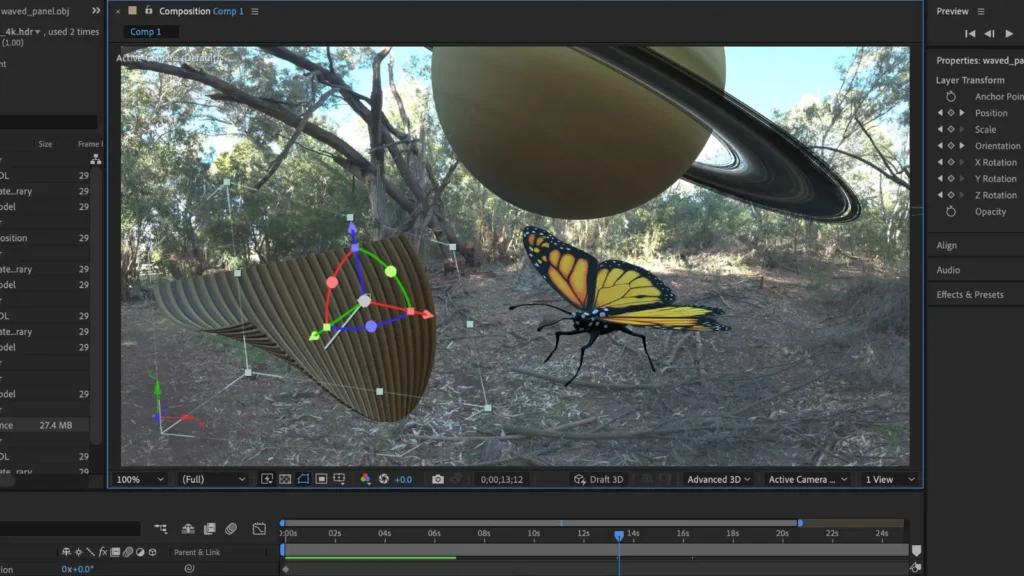
After Effects remains the default choice for motion graphics professionals who work inside Adobe’s ecosystem. The January 2026 release shows Adobe is still investing: variable font animation, native 3D shapes with Substance 3D textures, improved SVG support, and preview playback gains are meaningful. The plugin ecosystem is deeper than anything else in this category.
But the subscription model, hardware demands, performance complaints on complex projects, and a learning curve that G2 and community users consistently flag as steep all narrow the buyer profile. If you’re a motion designer embedded in Creative Cloud, buy it. If you’re an occasional creator who needs titles twice a month, you’re overpaying from day one.
What Adobe After Effects Is (And What It Isn’t)
Adobe draws a firm line on its own comparison page: Premiere Pro is for cutting and arranging footage. After Effects is for motion graphics and visual effects. That matters because it means AE should be evaluated as a specialist tool, not as a do-everything editor.
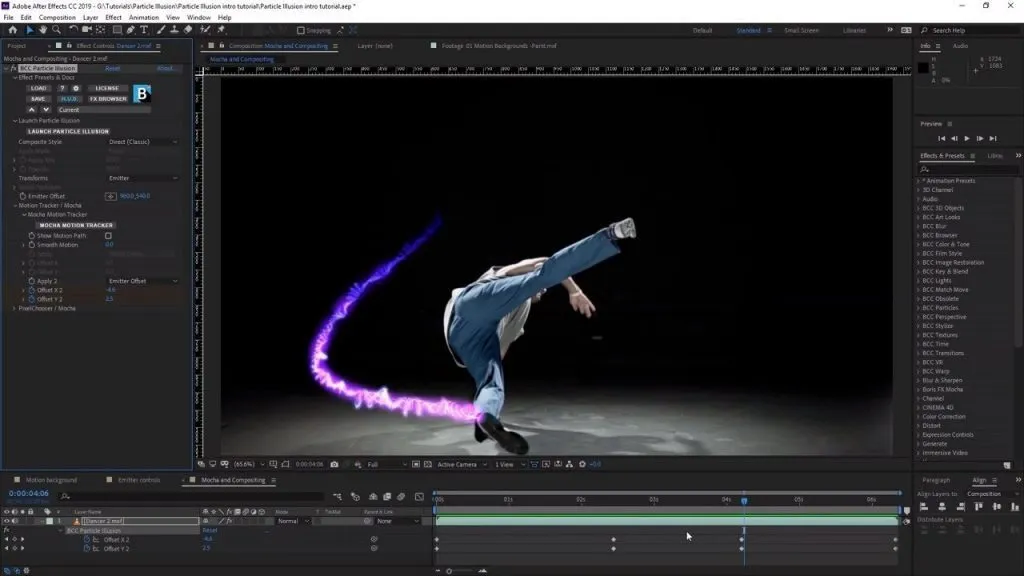
Based on the current official user guide and product documentation, After Effects is a compositing and motion design environment built for keyframe animation, visual effects, title animation, and Adobe-pipeline finishing work. It belongs to Creative Cloud, requires a subscription, and has no perpetual license option. The latest major release is version 26.0, shipped in January 2026.
The tool’s identity is narrow by design. That’s actually a strength for the right buyer and a warning sign for the wrong one.
How We Evaluated Adobe After Effects
Quick verdict: This is a research-based review. I did not conduct hands-on testing through the live product.
During my evaluation of Adobe’s pricing, release notes, official documentation, and user reports, here’s exactly what I examined:
- The official pricing page, verified April 14, 2026
- Release notes for version 26.0 (January 2026)
- The known issues page, which documents active bugs in current releases
- System requirements documentation
- Beta feature roadmap
- Current user review themes from G2 and community forum discussions
- Official competitor documentation and pricing from DaVinci Resolve, Apple Motion, and Blender
Evaluation Scenarios
- Solo motion designer creating client work inside the Adobe ecosystem: Does AE justify its annual cost compared with alternatives?
- In-house marketing team producing social video assets: Is AE the right tool or are they overbuying?
- Occasional creator who needs motion titles and simple effects a few times a month: Does the subscription make sense?
- Small agency running Premiere + Photoshop already: Does adding After Effects create enough workflow value to justify the incremental cost?
- Budget-conscious creator on a Mac weighing AE against Apple Motion at $49.99: When is the cheaper tool genuinely enough?
What I could verify: Pricing, release features, system requirements, documented bugs, beta roadmap direction, and user feedback patterns.
What I could not verify: Frame-by-frame render times, subjective output quality, real-time preview performance on specific hardware, or plugin compatibility edge cases.
Test Results Summary
| Criteria | Weight | Score (1-10) | Justification |
|---|---|---|---|
| Motion graphics capability | 20% | 9.0 | Deep keyframe, expression, and compositing toolset. Variable font animation, native 3D shapes, and SVG support in 2026 release extend the creative range |
| Adobe ecosystem integration | 15% | 9.5 | Dynamic Link with Premiere, native Photoshop/Illustrator import, Frame.io collaboration. This is the strongest lock-in and the strongest advantage simultaneously |
| Plugin and extension ecosystem | 15% | 9.0 | Adobe documents 400+ plugin partners. Partner Finder database. Third-party template and preset culture is deeper here than any competitor |
| Performance and stability | 15% | 5.5 | G2 review themes flag performance issues. Community forums describe crashes on complex projects. Adobe’s own known-issues page confirms active bugs. Heavy RAM and GPU requirements |
| Learning curve and usability | 10% | 5.0 | Steep learning curve is one of the most consistent cross-source themes. Expressions, precomps, and advanced masking create a long ramp-up for new users |
| Pricing and value | 10% | 6.0 | $275.88/year with no perpetual option. Reasonable for daily-use professionals. Poor value for occasional users. Cost crossover with alternatives happens fast |
| Collaboration and workflow | 10% | 7.5 | Frame.io included with paid plans. But activation requires setup steps, not automatic. Collaboration value is real but not frictionless |
| 2026 release momentum | 5% | 8.0 | Variable fonts, 3D shapes, SVG, preview playback, WinARM. Real updates, not just maintenance releases |
Weighted overall score: 7.6 / 10
This score reflects a specialist tool that excels at its core job but carries real costs beyond the sticker price: hardware demands, learning investment, performance constraints on heavy projects, and subscription lock-in with no escape hatch.
Real-World Use Cases
Case 1: Solo Motion Designer in the Adobe Ecosystem
Profile: Freelance motion designer producing 10-15 client projects per month. Already running Premiere Pro and Photoshop. Clients expect polished title sequences, logo animations, and lower-thirds.
Month 1 decision: Subscribes to After Effects single app at $22.99/month. Already has a machine with 32GB RAM and a supported GPU. The Dynamic Link workflow with Premiere is the primary reason for choosing AE over alternatives. Imports Illustrator assets directly. Uses two third-party motion template packs.
Year 1 reality: Total AE cost is $275.88. Add the Premiere subscription and you’re looking at $551.76/year for two apps, or the Creative Cloud Pro bundle at $734.88 in year one (introductory pricing). The plugin ecosystem and template availability keep this designer competitive. The subscription hurts but the workflow integration justifies it.
Verdict: This is the buyer After Effects is built for. Worth it.
Case 2: In-House Marketing Team Adding Motion to Social Content
Profile: Two-person marketing team at a mid-size company. They produce 20-30 social video posts per month, mostly animated text, branded transitions, and simple kinetic typography. One person is Premiere-proficient, dabbles in AE.
Month 1 decision: The team lead buys AE for teams at $37.99/month per seat, or $455.88/year/seat. Two seats means $911.76/year just for After Effects. They need Premiere too. The combined tooling cost starts climbing toward $2,000/year before they’ve bought a single stock asset.
Month 3 reality: Most of what this team produces could be done in Premiere’s built-in graphics panel or (on Mac) Apple Motion at $49.99 total. The team uses maybe 30% of AE’s capability. They’re paying for a specialist tool and using it as an occasional title generator.
Verdict: Overbuying. This team should evaluate whether Premiere’s Essential Graphics panel or Apple Motion covers their actual needs before committing to AE seats.
Case 3: Occasional Creator Who Needs Effects Once or Twice a Month
Profile: YouTube creator who needs a motion title or transition effect every few weeks. Not a motion designer. Doesn’t want to learn expressions.
Month 1 decision: Signs up for the 7-day free trial. Watches a few tutorials. Creates one title animation that looks decent but took 4 hours because the interface is dense and the learning curve is steep.
Month 3 reality: Has paid $68.97 for three months of AE and used it maybe 5 times. Apple Motion costs $49.99 once. DaVinci Resolve’s free version covers basic effects. The occasional creator has already overpaid.
Verdict: Walk away. This buyer profile is subsidizing Adobe’s recurring revenue, not getting proportional value.
Pros
Quick verdict: The strengths are real, but they matter most for a specific buyer profile.
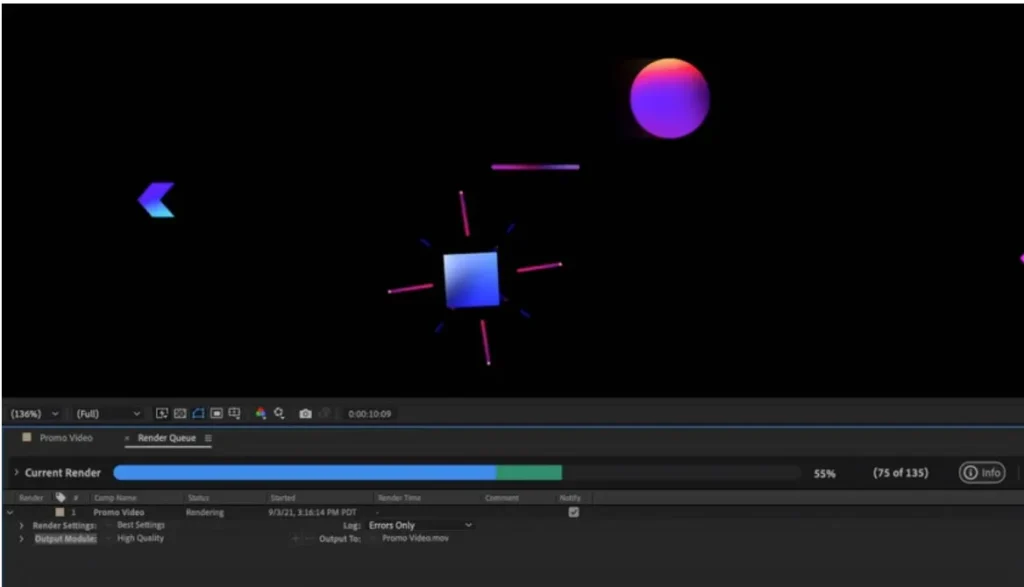
- Adobe ecosystem integration is the headline advantage. G2 reviews repeatedly praise the way After Effects connects with Premiere Pro, Photoshop, and Illustrator. Adobe’s own documentation supports this pairing. Dynamic Link, native asset import, and shared project workflows make AE strongest when it’s part of a Creative Cloud pipeline, not used in isolation.
- The plugin and template ecosystem is unmatched. Adobe documents 400+ plugin partners and maintains a Partner Finder database. The third-party preset, template, and extension market around After Effects is deeper than anything available for Resolve’s Fusion, Apple Motion, or Blender’s motion tools. For professionals who rely on production speed, that ecosystem breadth directly affects billable output.
- The 2026 release is not just maintenance. I’ll give Adobe credit here: version 26.0 shipped real updates. Variable font animation opens new typography workflows. Native 3D shapes with over 1,300 Substance 3D textures push compositing closer to what used to require separate 3D apps. Improved SVG support and High Performance Preview Playback are practical workflow improvements, not just marketing bullet points.
- Frame.io inclusion adds real collaboration value. Frame.io is included with paid Creative Cloud memberships, including After Effects single-app subscriptions. For teams that previously paid separately for review-and-approval tools, this removes a line item from the budget. It’s not automatic (it requires Adobe ID setup and panel activation), but the value is there.
- WinARM support broadens hardware compatibility. The January 2026 release adds native WinARM support. That’s forward-looking and matters for buyers on newer ARM-based Windows devices.
- Beta roadmap signals continued investment. Quick Set Anchor, SVG import as footage or composition, proportional timeline scrubbing, and AI-powered Object Matte are all in beta. Adobe is still shipping workflow friction fixes, which is arguably more valuable than flashy new features.
Cons
Quick verdict: The pain points are specific, documented, and consequential for the wrong buyer profile.
- The learning curve is steep and widely documented. This isn’t a marginal complaint. G2 review themes, community forum discussions, and user reports across multiple platforms consistently flag the difficulty of going beyond basic keyframes into expressions, masking, precompositions, and complex compositing logic. For occasional users, the ramp-up time may never pay back the subscription cost. No workaround short of significant time investment.
- Performance pain is not a fringe issue. G2 flags performance problems and slow rendering in its review themes. Community forum users describe complex projects becoming difficult to work with, and some users explicitly compare AE unfavorably with DaVinci Resolve on the same hardware. Adobe’s own system requirements are demanding: minimum 16GB RAM (32GB recommended for 4K), at least 4GB GPU memory, Windows 11 v24H2 or later, and OpenCL 2.0 required starting with release 25.6. If your machine doesn’t meet these specs comfortably, expect friction.
- The subscription model has no exit. There is no perpetual license. No outright purchase option. If you stop paying, you lose access entirely. After month 13 of the single-app plan, you’ve spent more than DaVinci Resolve Studio’s entire $295 one-time price. After just 3 months, you’ve surpassed Apple Motion’s $49.99 lifetime cost. That math doesn’t matter for daily-use professionals, but it’s punishing for lighter users.
- Known issues are real and current. Adobe’s known-issues page isn’t empty. Current documented problems include macOS Sequoia repeated permission prompts for Adobe video apps, a composition panel rendering issue on some Windows systems with Intel integrated GPU plus NVIDIA card, and SBSAR/Substance 3D materials appearing offline when reopening certain projects. These aren’t theoretical bugs from old versions. They’re current.
- Crash and freeze reports on plugin-heavy projects. Community posts describe crashes and freezes tied to specific effects and plugin-intensive workflows. This connects to the performance theme: AE works well for moderate projects, but the user feedback pattern suggests reliability degrades as project complexity (and plugin count) increases.
- Collaboration is not plug-and-play. Frame.io is included, but activation requires Adobe ID authentication, in-app panel setup though Window > Extensions > Frame.io, and sign-in configuration. It’s not a one-click collaboration start. Adobe documents the setup path, but “included” doesn’t mean “instant.”
Things the Company Won’t Tell You
This section exists because every buyer deserves the parts the marketing quietly skips.
After Effects is not the right main editor for long-form video cutting. Adobe says this themselves on their Premiere vs After Effects comparison page, but the implication gets lost in the broader Creative Cloud marketing. AE is a compositing and motion design environment. If you’re trying to edit a 20-minute video in After Effects, you’re in the wrong app. The tool’s strength is specialist depth, not editorial breadth.
The subscription model looks manageable until you do the crossover math. At $22.99/month, After Effects costs $275.88/year. DaVinci Resolve Studio costs $295 once and includes its own motion graphics environment (Fusion). Apple Motion costs $49.99 once on Mac. By month 3 of AE billing, you’ve passed Motion’s price. By month 13, you’ve passed Resolve Studio. If you’re using AE for 5-10 years (and many professionals do), that’s $2,759 to $2,759+ in subscription fees for a tool you’ll never own. The alternatives cost you once.
Performance pain scales with complexity, plugins, and hardware limits. Adobe’s marketing highlights the creative breadth. What most glossy reviews gloss over is that the user feedback pattern consistently shows performance degradation on complex, plugin-heavy projects. The minimum RAM requirement is 16GB, but 32GB is recommended for 4K work. At least 4GB of GPU memory is required on supported Windows GPUs. OpenCL 2.0 became a hard requirement with release 25.6. If your machine is on the lower end of these specs, you won’t have a smooth experience.
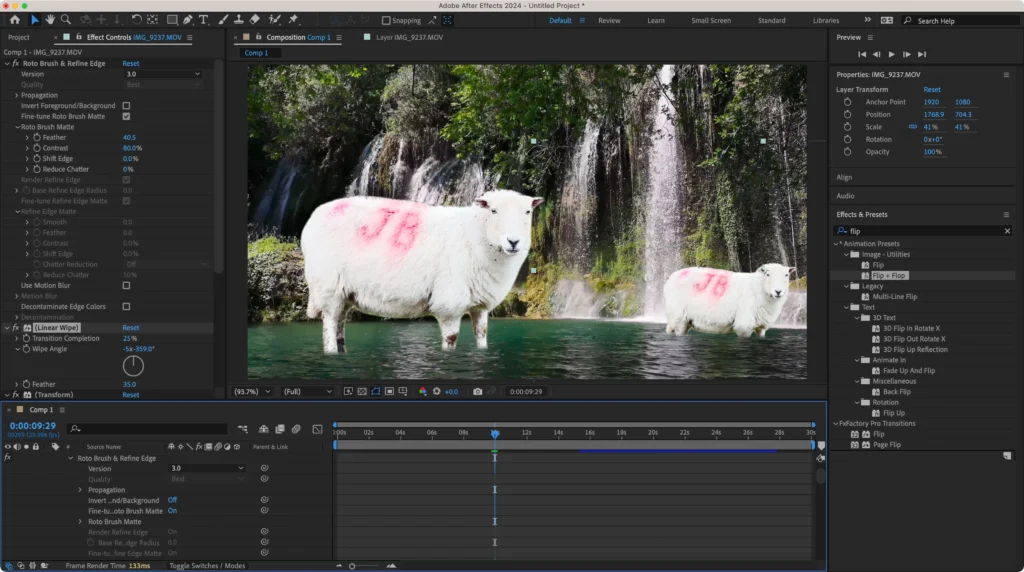
Adobe’s own known-issues pages matter and should not be ignored before buying. The known-issues page documents active, current bugs. That includes rendering problems on specific GPU configurations, macOS Sequoia permission issues, and Substance 3D material reload behavior. These aren’t legacy bugs from years ago. They affect the version you’d download today.
Feature momentum in 2026 is real, but it doesn’t erase long-running friction. Variable fonts, 3D shapes, SVG support, and better preview playback are genuine improvements. But the beta roadmap still includes workflow friction fixes like Quick Set Anchor and proportional scrubbing, which tells you Adobe is still catching up on usability gaps, not just shipping new creative capabilities. The product is getting better. It’s also not done fixing old problems.
Pricing: Sticker Price vs. Real Cost of Adobe After Effects
Quick verdict: The monthly price looks reasonable. The annual and multi-year math tells a different story for lighter users.
Official Pricing (Verified April 14, 2026)
Individuals:
- After Effects single app: $22.99/month, annual plan billed monthly
- Creative Cloud Pro: $34.99/month for first 3 months, then $69.99/month, annual billed monthly
- 7-day free trial available
- No perpetual license option
Students and Teachers:
- Creative Cloud Pro: $19.99/month first year, then $39.99/month
Business:
- After Effects for teams: $37.99/month per license, annual billed monthly, excl. VAT
- Creative Cloud Pro for teams: $99.99/month per license, annual billed monthly
Included with paid plans:
- 100GB cloud storage
- Frame.io for Creative Cloud
- Adobe Express Premium
Real Cost of Adobe After Effects by Team Type
| Buyer Profile | Monthly Sticker Price | Annualized Cost | Hidden Cost or Caveat | Cheaper Alternative Threshold |
|---|---|---|---|---|
| Solo motion designer (AE single app) | $22.99/month | $275.88/year | No perpetual license. If you also need Premiere, add another $263.88/year or jump to CC Pro at $734.88 yr 1 | DaVinci Resolve Studio at $295 once breaks even vs AE at month 13 |
| Occasional creator (AE single app) | $22.99/month | $275.88/year | Paying full price for a tool you use a few times a month. Learning curve makes each session expensive in time too | Apple Motion at $49.99 once breaks even vs AE at month 3. Resolve free costs nothing |
| In-house marketing team (AE for teams, per seat) | $37.99/month/seat | $455.88/year/seat | Two seats = $911.76/year. Three seats = $1,367.64/year. VAT excluded. Many teams use 30% of AE’s capability for this work | Premiere’s built-in Essential Graphics panel or Motion may cover the actual need |
| Student (CC Pro student plan) | $19.99/month yr 1 | $239.88 yr 1, then $479.88/year | Intro pricing doubles after year 1. After graduation, no more student rate | Blender is free forever. Motion is $49.99. Resolve free tier covers basics |
Cost Crossover Points
- AE vs Apple Motion: After Effects single-app billing surpasses Motion’s $49.99 one-time cost by month 3
- AE vs DaVinci Resolve Studio: After Effects single-app billing surpasses Resolve Studio’s $295 one-time cost by month 13
- AE vs Blender: After Effects surpasses Blender’s cost immediately. Blender is free
The real tax here is not just the monthly fee. It’s the combination of subscription lock-in, heavier hardware needs, and the amount of workflow effort users still report on complex projects. The subscription only makes sense if you use AE often enough that its capabilities pay for themselves in client work or production speed.
Security, Privacy, Ownership, and Lock-In
Quick verdict: Enterprise trust signals are strong on paper. Subscription lock-in is the real ownership concern for most buyers.
Adobe Trust Center provides security, privacy, availability, and compliance resources at adobe.com/trust.
Enterprise compliance certifications listed on the Adobe compliance page for Creative Cloud for enterprise include:
- SOC 2 Type 2
- SOC 3
- ISO 27001:2022
- ISO 27017:2015
- ISO 27018:2019
- ISO 22301:2019
- CSA Star Level 2
Frame.io is listed with TPN Gold Shield in Adobe’s compliance materials, which matters for studios with content security requirements.
Subscription lock-in is the real ownership question. After Effects requires an active subscription. There’s no way to own the software outright. If you cancel, you lose access to the application and any project files depend on AE to reopen. Your creative assets (source files, exports) are yours, but editing them requires the subscription. This is standard for Creative Cloud apps, but it’s worth stating plainly: you are renting the tool, not buying it.
Adobe ID dependency: After Effects requires Adobe ID sign-in for activation and access to cloud services, collaboration features, and Frame.io. This is a persistent data connection requirement, not an offline-capable tool in any practical sense.
For agencies and enterprise teams, the compliance profile is credible. For individual creators, the lock-in question is more personal: are you comfortable paying indefinitely for access to a tool you can’t own?
What Most Reviews Miss About Adobe After Effects
1. Frame.io inclusion genuinely changes the value calculation for some buyers. Most reviews mention Frame.io as a feature bullet. What they don’t quantify is that teams who were previously paying $15-25/month per user for a separate review-and-approval tool can now consolidate that into their Creative Cloud subscription. For a 3-person team already in CC, that’s a real cost reduction, not just a marketing checkbox.
2. Current 2026 known issues deserve decision-level attention. The known-issues page isn’t a historical archive. It documents active problems that affect the version available for download right now. The composition panel rendering issue on Windows systems with mixed Intel/NVIDIA GPUs is the kind of bug that could affect a buyer’s daily workflow. Checking the known-issues page before subscribing is not paranoia. It’s due diligence.
3. OpenCL 2.0 requirement and RAM/GPU realities narrow who should buy comfortably. Starting with release 25.6, OpenCL 2.0 became a hard requirement. The minimum RAM is 16GB, with 32GB recommended for 4K work. At least 4GB GPU memory is required on supported Windows GPUs. These aren’t aspirational specs. They’re minimums. If your machine shipped in 2020 or earlier, verify compatibility before subscribing.
4. AE’s real strength is Adobe-native motion design, not being a universal editor. Adobe says this explicitly. But the marketing around Creative Cloud bundles can blur this line for buyers who aren’t sure what they need. After Effects is not a video editor. It’s not a replacement for Premiere. And it’s not the best tool for someone who just needs occasional effects. Its value is highest when it’s a daily-use specialist tool inside a Creative Cloud workflow.
5. Cost crossover with Motion and Resolve happens faster than most subscription buyers realize. By month 3, AE has cost more than Motion’s lifetime price. By month 13, it’s passed Resolve Studio’s $295. Over a 5-year professional career, AE single-app costs roughly $1,379 while Resolve Studio costs $295 once. That $1,084 difference is real, and it buys a lot of plugins.
Common Mistakes When Using Adobe After Effects
Mistake 1: Using After Effects as a primary video editor. After Effects is a compositing and motion design tool, not an editorial timeline. Trying to cut and arrange long-form footage in AE leads to slow performance, awkward timeline management, and workflow frustration. Consequence: Wasted time and subpar editing experience. Fix: Use Premiere Pro (or Resolve, or Final Cut) for editing. Send specific shots to AE via Dynamic Link or export for compositing work.
Mistake 2: Subscribing before checking hardware compatibility. The system requirements are genuinely demanding. Buyers who subscribe first and then discover their GPU doesn’t support OpenCL 2.0, or their 8GB RAM machine stutters on anything beyond basic compositions, end up paying for a tool they can’t use effectively. Consequence: Monthly charges for a frustrating experience. Fix: Check the system requirements page before subscribing. If you’re below 16GB RAM or have an older GPU, reconsider.
Mistake 3: Buying the full Creative Cloud bundle when only AE is needed. Creative Cloud Pro costs $69.99/month after the intro period. That’s $839.88/year. If you only need After Effects, the single-app plan at $275.88/year saves you $564/year. Buyers get upsold into the full bundle by packaging psychology, not by actual workflow needs. Consequence: Paying 3x more than necessary. Fix: Start with the single-app plan. Add individual apps only when you confirm daily need.
Mistake 4: Ignoring the known-issues page before starting a client project. Adobe documents active bugs publicly. Starting a complex client project on hardware or OS configurations affected by known issues leads to crashes, rendering failures, and missed deadlines. Consequence: Client trust damage and time loss. Fix: Check the known-issues page before any production-critical project. Match your hardware and OS against documented problems.
Mistake 5: Expecting After Effects to be learnable in a weekend. The basic interface is approachable. Expressions, precompositions, masking, rotoscoping, motion tracking, and plugin workflows are not. User feedback consistently describes a steep ramp-up that takes months of practice. Consequence: Frustration and wasted subscription months during the learning phase. Fix: Budget 2-3 months of active learning before expecting production-quality output. Consider free learning resources and tutorials before subscribing.
Adobe After Effects vs Alternatives
Adobe After Effects vs DaVinci Resolve Studio / Fusion
DaVinci Resolve Studio 21 costs $295 one time and includes Fusion, a node-based compositing environment. There’s also a free version of Resolve with many core features included.
Where After Effects wins:
- The plugin and template ecosystem is vastly deeper. AE’s template culture and preset market have no real equivalent in Fusion
- Adobe ecosystem integration (Dynamic Link with Premiere, native Photoshop/Illustrator import) creates workflow speed that Resolve can’t match for Adobe-native teams
- Layer-based compositing is more intuitive for designers coming from Photoshop than Fusion’s node-based approach
Where Resolve wins:
- $295 once vs $275.88/year is the headline. After month 13, AE becomes permanently more expensive. After 5 years, AE costs roughly $1,379 to Resolve’s $295
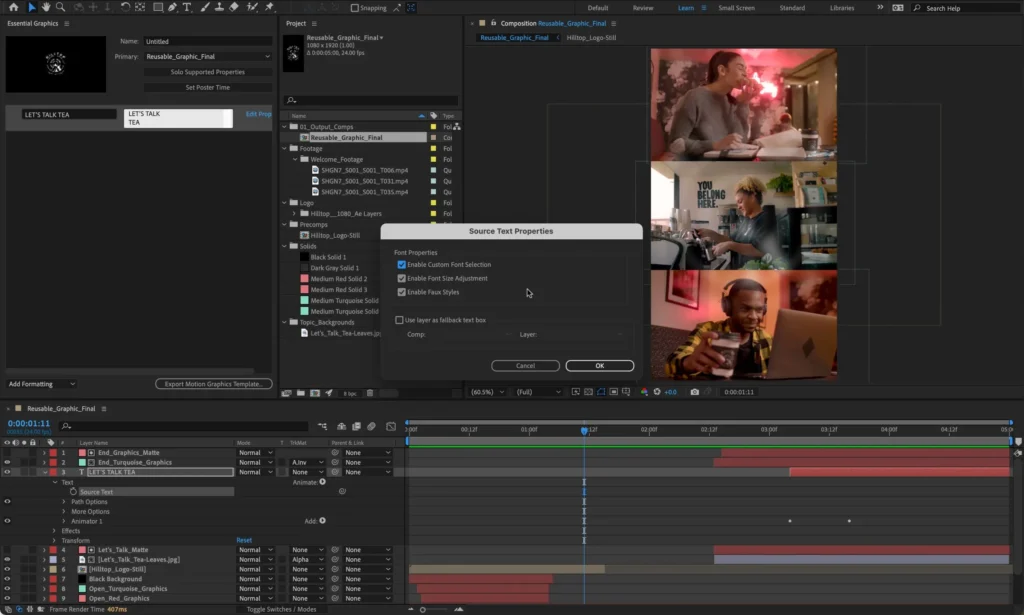
- Resolve is an all-in-one suite: editing, color, effects, audio, and collaboration in one application. AE handles only the motion/effects layer
- The free tier gives buyers a genuine starting point with no money at risk
- Resolve 21 emphasizes cloud collaboration with multi-user timelines, built-in chat, and shared cloud folders
Bottom line: If you’re embedded in Creative Cloud and need deep plugin access, After Effects is the right call. If you want an all-in-one post-production suite at a one-time price, Resolve is the smarter long-term buy.
Adobe After Effects vs Apple Motion
Apple Motion 6.0 costs $49.99 once, or is available via Apple Creator Studio for $12.99/month or $129/year. Mac only.
Where After Effects wins:
- Cross-platform (Windows and Mac) vs Motion’s Mac-only limitation
- Deeper compositing, expressions, and VFX capabilities
- Far larger plugin and template ecosystem
- Better suited for complex motion graphics and professional VFX work
Where Motion wins:
- $49.99 once vs $275.88/year is a dramatic cost difference. AE overtakes Motion’s price by month 3
- Motion 6.0 released January 28, 2026, with Magnetic Mask, faster 3D text on Apple silicon, and FxPlug improvements
- Real-time design and playback is part of Apple’s core pitch
- Optimized for Apple silicon, meaning strong performance on Mac hardware without the heavy system requirements AE demands
- Tight integration with Final Cut Pro for Mac-based video editors
Bottom line: If you’re on a Mac, do simple-to-moderate motion work, and don’t need the Adobe ecosystem, Motion at $49.99 is genuinely enough for most title, transition, and effects work. If you need deep compositing, expressions, and cross-platform support, AE is the professional-grade option.
Adobe After Effects vs Blender
Blender is free and open source, with a license that guarantees it stays that way. Blender 5.1 was released March 17, 2026.
Where After Effects wins:
- AE is purpose-built for motion graphics and compositing. Blender is a broad 3D creation suite where motion work is one capability among many
- The learning curve for Blender’s motion tools on top of its 3D environment is steeper than AE’s already-steep curve
- Plugin ecosystem, template availability, and Adobe pipeline integration don’t exist in Blender’s motion workflow
Where Blender wins:
- Free forever. The cost comparison ends immediately. Over 5 years, AE single-app costs roughly $1,379. Blender costs $0
- Deeper 3D capabilities. If the project involves genuine 3D creation, modeling, and rendering alongside motion work, Blender’s native 3D depth is stronger
- Active release cadence with 5.0 in November 2025 and 5.1 in March 2026
Bottom line: Blender is not a drop-in After Effects replacement. It’s a different tool for a different workflow. But for 3D-heavy creators who are willing to invest in learning Blender’s approach and don’t need the Adobe ecosystem, the cost saving is total and permanent. Use it as the “free but workflow-shifting” alternative, not as a lazy swap.
Is Adobe After Effects Worth It in 2026?
For motion designers who use it daily inside a Creative Cloud pipeline: yes. The combination of animation depth, plugin ecosystem, Adobe integration, and 2026 feature updates creates a tool that’s hard to replace if your work depends on it.
For everyone else, the answer gets more complicated.
The subscription adds up. The learning curve is steep. Performance degrades on complex projects. The hardware requirements are demanding. There’s no way to own the software. And alternatives with one-time pricing exist, covering a large portion of what lighter users actually need.
After Effects is a professional’s daily-driver tool. If that’s you, it earns its cost. If it’s not, you’re probably overpaying for capability you don’t use.
Who Should Use Adobe After Effects
- Motion designers whose work centers on animation, compositing, and visual effects. This is the tool’s core audience and where its value is highest
- Adobe-native editors and teams already running Premiere Pro, Photoshop, and Illustrator. The ecosystem integration creates speed advantages that standalone alternatives can’t match
- Agencies that rely on template culture, third-party presets, and plugin breadth for production velocity
- Teams using Frame.io for review and approval. The included access removes a separate tool cost
Who Should Skip Adobe After Effects
- Occasional creators who need titles or effects a few times a month. The subscription math is punishing for light use
- Budget-first buyers who can’t justify ongoing subscription costs when $295 (Resolve) or $49.99 (Motion) or $0 (Blender) exist
- Users on older or lower-spec hardware. If you have less than 16GB RAM, an older GPU, or a machine without OpenCL 2.0 support, AE won’t run well
- Long-form editors who need a primary cutting and arranging tool. After Effects is the wrong app for that job
- Anyone expecting a short learning curve. If you need to produce professional output within a week of subscribing, AE is not going to cooperate
FAQ
Can After Effects replace Premiere Pro?
No. Adobe explicitly positions After Effects for motion graphics and visual effects, and Premiere Pro for editing and arranging video. They’re designed to work together via Dynamic Link, not to replace each other. Using AE as a primary editor for long-form projects leads to poor performance and workflow frustration.
Can you buy After Effects outright?
No. As of April 2026, Adobe does not offer a perpetual license for After Effects. The only option is a subscription through Creative Cloud, starting at $22.99/month on the annual plan billed monthly.
Is Frame.io included with After Effects?
Yes. Frame.io for Creative Cloud is included with paid memberships, including After Effects single-app subscriptions. Activation requires Adobe ID sign-in and in-app panel setup. It’s not automatic, but it is included.
Is After Effects worth it for beginners?
It depends on your commitment level. The learning curve is steep, and user reviews consistently describe months of active practice before achieving production-quality results. The free trial is 7 days, which isn’t long enough to evaluate the tool meaningfully. If you’re serious about motion design as a career skill, the investment can pay off. If you’re casually curious, start with free tools like Blender or DaVinci Resolve’s free tier.
Is DaVinci Resolve better value than After Effects?
For most buyers who don’t depend on Adobe ecosystem integration, yes. DaVinci Resolve Studio costs $295 once and includes editing, color grading, Fusion compositing, audio, and collaboration. After Effects costs $275.88/year for motion graphics only. After month 13, AE is permanently more expensive. Resolve also has a genuinely capable free version.
Is Apple Motion enough for most title work?
For Mac users doing standard titles, transitions, lower-thirds, and moderate motion effects: yes. Motion 6.0 at $49.99 handles this work well and is optimized for Apple silicon. It won’t replace After Effects for complex compositing, expressions, or professional VFX. But for the majority of title and transition work, it’s genuinely sufficient.
Does After Effects run well on lower-end machines?
Not reliably. Adobe’s documented minimums are 16GB RAM (32GB recommended for 4K), 4GB GPU memory on supported Windows GPUs, Windows 11 v24H2 or later, and OpenCL 2.0 support required from release 25.6. User reports consistently describe performance issues and lag on machines that meet only the minimum specs. If your hardware is on the edge, expect friction.
What are the hidden costs of After Effects?
Beyond the $22.99/month sticker price: hardware upgrades to meet system requirements, time investment to overcome the learning curve, potential need for third-party plugins and templates (many are paid), and the opportunity cost of subscription lock-in when one-time alternatives exist. If you also need Premiere, add another subscription or jump to Creative Cloud Pro at up to $839.88/year post-intro.
Is After Effects good for long-form editing?
No. Adobe says this themselves. After Effects is a compositing and motion design tool. For long-form video editing, use Premiere Pro, DaVinci Resolve, or Final Cut Pro.
Is Blender a realistic alternative to After Effects?
It depends on your workflow. Blender is a full 3D creation suite that can handle motion graphics work, but it’s not a direct AE replacement. The interface, workflow logic, and community resources are different. If you’re willing to invest in learning Blender’s approach and don’t need Adobe ecosystem integration or AE’s plugin market, Blender at $0 is hard to argue with on cost. But it’s a workflow shift, not a drop-in swap.
Final Verdict
After Effects in 2026 is still a professional-grade motion graphics and VFX tool with genuine strengths. The Adobe ecosystem integration, plugin breadth, and 2026 feature updates are real. But so are the subscription lock-in, performance pain on complex projects, steep learning curve, and demanding hardware requirements.
For motion designers and VFX professionals working daily inside Creative Cloud: buy it. Nothing else matches the combination of animation depth, template ecosystem, and Adobe pipeline integration.
For Adobe-native agencies and teams that ship motion work regularly and rely on Premiere/Photoshop/AE interoperability: buy it. The workflow efficiency justifies the recurring cost.
For occasional creators, students on tight budgets, or anyone who mainly needs titles and simple effects: skip it. Apple Motion at $49.99 or DaVinci Resolve’s free tier will do what you actually need for a fraction of the cost, or no cost at all.
For budget-conscious professionals who don’t depend on the Adobe ecosystem: seriously evaluate DaVinci Resolve Studio at $295 one time. The cost saving over a multi-year career is substantial, and Fusion’s compositing capabilities are credible.
Score: 7.6 / 10. Strong specialist tool for its core audience. Weakened by subscription economics, hardware strain, and a buyer-fit gap between who Adobe markets to and who genuinely benefits.