Sony Alpha A7 V review – is this enthusiast powerhouse top of its class?


Sony’s enthusiast-focused all-rounder brings major updates and performance boosts, but is that enough to bring it back to the top of its highly competitive class?
Amateur Photographer verdict
The Sony A7 V is a highly accomplished camera that’s at least a match for its peers. With great image quality, excellent autofocus and rapid shooting, there’s barely anything it can’t do.
- Superb image quality, particularly in raw
- Excellent autofocus and continuous shooting
- Impressively long battery life
- Versatile 4-way articulated rear screen design
- Handgrip is a little cramped, especially with gloves
- No open gate video recording
- Speed boost doesn’t work well with mechanical shutter
- Some third-party lenses will need firmware updates
The Sony Alpha A7 V is the latest iteration of the firm’s ‘basic’ line of SLR-style full-frame mirrorless cameras, that’s designed for enthusiast photographers. It looks almost identical to its predecessor, the A7 IV from 2021, and offers the same 33MP resolution. Don’t be fooled into thinking that it’s only a minor upgrade, though, as both the sensor and image processor are brand new. This brings a range of improvements, including faster shooting speeds and enhanced autofocus capabilities, that re-establishes it as one of Sony’s best cameras.
Sony Alpha A7 V at a glance:
- $2,899 / £2,799 body-only
- 33MP partially stacked full-frame sensor
- ISO 100-51,200 (standard); ISO 50-204,800 (extended)
- Up to 30fps continuous shooting
- 4K 60p video (120p with Super-35 crop)
- 3.2in, 2.1m-dot, 4-axis multi-angle articulated touchscreen LCD
- 3.68m-dot, 0.78x electronic viewfinder
Back when it was launched, the Sony A7 IV was class-leading in many ways. But since then, it’s been surpassed by the likes of the Canon EOS R6 Mark III and the Nikon Z6III, particularly with regards to autofocus. Both are superb cameras, so Sony has a high bar to match. Panasonic is also in the race with its Lumix S1II.
At $2,899 / £2,799 body-only, the Sony A7 V is competitively priced against the Canon and Lumix models, but the older Nikon can be bought for rather less. On paper, all four cameras offer the kind of spec sheets that should satisfy most photographers, although there are detail differences that some buyers might find important. So how does the Sony A7 V measure up?
Features
Looking first at the sensor, this now employs a partially stacked design. We’ve seen this before in the 24MP sensor used by the Panasonic Lumix S1II and Nikon Z6III. Its big advantage is that brings faster readout speeds which underpin the camera’s increased performance, but without the same expense as a fully-stacked sensor.

Sony says the sensor can capture a remarkable 16 stops of dynamic range, which is a full stop more than its predecessor. This comes courtesy of a new dual-gain readout mode enabled by the partially stacked design, with the caveat that it requires use of the mechanical, rather than electronic shutter. As before, the sensitivity range covers ISO 100-51,200 as standard, with extended ISO 50-204,800 options also available.
Shutter speeds run from 30-1/8000sec using the mechanical shutter, with the top speed increasing to 1/16,000sec with the electronic shutter. It’s also possible to set timed long exposures as long as 15 minutes. But this requires using a ‘bulb timer’ mode that’s awkwardly hidden away in the menus – it’s a mystery why Sony can’t simply offer longer shutter speeds selected in the normal way, like other brands.

Continuous shooting is available at up to 10 frames per second, complete with AF tracking. But new on the A7 V is the ability to hike this to 30fps by engaging the electronic shutter. However, it’s important to understand that many third-party lenses are limited to shooting at slower speeds. Sony has also included its ‘Continuous Shooting Speed Boost’ mode that temporarily switches up the burst speed by pressing a function button.
Pre-capture is also available, with the camera able to buffer up to a second’s-worth of frames before the shutter is fully pressed. This can be activated using either the AF-ON button, or by half-pressing the shutter button. It’s easy to engage, too, via the onscreen Fn menu; other brands to bury it in the menu.

One area where the A7 IV was looking distinctly long in the tooth was autofocus, as it only included face detection for humans and animals. However, the A7 V’s new Bionz XR2 processor now has built-in AI that enables a full set of subject recognition options, without the need for the co-processor used by previous Sony models. As a result, the camera can detect humans, animals, birds, insects, cars, trains, and airplanes. It also includes an auto-selection mode, so you don’t have to choose the subject type before shooting.
Sony has implemented a new Compressed (HQ) raw file type, which replaces the old uncompressed raw option. Clearly the aim is to produce smaller raw files that are visually lossless, but don’t suffer from the artefacts that could be visible when pushing the older Compressed raw format to its limits in raw processing.

Naturally the A7 V includes all the other improvements that Sony has introduced over the past four years. There are a couple more AF area sizes, and the onscreen interface now rotates for portrait format shooting. Swiping in from either side of the screen brings up touch buttons for commonly changed settings, which can be dismissed by swiping the other way. None of these things are radical advances, but I think they all count as nice to have.
Other updates include improved auto white balance based on Deep Learning (which incidentally, also sees the loss of the small white balance sensor on the front). In-body stabilisation is now rated to give 7.5 stops of shake reduction in the centre of the frame, and 6.5 stops at the periphery. On paper, this is a significant advance on the A7 IV’s 5.5 stops.
Video features
There’s a significant boost in video spec, too, with 4K recording available at 60 frames per second using the full sensor width, and at 120fps with a Super-35 (1.5x) crop. Sony is promising longer recording times without overheating, too, of up to an hour in 4K at an ambient temperature of 40°C. The internal microphones have also been upgraded for clearer sound. However, some may be disappointed by the fact that there’s no 3:2 open gate recording option, as found on some of the A7 V’s rivals.

A couple more changes lurk beneath the covers on the camera’s side. The A7 V now has a full-size HDMI port, rather than micro, which is preferable for connecting to an external video recorder. There are now two USB-C ports in place of one USB-C and one micro-USB, with the idea being that one can be used for power and the other for data transfer at the same time. But this does mean you can’t use a cable release such as the Sony RM-VPR1 anymore; instead, you have to use a Bluetooth remote.
Smartphone connectivity is provided by built-in Bluetooth and Wi-Fi, enabling both file transfer and remote control of the camera. The Wi-Fi is faster than before at 6MHz, and with dual antennae for double the throughput. This should bring faster transfer times when copying raw files or video footage to your phone. You can also connect the camera to your phone via its USB-C port, which in principle means quicker setup and a more stable connection.

Sony Alpha A7 V key features:
- New hardware: The A7 V has a new, partially stacked 33MP sensor, along with the new Bionz XR2 processor with integrated AI subject recognition.
- 4-way articulated LCD: The rear screen includes both up/down tilting and side-hinged articulation mechanisms, so you can flip it up behind the camera for waist-level shooting or swing it forward for filming yourself.
- Revised connector ports: The A7 V now has a full-size HDMI connector and two USB-C ports, which allows you to use one for power, and the other for data. You also get headphone and microphone sockets. But with no micro-USB multi-connector, you can no longer use a wired remote control.
- Multi-function hot shoe: Sony’s hot shoe accepts external flash units, while also having an audio interface to work with the firm’s on-camera microphones without needing an additional cable.
- Power: Sony is promising 630 shots per charge using the EVF, and 750 with the LCD, from its familiar FZ100 battery. The camera can be charged or powered via either of its USB-C ports.
- Storage: As on the A7 IV, the camera has one card slot that can accept either a CFexpress Type A or a UHS-II DS card, and another which accepts UHS-II SD only.
- E mount: With this being the longest-running full-frame mirrorless mount, Sony offers more lenses than anyone else. There’s also a vast range of third-party optics from the likes of Sigma, Tamron, Zeiss, Samyang and Viltrox – but some of these lenses need to have firmware updates installed for full compatibility.
Build and handling
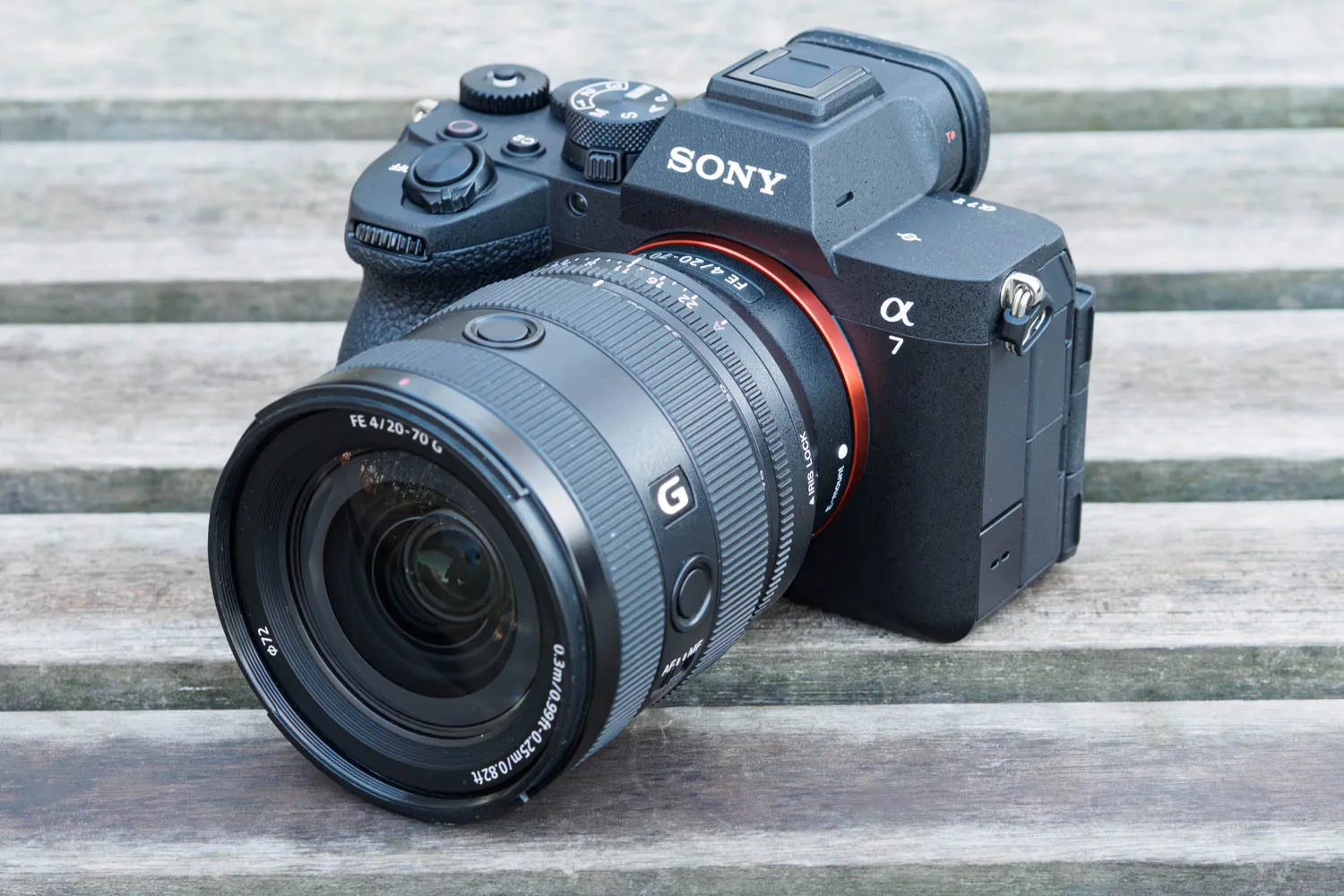
Physically, the A7 V looks near-identical to the IV, with the same body design and all the same controls. It’s essentially the same size too, at 130 x 97 x 82mm, if a little heavier at just shy of 700g. It works in pretty much exactly the same way as the A7 IV, which itself was a relatively minor evolution of a template initially established by the A7R III in 2017. So for anyone who’s used a recent Sony A7 model, it’ll be very familiar indeed.

What you don’t get with the A7 V is the wider body, larger grip and front function button the Sony has included on the more professional-focused A9 III and A1 II models. On one level, I can see the logic here behind keeping the A7 series smaller. But it does mean that your fingers end up very close to the lens, and as I found when shooting on some freezing mornings, they can get jammed in uncomfortably against the lens when you’re wearing winter gloves.
As with previous models, there are four electronic dials arranged around the body for changing exposure settings (many of the firm’s lenses have aperture rings, too). The dial on the corner that’s normally assigned to exposure compensation has a toggle-lock button in its centre to prevent accidental activation. As with other Sony cameras, this dial can be quite easy to confuse by touch with the one alongside it when you’re using the viewfinder.

On the top, the power switch is conveniently located around the shutter button, so you can flick the camera on while bringing it up to your eye. There’s a conventional mode dial, complete with three positions for your own custom setups, and a switch beneath it to select between still, video, and S&Q (slow and quick) recording modes. The video button is well placed behind the shutter release, but in stills mode it can be re-assigned to another function if you prefer. I set it to focus magnification.
On the back, you get Sony’s usual slightly busy cluster of controls, but with a well-defined channel for your thumb to nestle in between them. There’s a large and well-placed AF-ON button for those who prefer back-button focusing, with the focus area joystick immediately below it. The vertical rear dial doubles up as a 4-way d-pad, and can be configured to change ISO directly without having to press the Right key first.

Pressing the small Fn button brings up an onscreen control panel for other useful settings, which you can customise separately for stills and video shooting. Pretty much every other button on the camera can be re-assigned to your personal preference, too. Overall, this counts as a tried-and-tested design that in general, I find works very well.
Sony’s menus are as vast and tortuous as ever, with no fewer than 62 pages of settings on the A7 V. While you’ll never touch a lot of them, inevitably you’ll find some that you want to change more frequently. It makes a lot of sense to identify these and arrange them into a custom My Menu. This is a mercifully simple process compared to some other brands, as it just requires a press of the delete key when you have the item selected.
Viewfinder and screen
One obvious design change comes at the back, where the screen now adopts Sony’s ‘4-axis’ articulation, as first seen on the high-resolution Sony A7R V. I like this design as it gives the best of both worlds – the screen can both tilt up and down behind the camera, and swing out to one side and then twist around to face in any direction your need. As such, it delivers greater versatility compared to Canon and Nikon’s units, which are side hinged only (the Panasonic S1II uses a similar design to Sony’s).

The viewfinder maintains the same main specs as before, with 3.68m-dot resolution, 0.78x magnification, and a refresh rate up to 120fps. That’s not as huge as on the firm’s top-end models, but it’s still very good indeed, and as large as the other models in its class. I found it was notably bright and easy to see, even on a sunny day. Sony previews colour, exposure, and depth-of-field, so you get a very good idea of how your images should turn out.


As on Sony’s previous cameras, you get the option to display an electronic level and a small live histogram. But now, at long last, it’s possible to view both at the same time, rather than having to cycle through multiple screens if you want to check both. I’ve been asking for this for a long time, so I’m really pleased to see it here. There’s also a new, more discreet version of the electronic level that sits in the info bar beneath the preview image, and which works really well.
Autofocus
Perhaps the biggest update compared to the A7 IV lies with autofocus. The A7 V now has a full set of subject recognition options onboard, rather than just face/eye detection. Unlike most previous Sony models, it also has an Auto setting where the camera can choose between all the different subject types. Throw in the increased readout speed of the partially stacked sensor, and this represents a significant advance over its predecessor.

Sony has made it relatively easy to access the AF settings, too, with focus mode and AF area mode each having their own button, while subject detection is controlled from the Fn menu. Annoyingly, though, focus tracking is still engaged using the area mode button, via a duplicate set of area modes. On other brands, it’s a simple on/off toggle, which makes much more sense.

I tested the autofocus by photographing wildlife in my local park using my Sigma 100-400mm F5-6.3 DG DN lens. As a third-party optic – and a relatively inexpensive one at that – it’s unlikely to give the same hit-rate of in-focus shots as a Sony lens, and it’s limited to shooting to 20fps at best. But it’s still valuable for seeing for how quickly the camera can pick up and track subjects.

I have to say that the A7 V’s subject detection and autofocus tracking work very well indeed. The camera picks up subjects near-instantly even when they’re very small within the frame, and then tracks them reliably as they move around. It keeps up well with both fast and unpredictably moving subjects, too. I’ve found that to be really useful when shooting with skittish wildlife, where often you won’t have much time to react and focus.
Overall, I’d say the A7 V counts a significant upgrade over the A7 IV with regards to autofocus with moving subjects. It’s at least on a par with the Canon EOS R6 Mark III and Nikon Z6III, too. However, if you mainly photograph people or static subjects, none of this matters very much.
Performance
As we’ve become accustomed to from Sony, the A7 V is a slick performer in real-world use. It fires up instantly when you flick the power switch, and it responds instantly to both the physical controls and the touchscreen. The mechanical shutter is pretty quiet, and the camera can be entirely silent in electronic shutter mode. One advantage of the partially stacked sensor is that the electronic shutter doesn’t appear to come with any particularly nasty rolling shutter effects.

I’ve been really impressed by the A7 V’s battery life, too. Sony rates it for 630 shots when using the EVF, and that seems entirely reasonable to me. Indeed, when shooting high-speed bursts, I got many times more than that. I’d always advise getting a spare battery, but I never needed one while I had the camera for review.

Image stabilisation is extremely effective, too. With lenses in the 20-50mm range, I was able to get consistently sharp results hand-held at shutter speeds down to 0.5 seconds, at least. Given a railing to rest my elbows, I got a high hit-rate at 1 second, and even the occasional usable shot at 2 seconds.
Continuous shooting
Continuous shooting is very impressive indeed. In my tests, the A7V happily kept going at 10fps in raw + JPEG for 130 frames before even stuttering, when using a CFexpress Type A card. Unlike Sony’s previous cameras, it doesn’t slow down if you switch raw format; in contrast, the A7 IV is limited to 6fps in lossless compressed.

However, it’s worth noting that the camera can’t keep shooting for as long if you use an SD card. I got around 80 frames in Compressed HQ mode, and 56 frames in lossless (again shooting raw + JPEG), using a fast Lexar Gold UHS-II card with a 260MB/sec write speed rating.
Switch to the electronic shutter, and the camera can fire off a 35-frame burst at 30fps. This represents a little over a second of shooting, so you’ll want to be selective how you use it. If you hold down the shutter button for longer, the camera will still keep shooting, just at a much slower rate (I measured approximately 8fps).

Sony’s Continuous Shooting Speed Boost function lets you temporarily switch up the speed by pressing a function button, and if you’re using the electronic shutter, this works as you’d expect. But if you have the camera set to the mechanical shutter, it doesn’t, as it can’t switch over to the electronic shutter in the middle of a burst.
If you have the function button set to ‘hold’, the camera will just keep on shooting at the same rate. Set it to ‘toggle’, and the camera will actually stop shooting when the button is pressed, so you have to your finger off the shutter button and start again. I suspect that this will catch out a lot of users. Hopefully Sony can work out how to make it function properly via a firmware update.
Auto white balance and metering
Metering is generally reliable, and I’ve found it does a good job of retaining highlight detail. It does have a certain tendency to record low-contrast scenes darker than I’d like, though, which can make out-of-camera JPEGs sometimes look a little dull. But you can brighten them up before sharing them of course.

I have to praise the AI auto white balance, which delivered consistently good results throughout my time testing the A7V. Personally, I find that Sony’s distinctly neutral out-of-camera colour rendition can look a little bland in its Standard mode, although having said that, it’s given me some very nice results for portraits. But for other subjects such as landscapes, boosting the contrast and saturation, or engaging one of the Vivid modes, gives punchier results.

Image quality
Sony’s new Compressed (HQ) raw files are typically 20-30MB in size, depending on the image content and ISO used. That’s very similar to the firm’s older Compressed raw format, and typically a saving of 19-20MP compared to Lossless Compressed raws, which is potentially very welcome. Unfortunately, at the time of writing, Adobe Camera Raw doesn’t support Compressed (HQ), to test how well they stand up to the kind of extreme manipulations that could expose artefacts with the old Compressed format.

Adobe does, however, offer preliminary support for the A7 V’s Lossless Compressed raws, which has allowed me to go in a search of the additional dynamic range that Sony has promised. And it’s clear that the new sensor’s low-ISO raw files are incredibly clean, deep down into the darkest shadows. In the example above I exposed to retain detail the bright red element in the centre of the image, then brought up almost all the rest of the image in raw processing. In comparison, the JPEG out of the camera shows scarcely any detail at all.

Even so, it’s far from clear to me that this would give the A7V a demonstrable and useful advantage over its peers in many real-world shooting situations. As with resolution or shooting speed, there comes a point where you have enough dynamic range for pretty much any real-world purpose. Most full-frame cameras are already there.

Images are very clean at low ISO, with even fine, low-contrast detail retained impressively well up to ISO 3200. Beyond this noise has an increasing impact, but I’d be perfectly happy shooting at up to ISO 12,800 without any special treatment. You can get entirely usable results at even higher settings, too, especially with a touch of AI noise reduction such as Adobe Denoise. Even then, I’d steer well clear of the extended sensitivities above ISO 51,200, but that’s true of almost any camera.
Third Party lens compatibility
One issue that surfaced immediately after the A7 V was launched was compatibility issues with some third-party lenses. There’s no problem at all with the longest-established brands such as Sigma, Tamron and Zeiss. But with the more affordable alternatives, including Laowa, Samyang and Viltrox, lenses only work properly when the A7 V is set to AF-C or MF focus modes. In AF-S, AF-A or DMF, they refuse to confirm focus, which means the shutter won’t release.

The good news is that this problem has proven to be simple for the affected lens makers to fix via firmware updates. Indeed, Viltrox and Samyang have both already issued them for all of their lenses. I’ve updated several lenses from both firms, and they’re all back to working normally. One catch, though, is that for older Samyang lenses that don’t include a USB port, you’ll need a Samyang Lens Station to install the updates.
For full details, read my accompanying a article: How to update your lenses to work on the Sony A7 V.
Sony Alpha A7 V: Our Verdict
With the A7 V, Sony has taken its enthusiast-focused full-frame all-rounder, and brought it into line with what we expect from cameras of this kind in 2026. It may not do anything especially new or exciting, and it may not offer any clear killer feature to differentiate itself from its similarly capable rivals. Inevitably, it also lacks certain features that a few people will genuinely need, such as open-gate video recording. But nothing can take away from the fact that it’s just really, really good.
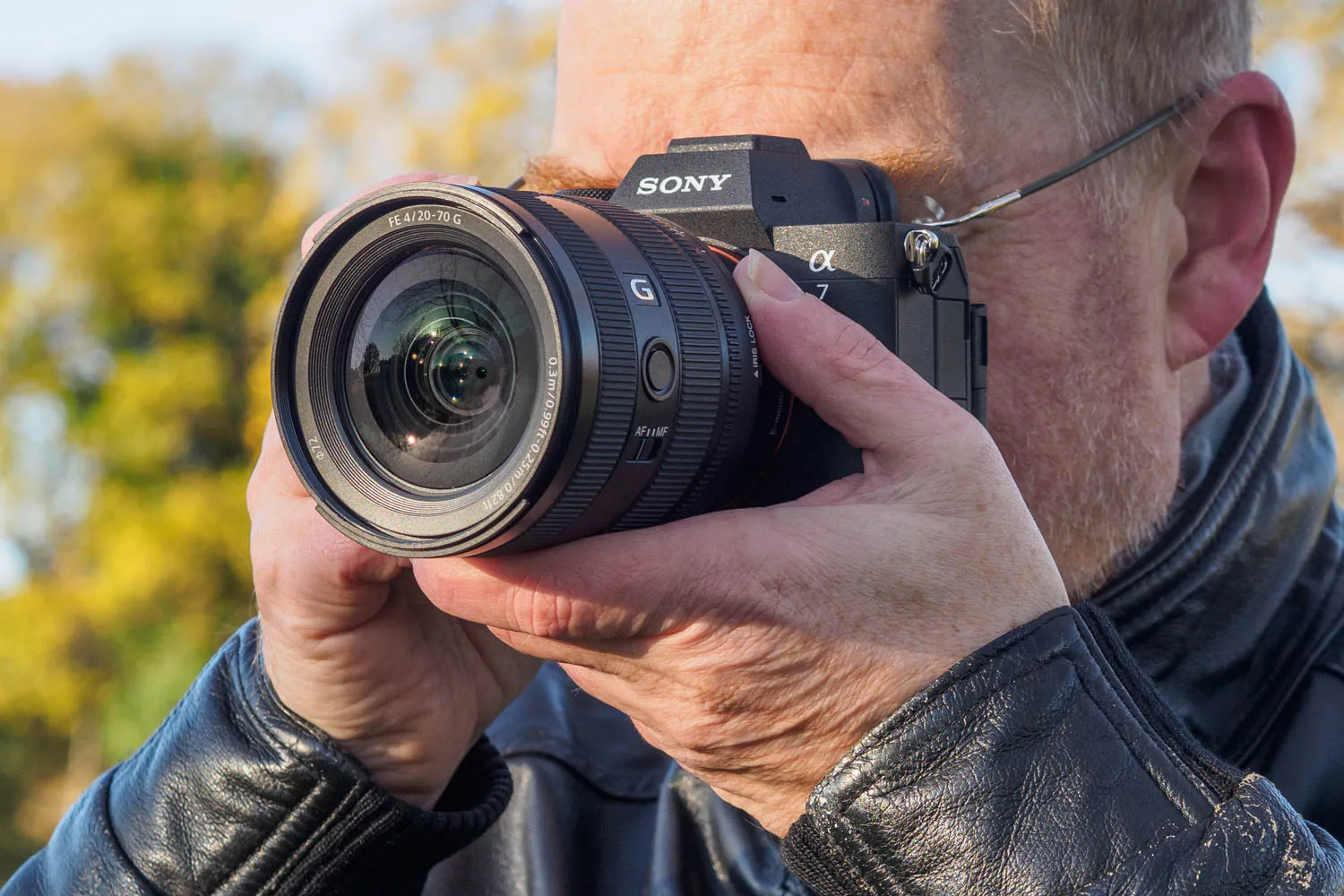
Indeed, having tested it immediately after the Canon EOS R6 Mark III, it’s clear to me that both these cameras do pretty much everything the vast majority of users might need – as does the Nikon Z6III. There are some detail differences between them in terms of performance and output, of course, but these are mostly right at the margins of the envelope. For example, the A7 V’s vast dynamic range is certainly nice to have, but it’s probably not something that you’ll make use of very often.

If you already own a Sony A7 IV, I’m not sure the A7 V offers enough new to warrant an upgrade, unless perhaps you shoot erratic, fast-moving subjects. Likewise, I don’t think it’ll tempt existing users of other brands to change systems, especially if they have much money invested in lenses. But for those still using older Alpha generations, it represents a significant increase in capability. And if you’re buying this kind of camera for the first time, it would make an excellent choice.

Sample image gallery


Follow AP on Facebook, Instagram, YouTube and TikTok.
Sony Alpha A7 V full specifications
| Sensor | 33MP partially-stacked full-frame CMOS, 36 x 24mm |
| Output size | 7008 x 4672 |
| Focal length mag | 1.0x |
| Lens mount | Sony E |
| Shutter speeds | 30-1/8000sec (mechanical); 30-1/16,000sec (electronic); 15min-2sec in bulb timer |
| Sensitivity | ISO 100-51,200 (standard); ISO 50-204,800 (extended) |
| Exposure modes | PASM, Auto, 3x custom |
| Metering | Multi, centre, spot, average, highlight |
| Exposure comp | +/- 5EV in 0.3 EV steps |
| Continuous shooting | 30fps (electronic), 10fps (mechanical) |
| Screen | 3.2in, 2.1m-dot, 4-axis multi-angle LCD |
| Viewfinder | 3.68m-dot, 120fps, 0.78x magnification |
| AF points | 759 phase detection |
| Video | 4K 60fps; 4K 120fps Super 35 1.5x crop |
| External mic | 3.5mm stereo, MI shoe |
| Memory card | CFexpress Type A/UHS-II SD, UHS-II SD |
| Power | NP-FZ100 Li-ion |
| Battery life | 630 (EVF), 750 (LCD) |
| Dimensions | 130.3 x 96.94 x 82.4mm |
| Weight | 695g |