



It’s the big question, whether you’re taking photos or recording video, should you use a phone or a real camera for video? There are obvious reasons to choose a phone, and the primary reason is accessibility; you probably already have one; you’re probably reading this article on one right now. But if you want to make more video, improve your video output and quality, should you invest in a camera and lens setup? Or stick with your phone, or upgrade to a different phone? Well, this article is going to look into the pros and cons of both options, in a comparison of a phone vs a camera for video recording…
The best option for you is likely to depend on a number of factors, primarily what you’re recording, and where you’re recording, for example, are you recording outdoors in bright light, or indoors in a small room? Are you moving, or can you keep your camera or phone in one place, and will adding a tripod or support suddenly fix all of your video quality problems? If you’re recording in low-light can this be solved with lighting, or do you need something that excels in low-light conditions?
Both cameras and phones can offer the same core features: 4K, Full HD, and even 8K video recording. Albeit, if you want 8K video on a regular camera, then you’re looking at a price of at least $3000 (for a Canon EOS R5), compared to a price of around $700 for a Samsung Galaxy S23/S24/S25 etc.
High-speed video recording is also another thing that both phones and cameras can do, but prices can be wildly different between entry level cameras, and high-spec cameras. Read on to find out what they both offer.

Pros and cons of a camera phone at a glance
| Camera phone pros (for video) | Camera phone cons (for video) |
| + Price (and accessibility) + Size + Screen + Lens options + HDR recording + Recording features (pause and restart in one file) + Speed of editing/sharing |
– Low-light / indoor performance – Lens options (beyond standard) – Storage limitations – Audio quality – Recording time – Selfie cameras often not great – Small screen for editing |
Reasons why the phone is an excellent choice
Many popular creators don’t get views because of the technical quality of their videos, many start out simply using a phone, and hitting record, and it’s the event or subject of the video that’s getting views – be that beatboxing or an epic fails video. By the time it’s been shared 10 million times and re-shared by 20 other “creators” the quality has probably dropped off a cliff.
Price and accessibility – iPhones have been able to record 4K video since the iPhone 6s (2015) and Android phones since 2013, so chances are, the phone you already have will be capable camera setup. Where this might be an issue is if you are happy recording with the rear cameras or need to record with the selfie camera. Selfie camera’s typically have a lower resolution camera, and some models don’t offer 4K video recording. But if you don’t need 4K video, then this may not matter as most social media platforms are happy with full HD video.
Size and portability – phones are considerably smaller than real cameras, and with waterproofing, you don’t need to worry if the weather is not on your side. The smaller size of phones makes it easy to be anywhere and record video, with them easily fitting into your pocket.
Screen size – Phones these days have huge screens in comparison to cameras – 6.3inches is standard for most phones, with flagship phones up to 6.9inches. In comparison, this is significantly larger than the standard 3inch screen on a camera. It seems like camera companies still don’t see the benefit of larger screens, and to get a large screen on a camera, you’ll need a relatively expensive additional screen, and some kind of rig / mounting system to support it. Why bother, when a phone screen is already there?

Lens options – Whilst cameras do have a vast array of lenses to choose from, they all add cost, size, and weight. In comparison, if you choose a phone with 2, 3, or 4 lenses, they are all built into the phone, and you can quite smoothly switch between them while recording video (some phones are smoother than others).
HDR recording – In advanced settings (on a Samsung phone, and others), you can easily switch on HDR10+ video recording, depending on your phone, without further processing needed (in most cases). On some models you’ll even get Log profile options, but check your settings on your particular model to see what is available.
Pause video recording while recording – When recording video on a phone, on almost every model, you can pause the recording, move the camera (or subject) and then continue recording, with the phone keeping it all in one file. This can make file management and editing much simpler and removes another potentially painful step in editing video. In comparison, almost every camera does not offer this, instead if you want to pause recording, you have to press stop, and the camera will create a whole new file when you start recording again. Of course, if you want individual files you can stop/start recording on a phone too.
Speed of editing / sharing – if you’ve already been pausing video when you needed a break or needed to change something in the shot – then you’re probably already half way there, and this can save a huge amount of time, as you don’t need to cut as much out of the video. You can also edit directly on your phone, using a whole number of apps. Forget the painful process of moving video files to a computer, then moving them into an editing app, then correcting the order of the files. Your phone editing app has probably put them in the right order for you automatically. Once edited, you can also share directly over your Wi-Fi or mobile data plan, straight to the app of choice.
Reasons why the phone is not the best choice, and where a phone will struggle
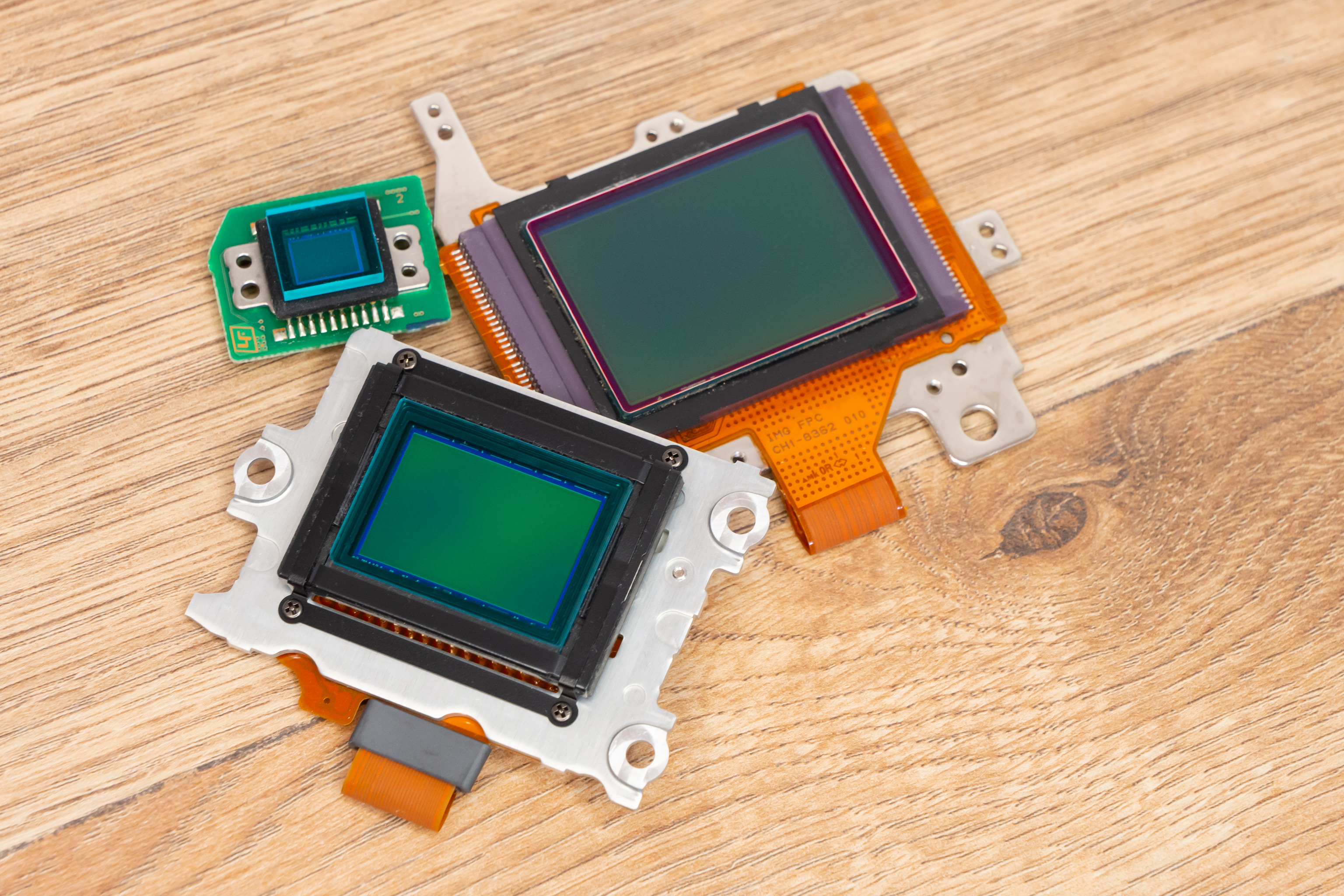
Low-light – Not all cameras perform the same – get a flagship phone, and the main camera is likely to have a larger sensor and a brighter lens, but what about the ultra-wide or telephoto cameras? These are likely to have smaller sensors and smaller apertures, meaning they may not perform well in low-light. In comparison, with a mirrorless (or DSLR) camera, it doesn’t matter what lens you put on the camera, they all get the same larger sensor (whether Micro Four Thirds, APS-C or Full-frame), and in really low-light conditions you can buy a bright f/1.4 aperture lens (if you’ve got the money).
Lens options – On a phone ultra-wide, wide, and telephoto (up to around 5x/10x in some cases) is covered, but beyond this, you’ll find yourself limited. What if you want a fish-eye view or extra telephoto reach? Add-ons are available, but they’re often fiddly and awkward, with questionable quality, especially compared to dedicated camera lenses on a real camera.
Storage – If your phone has lots of storage as standard, then great, you should be able to record a lot of footage, without having to unload it that often, but if your phone has a lower amount of storage, then you may end up having to move content off your phone regularly. Especially if it’s your main phone and is full of your photos too. Unfortunately, there are very few smartphones these days at the top of the range that include MicroSD card slots, so you can’t easily expand the storage, unlike cameras. However, you can plug an SSD into an iPhone or Android phone to bypass storage restrictions.
Audio quality – If you are going to be recording near your phone, and your phone has good audio recording, then you might not need an extra microphone. In fact, many phone microphones are better than the built-in microphone built-in to cameras. But at some point, you might want to add an external microphone, however, in my opinion this point comes much sooner with real cameras.
Recording time – Get a flagship phone and recording length shouldn’t be a problem, but if you’re recording in a hot environment, and have a phone that doesn’t like the heat, then you could run in to problems (similarly you could also face this problem on a real camera).
Selfie cameras – are often not great, and therefore many phones aren’t great for vlogging. And if you want to see yourself while recording, then the selfie camera is often the only camera you can use at the same time as being able to see the screen. Unless you get a folding phone / phone with an added screen, or connect some form of mirror, so that you can use the main camera.
Small screen for editing – Unless you go for a folding phone with a large 8inch screen, then editing on a phone can be difficult for some, due to the small size in comparison to the huge screens you can get when editing on a computer. However, there’s nothing stopping you from outputting you phone screen to an external monitor – you could even connect a wireless mouse and keyboard if you wanted.

Pros and cons of a real camera at a glance:
| Pros for a real camera (for video) | Cons for a real camera (for video) |
| + Background blur / subject separation + Low-light performance + Multiple card slots (and larger storage space) + Lens choice + Customisation and options + Professional level recording (Log, Netflix requirements etc) |
– Price – Lens – Confusion / difficulty – Editing requirements – Audio quality – Screen size (and viewability) – Size and weight – Stabilisation |
Continue reading to see reasons why a real camera is a great choice, and the things you can achieve that are more difficult on a phone.
For this section we’re talking about cameras that let you change lenses, namely the mirrorless camera, with models from Canon, Sony, Nikon, Panasonic, Fujifilm, and Olympus/OM system.
Background blur – Thanks to a larger sensor (whether that’s Micro Four Thirds, APS-C or Full-frame) background blur and subject separation is likely to be much more noticeable on a real camera and can be enhanced based on what lens you buy.

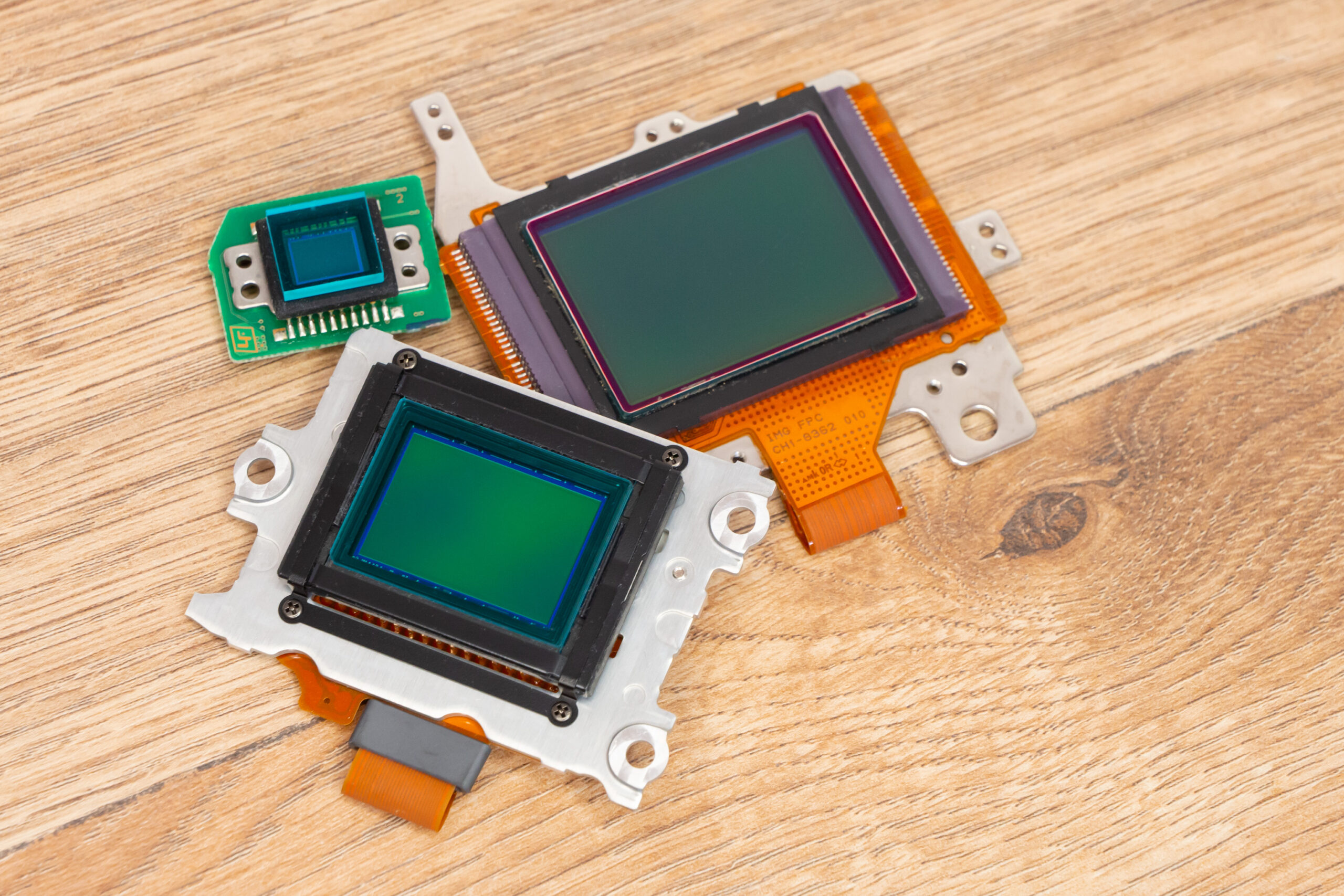
Low-light performance – Choose a camera with a larger than 1inch sensor (Micro Four Thirds, APS-C, or Full-frame) and you’ll have a sensor larger than any phone (the largest sensor in a phone is 1inch at time of writing), and if needed you can buy a bright f/1.4 aperture prime lens (or brighter if available for your system).
Storage options – Cameras are designed to use memory cards, often with multiple card slots (2 is common on more expensive models), and large cards are available. Plus you can use external SSD storage drives (on some Panasonic and Sigma cameras), external recorders (from Atomos and others), and external power supplies to keep shooting.
Lens choice – If you want to choose exactly what lens you want to use, cameras with interchangeable lenses, (aka mirrorless cameras), give the ultimate flexibility and choice. You can use any lens ever made (with the right adapter) on a mirrorless camera. In comparison, with phones, the manufacturer has already decided what’s best for you.
Customisation and options – The camera has a range of options, whether camera size or lens options, the more you spend, the more options you’ll get. Need OpenGate? Log recording? Codec options, bit depth options, or raw video files? These are things that can be adjusted and changed on many cameras if you pick the right model. If you do record in Log, then you’ll need to spend time grading the footage, and learning LUT profiles will be extremely helpful.
Professional level recording – As mentioned in the last paragraph, if you want Log recording, LUTs, and need to record footage for companies like Netflix, then you’ll find a list of cameras, which includes models like the Panasonic S1H, and Canon EOS R5C, where the requirements are for 4K video, uncompressed raw, 10-bit or greater bit-depth, and a minimum of 240Mbps at 24fps, along with other requirements. There are no smartphones on the list of Netflix approved cameras, but that doesn’t necessarily stop people recording films with iPhones.
Reasons why the camera is not for everyone
Price – prices may start low, but for all the features like microphone sockets (and more, as lower models rarely feature headphone sockets) you need to find the right model, and this will most likely cost more. In addition, if you want to step up to 4K 60fps then it’s likely you’ll need to spend a lot of money for a camera that lets you change lenses as well, unless you go for something simple like a DJI Osmo Pocket 3 – and this is camera with a 1inch sensor.

Lens – There are lots of lens choices, but to get ultra-wide, wide, and telephoto, you either need three different lenses, or a zoom lens, but with a zoom lens, the aperture won’t be as bright. Ultra-wide-angle lenses might be an added expense, that could easily be in the 100s if not the 1000s of dollars/pounds. In comparison, an ultra-wide-angle lens is pretty much standard on almost every phone.
Confusion / difficulty – You can’t just record something, and then share it directly to YouTube (with most cameras), and it can be quite a steep learning curve to work out the entire process, from camera settings to video transfer and editing, lens selections, shutter speed / shutter angle etc. However, if you want to change all these settings, you’re more likely to be able to do this on high-end cameras, rather than on a phone. Conversely, you’re unlikely to be able to change a lot of settings like this on low-end cameras.
Editing is needed – You will need a beefy computer to edit 4K video footage, and you can probably forget about editing 8K footage, unless you’ve got a spare $2000+ to spend on a top-of-the-line computer.
Cameras are designed to take photos and record video, and whilst there may be some still image editing or processing features on there, there is truly little in the way of video editing, beyond still image extraction and trimming (model dependant). Cameras are simply not designed to be able to cope with the heavy processing needed, in the same way that a phone can – which is effectively a minicomputer that fits in your pocket.
Audio quality – Built-in mics are often acceptable on cameras, but often not, and may need further audio processing to get rid of background hiss. Or pick the wrong model and quiet bits will have the background levels boosted with no control over this.
Screen size is tiny – Most screens on regular cameras are around 3inches in size, and often a fully tilting screen will be blocked if you add microphone, headphone, USB or HDMI cables to the camera.
Size and weight – Cameras and lenses tend to weigh a whole lot more than phones. Phones tend to weigh around 200g, compared to 500-600g for a standard camera, and more for the lenses. You’ll most likely need a tripod, and due to the size of the camera and lens, this will of course need to be bigger than the small tripods and supports you can use with a phone.
Stabilisation – Not all cameras have IBIS, in-body image stabilisation, and a large crop may be needed to correct this digitally, meaning you’ll end up having to add a gimbal for steady footage, adding to the cost and weight of the setup. And you might even need a wider lens than you’ve already got.
In conclusion
So, in conclusion, which choice is best for you? Well, probably the best way to find out, is to start recording with what you already have. If that’s a phone, then see how it performs and whether it does what you want. If it does, then great. If it doesn’t then you can start looking at solutions, whether that’s lighting, additional support (tripod or gimbal), or added microphones.

Similarly, if you have a real camera, and it has good video recording features, then try it and see what the results are like. A simple addition of a tripod and external microphone may be all you need (if you already have the kit needed to edit footage). But if you don’t already have one, be prepared to spend a lot of money to get features that come as standard with many phones.
Smartphones can offer 4K 60p or 8K video recording (and built-in editing) as they have the processing power needed, and aren’t trying to make you upgrade to an expensive “CINE” camera, whereas these higher end features will cost a lot from the likes of Canon, Sony, Panasonic and others, even when not going for a CINE camera. Which one is right for you will be down to what you’re recording, but hopefully you’re now more informed about the pros and cons of the many options available.
Related reading:
- If you’re new to video editing, DaVinci Resolve is your best bet
- Why having a dedicated video camera could change your life, for the better
- How to use LUTs for colour grading video
Follow AP on Facebook, Instagram, YouTube and TikTok.