

Panasonic Lumix S1II review – high-speed champion, but do you need it?


Is Panasonic’s flagship 24MP hybrid camera worth the premium over its cheaper S1IIE sibling? We find out.
Amateur Photographer verdict
In a market where all top-end cameras are incredibly good at capturing almost any kind of subject, the Panasonic Lumix S1II stands out for its sheer shooting speed and high-end video capabilities.
- Excellent build and handling
- Highly refined control layout
- Large, detailed viewfinder and versatile articulated LCD
- Very effective in-body image stabilisation
- Super-fast stills shooting and video framerates
- No auto subject-detection mode
- No intermediate burst speed between 10fps and 30fps
Launched back in May 2025, the Panasonic Lumix S1II is Panasonic’s flagship 24MP pro-spec full-frame all-rounder. It was introduced alongside a near-identical twin, the S1IIE, with both cameras sharing their body design with the 44MP S1RII had that appeared a few months earlier. The difference between the two is that the S1II has a ‘partially stacked’ 24MP sensor that enables high-speed shooting, while the S1IIE (for ‘essentials’) uses a more conventional – and affordable – BSI-CMOS sensor.
Panasonic Lumix S1II at a glance:
- $3299 / £2899 body-only
- $4100 / £3599 with 24-105mm F4 lens
- 24MP full-frame sensor
- Up to 70fps shooting
- 6K 60p, 4K 120p, Full HD 240p video recording
- 5.76m-dot, 0.78x OLED viewfinder
- 3in, 1.84m-dot tilt/vari-angle LCD
At $3299 / £2899 body-only, commands a significant premium over the Lumix S1IIE ($2499 / £2299). However, the differences between the two cameras aren’t necessarily huge. Firstly, the S1II can shoot full-resolution stills at a seriously impressive 70 frames per second, whereas the S1IIE can ‘only’ manage 30fps. Secondly, the S1II offers video framerates that are twice as fast as the S1IIE, and boasts higher specified dynamic range, too. But elsewhere, a line-by-line spec comparison shows the two cameras to be near-identical, aside from a few minor details. As a result, this article borrows a lot from my S1IIE review.
At this price point, the S1II finds itself up against exceptionally strong competition from the likes of the Nikon Z6III, Canon EOS R6 Mark III, and Sony Alpha A7 V. A comparison with the Nikon Z6III is particularly interesting, as it uses a 24MP partially-stacked CMOS sensor like the S1II, but at a price that’s closer to the S1IIE. Meanwhile, both the Canon EOS R6 Mark III and Sony A7 V employ 33MP sensors at about the same price as the S1II, with the latter’s being partially stacked. It’s also worth noting that the S1II is only fractionally less expensive than the S1RII. So how does the S1II stand up against such stiff competition?
Features
Panasonic has built the S1II around a 24MP partially stacked full-frame sensor, which is presumably very similar that used by the Nikon Z6III and its cinema-camera sibling, the Nikon ZR. The sensitivity range covers ISO 100-51,200 as standard, and can be extended to ISO 50-204,800, which is pretty much standard for this type of camera. What looks more remarkable, though is the dynamic range, with Panasonic claiming 14+ stops in normal operation, and 15+ stops in DR Boost mode.

When it comes to burst shooting, the S1II is very much top of its class. As already mentioned, it can shoot at up to 70fps in raw using its electronic shutter, which is significantly quicker than even the EOS R6 Mark III’s 40fps. Even if you engage Image Priority mode, which records 14-bit raw rather than 12-bit, it still shoots at 60fps. With firmware version 1.3, Panasonic has also added a 30fps option, which matches the S1IIE’s top speed.
Switch to the mechanical shutter, and you get 10fps with focus fixed and 8fps with continuous AF in speed priority mode. That drops to 7fps with AFS, or 6fps with AFC, in image priority mode. All these speeds are the same as the S1II and S1RII.

For autofocus, there are subject detection options for humans, animals (including birds), cars, motorbikes/bicycles, trains and airplanes. Unfortunately, though, there’s no Auto-selection option. When photographing people, alongside conventional eye/face and eye/face/body options, you get an ‘Urban Sports’ mode for such things as breakdancing, parkour and skateboarding. I’m sure some users will find it useful.
In-body image stabilisation promises up to 8 stops of shake reduction when shooting hand-held. Panasonic has also included high-resolution multi-shot modes for hand-held and tripod-based shooting, which create a 96MP composite raw directly file in-camera. Handily, these are directly available from the drive mode dial – on other cameras they tend to be hidden in the menus.

The S1II also supports the HEIF format as an alternative to JPEG for still images. There’s a choice of shooting in standard dynamic range (SDR) mode, or high dynamic range (HDR) using Hybrid Log Gamma. In principle, this allows extended highlight detail to be recorded and displayed on compatible screens. However, HEIF support is still pretty limited compared to JPEG.
One area where the S1II stands out relative to both the S1IIE and its other competitors lies with its comprehensive video specs. It offers a bewildering array of resolutions and framerates, including 6K at 60fps in 2.4:1, 16:9 or 17:9 aspect ratios; C4K and 4K at 120fps; and Full HD at 240fps. Open gate (3:2) recording is available in 6K at 30fps and 5.1K at 60fps, allowing footage to be cropped to various different aspect ratios in post-processing. The camera can also record Apples ProRes RAW and ProRes RAW HQ internally to a CFexpress Type B card.

Built-in Wi-Fi and Bluetooth provide smartphone connectivity via the Lumix LAB app. Here you get all the expected options, including the ability to copy photos and videos to your smartphone for editing and sharing. There’s both a basic Bluetooth shutter release and a comprehensive remote control via Wi-Fi. You can also use the app to download LUTs and copy them to the camera for colour-grading your output, either video or stills.
Panasonic Lumix S1II: Key features
- Power: Panasonic’s standard DMW-BLK22 battery is rated to deliver 360 shots using the LCD and 320 with the EVF, which is 20 shots less than the S1IIE. It charges in-camera via USB-C.
- Connectors: On the left side you’ll find microphone, headphone, USB-C and full-size HDMI ports. Panasonic’s proprietary 2.5mm remote release is on the handgrip
- Storage: One card slot accepts CFexpress Type B media, while the other is for UHS-II SD. It’s also possible to record directly to a USB-C SSD.
- Fan: A cooling fan is built-in, with vents on either side of the viewfinder housing. There’s no hard limit to the video recording time
- Vertical grip: All three S1 models are compatible with the same BMW-BG2E vertical grip, which boasts a replicate set of shooting controls and a hot-swappable battery. It costs $350 / £299.
- L-mount: Panasonic uses the L-mount that was originally designed by Leica and is also shared with Sigma. A good range of lenses is available from the three makers, with focal lengths ranging from 14mm to 600mm. Third-party lenses are starting to become available, too.
- Sensor protection: The shutter can be set to close and protect the sensor when the power is switched off

Build and Handling
Panasonic has used exactly the same body design for the S1II, S1IIE, and S1RII, with the three cameras distinguishable externally only by their name badges. This makes a lot of sense for anyone who uses more than one of these models, as all the controls are in all the same places, and work in the same way.

Measuring 134.3 x 102.3 x 91.8mm and weighing in at 800g including the battery and card, the S1II is broadly similar in size to the Canon EOS R6 Mark III, Nikon Z6III, and Sony Alpha A7 V. It’s the heaviest of the group, though, which reflects its chunky build – in fact it’s 5g heavier than its S1II-series siblings. The viewfinder sticks a long way out of the back, due to the fan that’s integrated into the front of its housing, which means it takes up a little extra space in a bag. But this also makes it a bit more comfortable to use.
Thanks to a deep handgrip and a small but effective thumb hook, the camera feels extremely secure in your hand. Its magnesium alloy body is dust and splash resistant and freezeproof down to -10 °C. The exterior is covered in buttons, dials and switches, giving direct access to all the most important camera settings.

Overall, you get the same excellent handing as previous Panasonic cameras. There are three electronic dials for changing exposure settings, plus a well-placed 8-way joystick on the back and a large drive mode dial on the top left. A row of buttons behind the shutter release provides quick access to white balance, ISO, and exposure compensation, while secondary functions are easily accessed via the Q button on the back. Pretty much the entire interface can be operated by the touchscreen, which complements the physical controls perfectly.
There’s a still/video/S&Q switch beneath the drive mode dial, with photo and video settings kept entirely separate from each other, which is welcome for users who jump back and forth between them. The power switch is placed so it’s reasonably easy to flick with your right thumb, and both the exposure mode and drive dials sport toggle-lock buttons, so they won’t get knocked by accident. A switch on the left shoulder allows you to lock any subset of the other controls to prevent inadvertent settings changes.

A second video start/stop button is placed on the front, which is handy if you like to record yourself. When I was reviewing both the S1RII and S1IIE, I found this button was far too easy to press by accident, so I’m pleased to report that Panasonic has now disabled it by default in photo and playback modes. You don’t get the audio control button that’s on the Micro Four Thirds GH7, but it’s possible to map this to any function button.
No fewer than 5 custom positions on the mode dial allow you to store camera setups for different kinds of shooting. These can be given meaningful names, too, which are shown onscreen for a few seconds to help you remember what you’ve set them to do. However, you always have to remember that the focus and drive modes are defined by their own physical controls, and set these appropriately too.

As is Panasonic’s way, the S1II’s three control dials are oddly underused in its default setup. Both the top dials do the same thing except in manual exposure mode, while the rear wheel sets the audio output volume (which is fine for video, but not for photography). But every control is customisable, so I reconfigured the top thumbdial to change exposure compensation, and the wheel on the back to set ISO. Set like this, I found the camera a pleasure to shoot with.
Viewfinder and screen
One area where the S1II stands out within its class lies with its viewfinder and screen. Its 5.76m-dot, 0.78x magnification EVF provides an impressively large, detailed view, which is only matched for resolution among its peers by the Nikon Z6III. Meanwhile the LCD has the most versatile articulation mechanism that you’ll find at this price point, although it’s equalled by the Sony A7 V.

Exposure, white balance and colour are all previewed by default, giving a good idea of how your shots should turn out. Unlike older Lumix cameras, the preview image is also displayed at the set aperture, which therefore provides a live depth-of-field preview. Key shooting information is displayed above and below the image, giving a clean, uncluttered view so you can concentrate on composition.
All the expected compositional aids are available, including gridlines, a level display, a live histogram, and focus peaking. In video mode you also get such things as a vectorscope for judging white balance and colour, and a waveform display that shows the distribution of lighting levels across the frame. But unfortunately, you can’t view these both at the same time, or indeed use them for stills.

As for the screen, this employs a side-hinged vari-angle mechanism, which is placed on a frame that can be tilted up or down. This allows the screen to be pointed at practically any angle you please. It’s every bit as useful for photographers shooting at awkward angles in portrait format as it is for vloggers filming themselves in front of the camera.

Unlike the side-hinged screens used by Canon and Nikon, this design works perfectly well with L-brackets for vertical shooting on a tripod. The fact that you can pull the screen away from the back also means that it doesn’t conflict with microphone or HDMI cables plugged into the side of the camera.
Autofocus
For a long time, autofocus was seen as Panasonic’s weak point, but that turned around with the adoption of phase detection on the S5II at the start of 2023. The S1II series now includes a pretty sophisticated subject detection system, too, which brings its capabilities much closer in line with its rivals. For anyone updating from an older Panasonic camera, it’ll be a revelation.

Subject recognition includes settings for humans, animals (including birds), cars, motorcycles (and bicycles), trains, and airplanes. Eye detection is available for both humans and animals, and with vehicles you can tell the camera to focus on the most important part, which is usually the front. Unfortunately, though, here’s no Auto mode that can detect which subject type you’re looking at, so you always have to tell the camera in advance what you’re going to be shooting.
Panasonic does a good job of clustering all the AF controls close together under the control of your right thumb. AF area and subject detection settings are accessible via a button in the middle of the focus mode selector switch, with the AF-ON button and joystick alongside. Once you’ve mastered how it all works, it’s quick and easy to adapt the focus settings to suit different shooting situations.

I tested the S1II’s autofocus system using the excellent Lumix S 100-500mm F5-7.1 OIS, which is Panasonic’s longest telephoto zoom. In general, the camera does a good job of finding and outlining subjects, and then following them as they move around the frame. I tested it shooting birds in flight, and once the camera had locked on, it usually gave me a high percentage of in-focus shots.
However, having tested both the Canon EOS R6 Mark II and Sony A7 V immediately before, I felt the S1II sometimes took a fraction longer to lock onto moving targets, particularly when set to its mechanical shutter. With fast, erratic subjects, that can sometimes mean missed shots. Unfortunately, though, I wasn’t able to test it directly alongside the S1IIE for any advantage of the stacked sensor. The S1II perhaps felt a little snappier at picking up focus, based on what I remember from the S1IIE, but there’s not much in it.

One oddity with the AF system appears when you combine subject detection with tracking. If the camera can’t identify a subject of the specified type, then unlike the S5II, it won’t fall back on its conventional tracking mode. Instead, it focuses on a fixed position, wherever the AF point is placed. For some users this will be infuriating; others won’t notice or care. But it would be nice for Panasonic to fix this flaw with a firmware update across the entire S1II line.
You don’t have to use subject detection, of course, and can use the conventional AF system instead. Here you get a wide range of focus area sizes and shapes which can be positioned freely within the frame. This performs very well indeed, giving consistently accurate focus with minimal fuss.
Performance
Just like the S1RII and S1IIE, the S1II is every bit as responsive as you’d expect from a camera with professional aspirations. Panasonic has cured the intermittent startup lag that afflicted older Lumix models, so it’s now always ready to shoot the moment you flick the power switch. The shutter sound is fairly unobtrusive, too, firing with a soft, low-pitched clack.

Battery life is respectable without being outstanding, with a CIPA rating of 320 shots using the viewfinder, and 360 with the LCD. This is based on taking individual shots at a time, and you’ll get many more when shooting bursts, particularly with the electronic shutter. Indeed in one session, I shot more than 2000 frames, with the battery still registering half-full at the end.
You can also top up the battery in-camera in breaks during shooting, via its USB-C port. Unlike some cameras, the S1II doesn’t demand a PD source for recharging. This means you can charge it using a small powerbank or low-powered charger plug if necessary.

In my testing, the camera matched all its advertised burst rates: 70, 60, or 30 frames per second using the electronic shutter; 10fps using the mechanical shutter with focus fixed; and 8fps with C-AF, all with a buffer of 180 frames at least. That should be plenty for most users.
However, as I saw with the S1IIE, write times aren’t dramatically faster when using a CFexpress card rated at 1200MB/s, compared to a 300MB/s UHS-II SD. Using CFexpress it typically takes 40-45 seconds to clear the buffer to card; with SD, it’s around 50 seconds. So stills photographers won’t get as much of a performance boost from the more expensive media as they might hope.

Ironically, my main gripe with the S1II is the same as with the S1IIE, in that there are no intermediate burst speeds between 10fps and 30fps, which would have been useful. Another quirk is that files shot in a high-speed burst (30fps, 60fps or 70fps) get grouped together in playback. This means you can skip past an entire set with one button press, or delete them all at the same time (be careful with this!). In contrast, so you have to browse through images shot at slower speeds one-by-one.
Panasonic’s image stabilisation works really well for both stills and video shooting. Using the Lumix S 24-60mm F2.8 lens, I was able to get consistently sharp hand-held shots at shutter speeds up to about a second, with the occasional entirely usable shot at even longer exposure times. When recording video, you can get almost tripod-steady results hand-held using the Boost mode. This is all very impressive, and at least a match for any other full-frame camera.

While I found the metering to be generally reliable, it can sometimes be prone to clipping small areas of highlight detail in bright, high-contrast conditions. But it’s usually easy enough to spot this in the viewfinder and dial in some exposure compensation if required.
I’m not a huge fan of Panasonic’s default approach to auto white balance and colour, which I find somewhat bland and neutral. Personally, I much prefer setting the camera to its Vivid colour mode and Warm AWB option, which to my eye gives much more attractive JPEGs. There’s also an AI-AWB option available for in-camera raw processing, which can be well worth trying when the camera hasn’t got things quite right first time.

If you like shooting in black & white, Panasonic includes no fewer than five profiles to choose from, with Leica Monochrome being my favourite.
Overall, raw image quality looks broadly in line with what I’d expect for a 24MP full-frame camera. At low ISOs, you get plenty of detail, and images remain pretty much clear of noise up to ISO 1600, beyond which detail and colour progressively degrade. But I was still able to shoot at settings as high as ISO 25,600 and get perfectly usable results, especially given the capabilities of AI noise reduction software such as DxO PureRaw and Adobe Denoise.

Dynamic range is very impressive too, and it’s clear that Panasonic is extracting extremely clean information from this sensor deep into the shadows, especially at ISO 100. This is, without doubt, really nice to have in some very high-contrast situations. But as with the Sony A7 V, I’m not convinced it’s going to bring a visible advantage to your images very often. It’s difficult to balance such extremes of light and shade while still keeping images looking natural.

In the example above I was able to pull up loads of detail from a scene that was essentially a silhouette in the original camera JPEG file. I’m not sure I’d actually process this way, though, as a darker version is more atmospheric. But it illustrates the point quite nicely.
Like the S1IIE, the S1II stands apart from other 24MP full-frame cameras in having a practical high-resolution multi-shot mode. It’s engaged directly from the drive mode dial and generates composite files in-camera, rather than forcing you to process a set of separate raw files on a computer afterwards. It can be a useful extra string to your bow when you need more detail, but then again, Adobe Super-Resolution does a great job of up-scaling and works on any image you shoot.


Hand-held mode combines multiple 24MP frames to extract extra detail, which is a good match for the 48MP output. Tripod mode, meanwhile, uses the pixel-shift method, which can get closer to the full 96MP resolution. And while multi-shot modes like this usually struggle with elements that move between exposures, Panasonic’s processing does a pretty convincing job. I just wish Panasonic let you configure different settings for the two modes.
Panasonic Lumix S1II: Our Verdict
When I reviewed the S1IIE, I said that the most confounding aspect when assessing it was the existence of the S1II. Anyone spending this much on a camera is, surely, likely to want to buy the better model. But equally, there’s a similar question with the S1II. Why spend this much money on a camera, when you can get almost exactly the same thing for around three-quarters of the price?
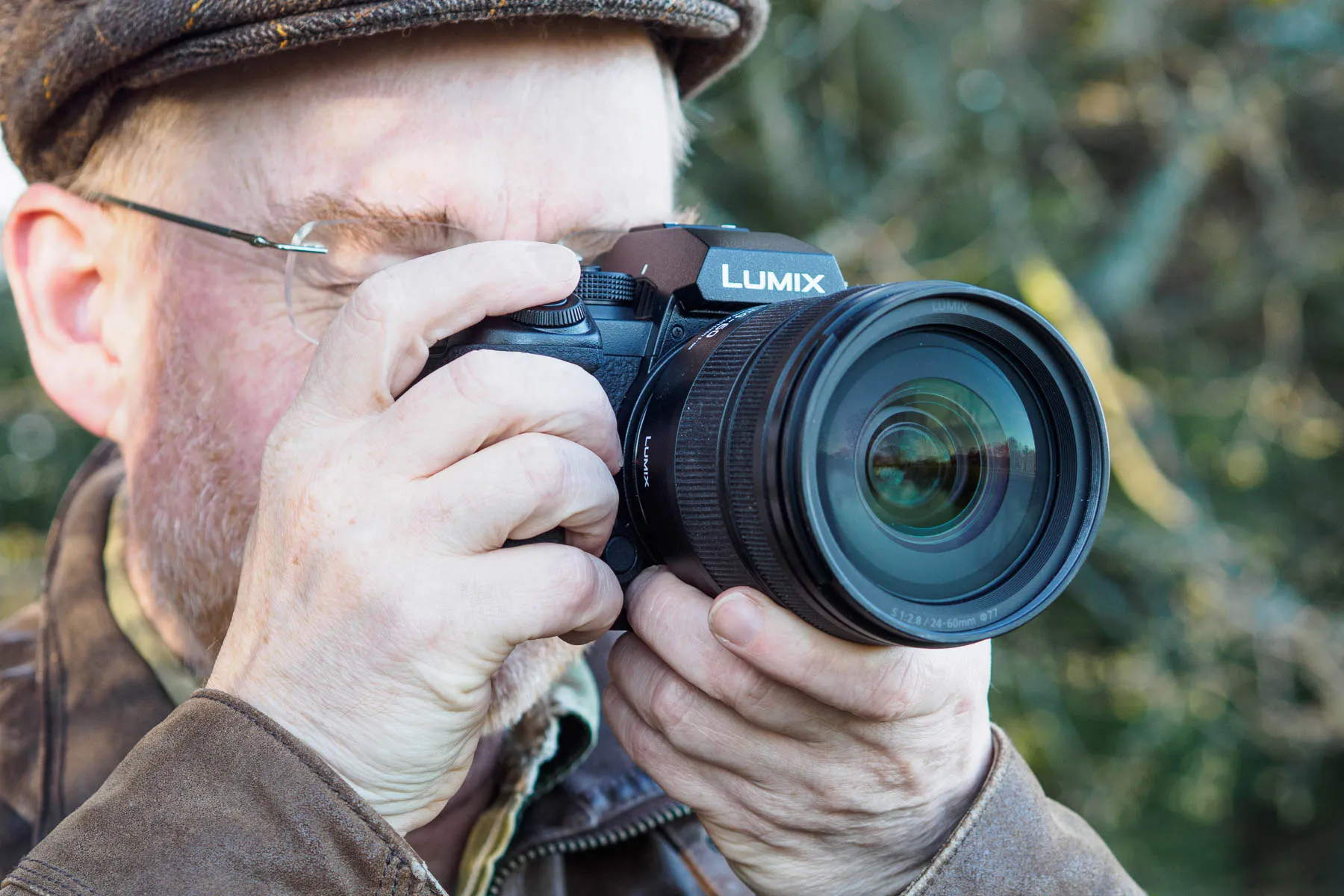
Obviously, it’s clear where the differences lie, and if you want the best hybrid camera Panasonic offers, with the fastest shooting speeds and highest video framerates, then you should buy the S1II. But if you’re not absolutely certain you need the extra speed – and it’s not clear to me that many people will – then it really does make sense to go for the cheaper option, and perhaps spend the difference on a nice lens instead. Equally, for those whose needs are tilted more towards resolution rather than speed, the S1RII would make sense at only a modestly higher price.
As to how the S1II stacks up against the likes of the Canon EOS R6 Mark III, Nikon Z6III and Sony A7 V, it’s certainly in the same conversation. Each model has its own strengths and weaknesses, with the S1II (predictably enough) likely to appeal most to those who shoot a lot of video alongside stills. But I’m not convinced any of them is far enough ahead of the others in any particular respect to induce users who are already heavily invested in a lens system to switch brands.

Overall, I’ve enjoyed using the S1II. For anyone using an older Lumix model, it really is a significant leap forward. Alongside the S1RII, it’s Panasonic’s best camera yet.


Panasonic Lumix S1II: Full Specifications
| Sensor | 24.2MP full-frame BSI-CMOS, 35.6 x 23.8mm |
| Output size | 6000 x 4000 |
| Focal length mag | 1.0x |
| Lens mount | L-mount |
| Shutter speeds | 60-1/8000sec |
| Sensitivity | ISO 100-51,200 (standard), ISO 50-204,800 (extended) |
| Exposure modes | PASM, iAuto, 5x Custom |
| Metering | Multi, centre-weighted, spot, highlight |
| Exposure comp | +/-5EV on 0.3EV steps |
| Continuous shooting | 70fps (electronic), 10fps (mechanical, AFS), 8fps (AFC) |
| Screen | 3in, 1.84m-dot tilt/vari-angle touchscreen |
| Viewfinder | 5.76m-dot, 0.78x OLED, 120fps |
| AF points | 779 |
| Video | 6K 60p, 4K 120p, Full HD 240p |
| External mic | 3.5mm stereo |
| Memory card | CFexpress Type B, UHS-II SD; USB-C SSD |
| Power | DMW-BLK22 rechargeable Li-ion |
| Battery life | 360 (LCD), 320 (EVF) |
| Dimensions | 134.3 x 102.3 x 91.8mm |
| Weight | 800g including battery and SD card |