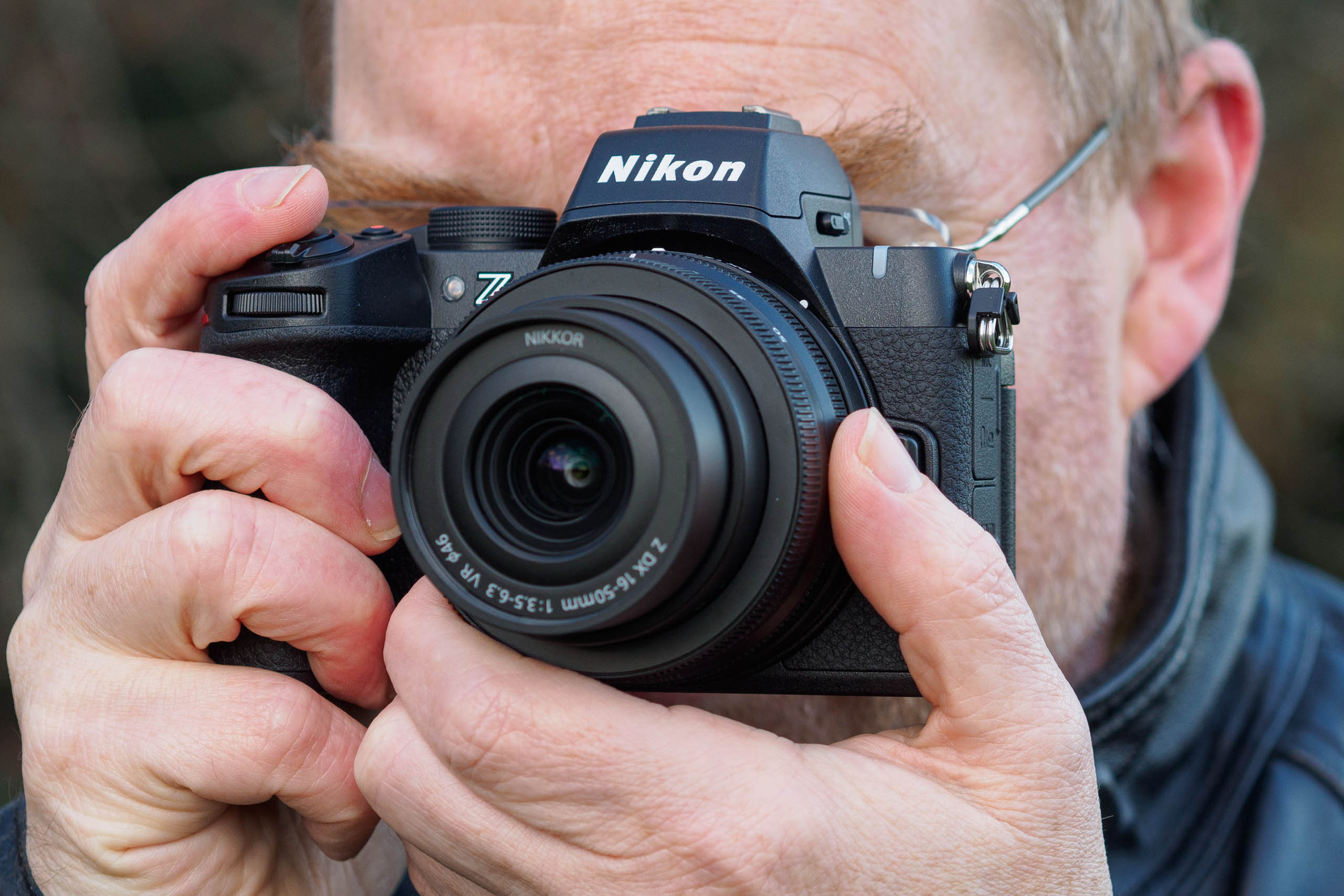
Alongside colour, Nikon previews exposure across a +/- 3-stop range, and depth-of-field at apertures down to f/5.6. If you want to extend this to smaller settings, for example for close-ups or landscapes, you’ll need to assign Preview onto a function button.
You can display gridlines, a small live histogram, and electronic levels and combine them as you please across up to three screen layouts, switching between them using the DISP button.
The screen can face pretty much any direction, including forwards. Image credit: Andy Westlake
Beneath the viewfinder, the LCD screen is a little larger than those on competing cameras, at 3.2in. In a welcome improvement over the original Z50, it now employs a fully articulating design that can face forwards for self-recording, as well as up or down for shooting at high and low angles in both horizontal and vertical formats. Again, it does a good job of accurately previewing your final image. Overall, it’s probably the best screen on any camera at this price.
Nikon Z50II: Autofocus
Nikon’s recent full-frame cameras have gained a well-earned reputation for having an excellent autofocus system, and on paper, the Z50II inherits all the same features. You get the same broad choice of focus area modes, even including three custom options that allow you specify the width and height of the focus frame manually. The firm’s 3D tracking mode is built-in for moving subjects, too. Nikon makes it particularly easy to select between focus areas and modes (manual, single, or continuous) via a button on the front.
Nikon Z50II Paddington mural sample image. Nikkor Z DX 16-50mm f/3.5-6.3 lens. Image credit: Andy Westlake
NIKON Z50_2 · f/5.3 · 1/60s · 36mm · ISO400
Click on any sample image to see the full-size version
No camera would be complete these days without built-in subject detection. With the Z50II, this works for people, animals, birds, cars, and airplanes. Most of the time, you can happily leave the system set to auto, and the camera will recognise subjects and switch between the various types depending on what’s in front of it. But alternatively, you can tell the camera to focus exclusively on a specific type of subject, if you know that’s what you’re going to be shooting. Or you can switch off subject detection altogether, and use the conventional AF system instead.
I only had Nikon’s 16-50mm kit zoom and 24mm f/1.7 to hand for my review, so wasn’t able to test the autofocus as fully as I’d have liked. Naturally, it worked flawlessly with static subjects, as pretty much all cameras do these days. I also got good results with predictably moving subjects, such as oncoming vehicles.
Autofocus works pretty quickly and decisively, even in low light. Nikkor Z DX 16-50mm f/3.5-6.3 lens. Image credit: Andy Westlake
NIKON Z50_2 · f/4 · 1/3s · 16mm · ISO100
If you’re shooting unpredictable high-speed action, though, it would be naïve to expect the Z50II to match the performance of the professional Z8 and Z9 with their super-fast stacked sensors, or even the Z6III with its partially stacked sensor. This is, after all, a camera that costs a fraction of the price.
However, it’s still on a different level to models like the Panasonic G97, Sony A6400 or Fujifilm X-T30 II, none of which include the same level of subject recognition. And while the Canon EOS R10 does have subject recognition, it lacks an auto mode. So overall, you’re probably getting the most advanced AF system in its class here.
Performance
When you take the Z50II out and start taking photographs, you’ll quickly discover that it’s efficient and responsive, and never gets in the way of you shooting. There’s no waiting around for it to start up, with the camera ready to shoot the instant you flick the power switch. Likewise, there’s no hint of any operational lag using either the physical controls or the touchscreen.
The 20MP sensor delivers plenty of detail: this is a 9.4MP crop. Nikkor Z DX 16-50mm f/3.5-6.3 lens. Image credit: Andy Westlake
NIKON Z50_2 · f/8 · 1/125s · 50mm · ISO100
It’s pretty unobtrusive too, thanks to a mechanical shutter that operates with a quiet, low-pitched clack. You can also get the camera to be completely silent by delving into the Setup menu and engaging Silent mode. However, the electronic shutter is prone to both rolling-shutter distortion and colour banding under artificial light. So you’ll want to use this only when absolutely necessary.
Looking at battery life, the Z50II’s CIPA rating is nothing to write home about, at just 230 shots using the EVF, and 250 with the LCD. I found that to be a realistic representation of what you can expect to get when shooting single frames, although as usual you’ll get a lot more shots from a charge when shooting bursts, especially with the electronic shutter. You can also top-up the battery from a powerbank via the camera’s USB-C port when you’re out and about. But as always, I’d certainly make sure I acquired a spare and kept it to hand.
Like many small cameras, the Z50II isn’t great to use with gloves in winter. Nikkor Z DX 16-50mm f/3.5-6.3 lens. Image credit: Andy Westlake
NIKON Z50_2 · f/8 · 1/80s · 50mm · ISO280
When it comes to continuous shooting, Nikon’s headline numbers are pretty eye-catching, at up to 30fps. But this requires shooting JPEG-only with the electronic shutter, which is prone to rolling-shutter distortion. You won’t get close to that if you want to shoot raw and use the mechanical shutter for highest image quality. Nikon says you’ll then get 11fps, but try as I might, I could only persuade the camera to operate at 10fps in my testing. But to be fair, that’s still as fast as I’d usually like to shoot.
It’s also worth noting that at 10fps, you don’t get live view between frames, with the camera instead playing back recently shot frames in the viewfinder to give an impression of what’s going on. But this makes it difficult to keep track of fast-moving subjects. If you want proper live view, the camera slows down to a more pedestrian 5.6fps. The buffer is very impressive, though, with the camera capable of shooting 16-second bursts at 10fps in JPEG and raw before slowing down.
The Z50II is capable of giving great-looking JPEGs directly from the camera. Nikkor Z DX 16-50mm f/3.5-6.3 lens. Image credit: Andy Westlake
NIKON Z50_2 · f/7.1 · 1/50s · 16mm · ISO100
I found metering to be extremely reliable, and I only rarely found myself applying any exposure compensation, except for creative effect. In high-contrast situations, engaging the Active D-lighting option can be useful for balancing highlight and shadow areas more naturally. Nikon’s auto white balance is excellent too, if perhaps a little on the cool side (which to be fair, does a great job of emphasising blue skies).
By default, the camera selects automatically between its conventional colour processing modes, depending on the kind of subject. For example, with sunlit blue-sky landscapes, it’ll usually select Vivid mode. I really like this effect – it makes your images look punchy and saturated, but without obviously being overblown. The Standard mode also gives quite nice results, without being outstanding. For those who like to shoot in black and white, Nikon’s Deep Tone Monochrome is pretty special, too.
Deep Tone Monochrome mode gives lovely results. Nikkor Z DX 16-50mm f/3.5-6.3 lens. Image credit: Andy Westlake
NIKON Z50_2 · f/4.2 · 1/1000s · 24.5mm · ISO100
When it comes to the more ‘creative’ options available on the Picture Control button, though, I’m afraid they leave me somewhat cold. They’re mostly stylised colour filters with names like Dream, Morning and Pop. I’m sure some people will make good use of them, but to my mind they don’t have anywhere near the same charm as Fujifilm’s hugely popular Film Simulation modes.
You might be concerned that Nikon’s 20MP sensor won’t be able to capture as much detail as its 24MP or 26MP rivals. But in reality, there’s very little in it, with just a 10% difference in linear resolution between them. All are plenty good enough to make highly detailed A3 / 16 x 12in prints. And this sensor does offer very good high-ISO performance by APS-C standards. I was perfectly happy with my real-world images shot at settings as high as ISO 10,000, and even ISO 20,000 with AI noise reduction in raw processing.
Here I was able to balance bright and dark areas nicely in raw processing.
Nikkor Z DX 16-50mm f/3.5-6.3 lens. Image credit: Andy Westlake
NIKON Z50_2 · f/8 · 1/80s · 28mm · ISO100
Raw files are also impressively malleable, allowing you to pull out clean detail from deep within shadow regions. Using Adobe Camera Raw, I found I could adjust the exposure and shadows sliders pretty much as I pleased when shooting at low ISOs. This means that in high-contrast situations you can easily under-expose by two or three stops to retain highlight details and then re-balance the tonality in raw processing.
One thing we simply can’t ignore when talking about Nikon’s DX-format cameras, though, is lenses. The firm offers a perfectly good set of affordable entry-level options, including a 16-50mm standard zoom, 12-28mm wideangle, 50-250mm telephoto, 18-180mm travel zoom, and 25mm f/1.7 prime. But 5 years after Nikon released its first APS-C Z-mount camera, that’s your lot. If you want to step up to something more premium from Nikon, you’ll have to acquire ill-matched full-frame optics.
Nikon’s lightweight 24mm f/1.7 DX lens delivers pretty nice results. Nikkor Z DX 24mm f/1.7 lens. Image credit: Andy Westlake
NIKON Z50_2 · f/1.7 · 1/40s · 24mm · ISO200
Having said that, the 16-50mm that comes with the camera is probably my favourite among basic APS-C kit zooms, for its combination of useful zoom range, decent optical quality and portability. You can get some very nice third-party autofocus primes, too, including Sigma’s f/1.4 DC DN range and a nice selection of primes from Viltrox. This is great if you want to add something Nikon doesn’t offer, for example a bright 16mm wideangle, or a 56mm for portraits. But while these lenses help make the Z50II a more attractive option, you can get them in other mounts too.
ISO and Noise
Nikon has been using variants of this 20MP DX sensor for years, and it performs much the same here as in the likes of the Z50 and Zfc. It delivers clean, detailed images at ISO 100, with barely any loss in image quality on boosting to ISO 1600. Noise starts to degrade the image at higher settings when you examine images closely, but both ISO 3200 and ISO 6400 deliver perfectly usable results.
Nikon’s 20MP DX sensor gives good results at high ISOs. Nikkor Z DX 16-50mm f/3.5-6.3 lens. Image credit: Andy Westlake
NIKON Z50_2 · f/4.5 · 1/40s · 27.5mm · ISO10000
Beyond this, detail and colour saturation suffer noticeably, but even ISO 25,600 is usable, especially with AI noise reduction. ISO 51,200 is pretty sketchy, though, and I’d leave the extended settings well alone.
Below are 100% crops at various ISOs from our standard studio, shot in raw and processed using Adobe Camera Raw at default settings. Click on any thumbnail to see the full-size image.
Nikon Z50II, ISO 100, raw + Adobe Camera Raw, 100% crop
Nikon Z50II, ISO 1600, raw + Adobe Camera Raw, 100% crop
Nikon Z50II, ISO 6400, raw + Adobe Camera Raw, 100% crop
Nikon Z50II, ISO 25600, raw + Adobe Camera Raw, 100% crop
Nikon Z50II, ISO 51200, raw + Adobe Camera Raw, 100% crop
Nikon Z50II, ISO 102400, raw + Adobe Camera Raw, 100% crop
Nikon Z50II, ISO 204800, raw + Adobe Camera Raw, 100% crop
Nikon Z50II: Our Verdict
There’s no doubt that the Nikon Z50II is a very capable little camera that offers the most advanced feature set in its class. It handles well and delivers attractive images in both JPEG and raw. Don’t be put off by the 20MP resolution, as that’s more than enough for most purposes, and there’s minimal practical difference compared to 24MP or 26MP.
Nikon’s Z50II is very capable and gives nice results, but not as charismatic as some alternatives. Image credit: Andy Westlake
So why, then, did it leave me feeling a little cold? To be honest, that black plastic SLR-like design just doesn’t have the same charm as the likes of the Zfc or the Fujifilm X-T30 II. Also, the fact that Nikon has dedicated a button to Picture Controls doesn’t really help when I don’t particularly like most of what’s on offer. In the end, I pretty much just used it as a means of swapping between colour and black & white.
The lack of any premium Nikkor DX lenses is also an irritation. If you’re happy with the idea of Nikon pushing you down an upgrade path that will inevitably involve switching to a larger, heavier and more expensive full-frame setup, you might be fine with this. But the fact is that much better APS-C lens systems are available elsewhere, from Sony and in particular Fujifilm. This gives you so much more room to grow as a photographer, without having to change format.
The fully articulated screen helps with shooting at awkward angles. Nikkor Z DX 16-50mm f/3.5-6.3 lens. Image credit: Andy Westlake
NIKON Z50_2 · f/11 · 1/40s · 17mm · ISO100
Ultimately the Nikon Z50II is still a very good camera that delivers very nice results. But, dare I say it, I found it just a little bit boring. My head tells me it’s the best in its class, but my heart would urge me to buy something more charismatic instead.
Andy has been Amateur Photographer's Technical Editor since 2014, responsible for reviewing everything from cameras and lenses to accessories and software. Prior to that, he was DPReview's Technical Editor, and introduced lens reviews to that website in 2008. Along the way, he's shot extensively with cameras and lenses of almost every imaginable type, brand and format.