


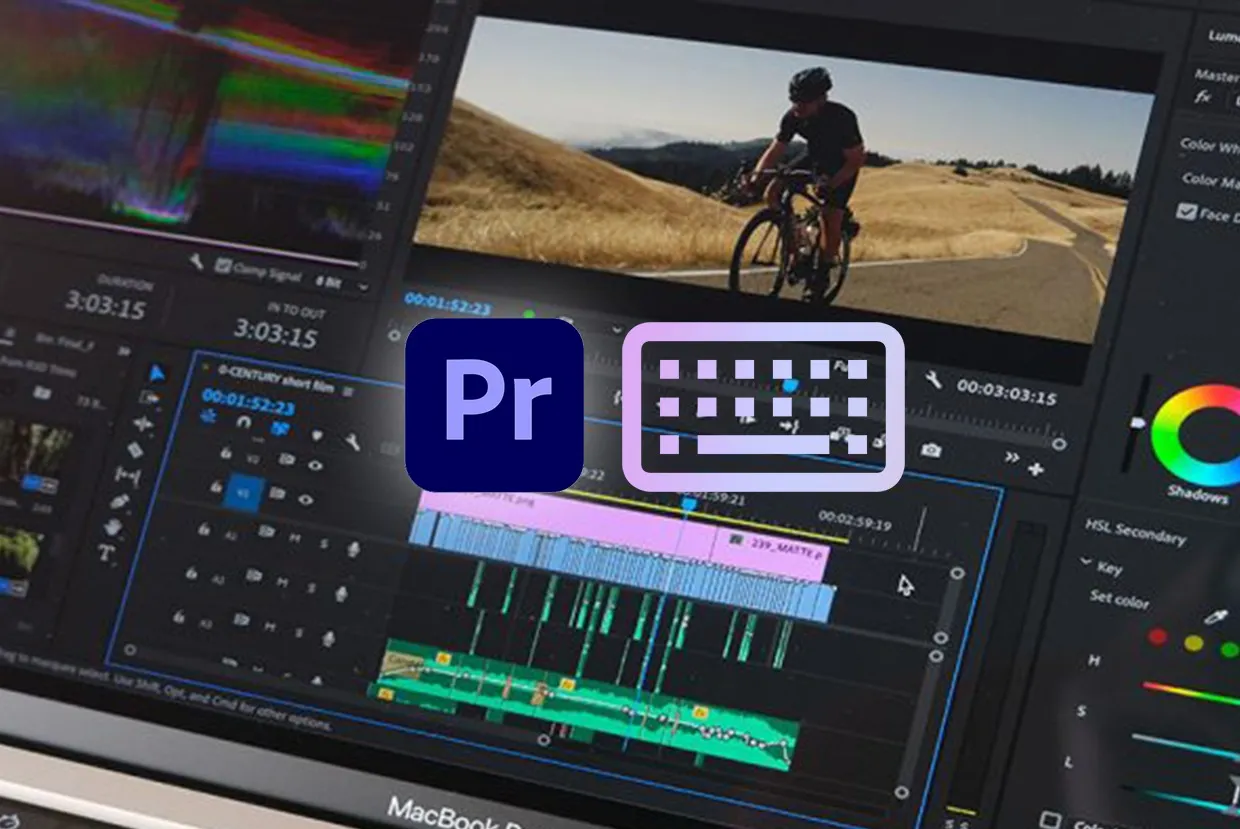
After evaluating Adobe’s current pricing, release notes, workflow documentation, and recent user feedback, I think the marketing is only half the story. Adobe Premiere is still the default NLE for teams deep in the Adobe ecosystem, and its 2026 AI features are genuinely workflow-oriented. But the subscription math, the cancellation traps, and the hardware appetite tell a different story than Adobe’s product page does. If you’re here to figure out whether Premiere is worth your money right now, the answer depends almost entirely on how much Adobe already owns your workflow.
Let me be direct: if you only need an editor and you don’t live inside Creative Cloud, you’re probably overpaying.
Bottom Line
Adobe Premiere (formerly branded as Premiere Pro) earns its place for editors who already rely on After Effects, Photoshop, and Frame.io in cross-platform teams. The subscription cost is defensible only when ecosystem speed saves you real billable hours. If you’re Mac-only, budget-conscious, or ownership-minded, DaVinci Resolve and Final Cut Pro are almost always the sharper financial move.
TL;DR
- Best for: Editors embedded in the Adobe ecosystem, mixed Windows/Mac teams, in-house marketing departments with deadline-driven caption, review, and cross-app handoff needs
- Not ideal for: Mac-only editors, budget-first solo creators, buyers who want perpetual ownership, users who prioritize color grading depth over ecosystem integration
- Price: US$22.99/month (single app, annual billed monthly) = US$275.88/year. Creative Cloud Pro jumps to US$839.88/year at standard rate. Teams start at US$37.99/month per seat.
- Biggest strength: Deep ecosystem integration with After Effects, Photoshop, Frame.io, and Adobe Express that no single competitor matches
- Biggest drawback: Annual subscription lock-in with a 50% early termination fee on the remaining balance, paired with real hardware demands for 4K work
- Score: 7.7/10
Review Verdict in 30 Seconds
Buy Adobe Premiere if the Adobe ecosystem saves you time you can bill for. Skip it if you mainly need a standalone editor. The subscription only makes sense when Premiere is a node inside a larger Creative Cloud workflow, not when it’s your only Adobe app. DaVinci Resolve Studio costs US$295 once and breaks even against Premiere single-app pricing in roughly 12.8 months. Final Cut Pro is US$299.99 once and runs better on Apple silicon for Mac-only editors. Those numbers should be in your head before you click Adobe’s free trial button.
What Adobe Premiere Is (and What Changed in the Name)
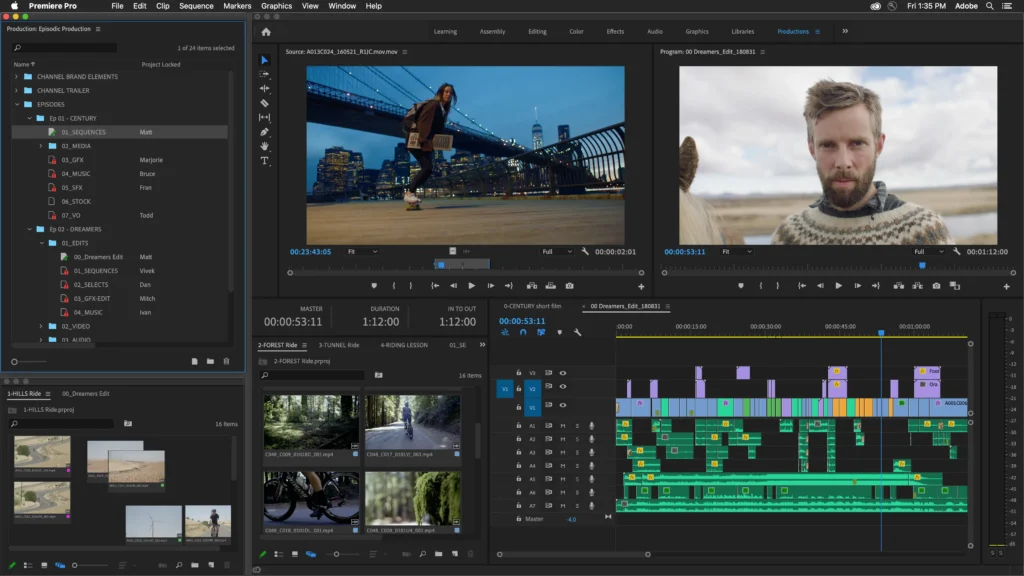
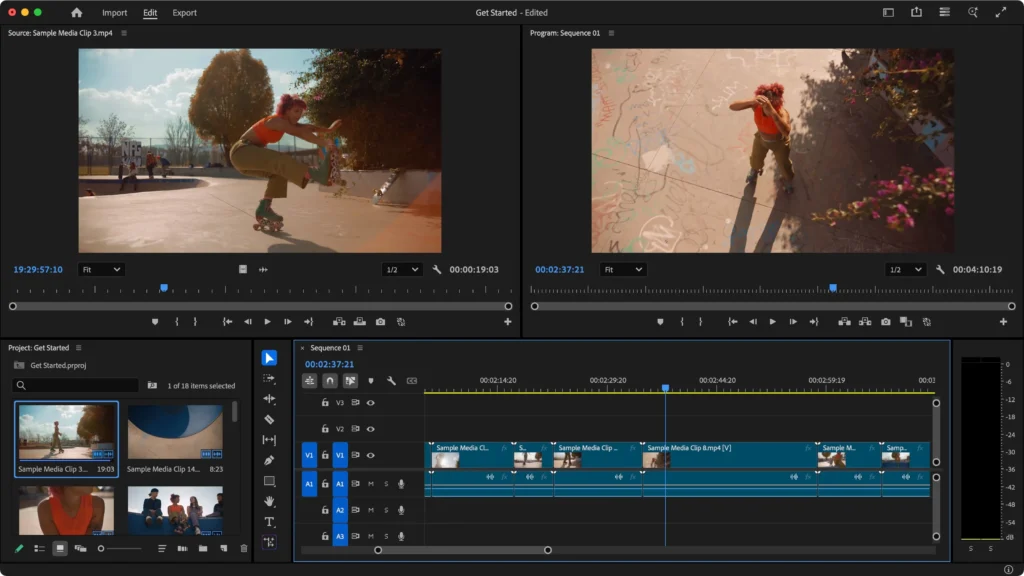
Adobe Premiere is a professional non-linear video editor, and it’s the same product many readers still search for as “Premiere Pro.” Adobe’s current branding uses just “Premiere” to reflect the desktop and iPhone app family, but the search market hasn’t caught up. You’ll see both names in this article because that’s how people actually look for it. [source: official_homepage]
Premiere sits inside Adobe’s Creative Cloud subscription and connects to After Effects, Photoshop, Audition, Frame.io, Adobe Express, and Adobe Stock. That integration is the product’s real selling point, and also the source of its biggest lock-in risk.
The 2026 updates have been substantial. Adobe shipped AI Object Masking, redesigned shape masks, native Windows on Arm support, media intelligence improvements, bulk bleep/mute tools, Frame.io panel integration, iPhone-to-desktop project continuation, Content Credentials on export, and more. [source: changelog] These aren’t cosmetic additions. But whether they justify the subscription depends on your workflow, not on feature counts.
How We Evaluated
Quick verdict: This is a research-based review, not a private hands-on lab test.
During my evaluation of Adobe’s pricing, documentation, release notes, and recent user feedback, I examined the following sources:
- Adobe’s official product pages and pricing plans [source: official_pricing]
- Adobe HelpX documentation for workflow features [source: official_docs]
- Adobe’s 2026 release notes and What’s New pages [source: changelog]
- Adobe’s subscription terms and cancellation policies [source: legal_terms]
- Adobe Trust Center for security and compliance details [source: official_trust]
- Adobe Firefly product descriptions and indemnification details [source: firefly_legal]
- Public user feedback patterns on G2, Capterra, and Gartner Peer Insights [source: g2_reviews, capterra_reviews, gartner_reviews]
- Community threads on the Adobe Community Forum and Reddit [source: community_forum, reddit]
- Official competitor pages for DaVinci Resolve, Final Cut Pro, and Filmora [source: competitor_official]
- Public YouTube demos from Adobe and creators [source: youtube_demo]
I did not privately edit footage, export projects, or run performance benchmarks. Every claim in this article traces back to official documentation, published pricing, or documented user sentiment. Where I’ve done simple math (yearly costs, breakeven timelines), I show the work.
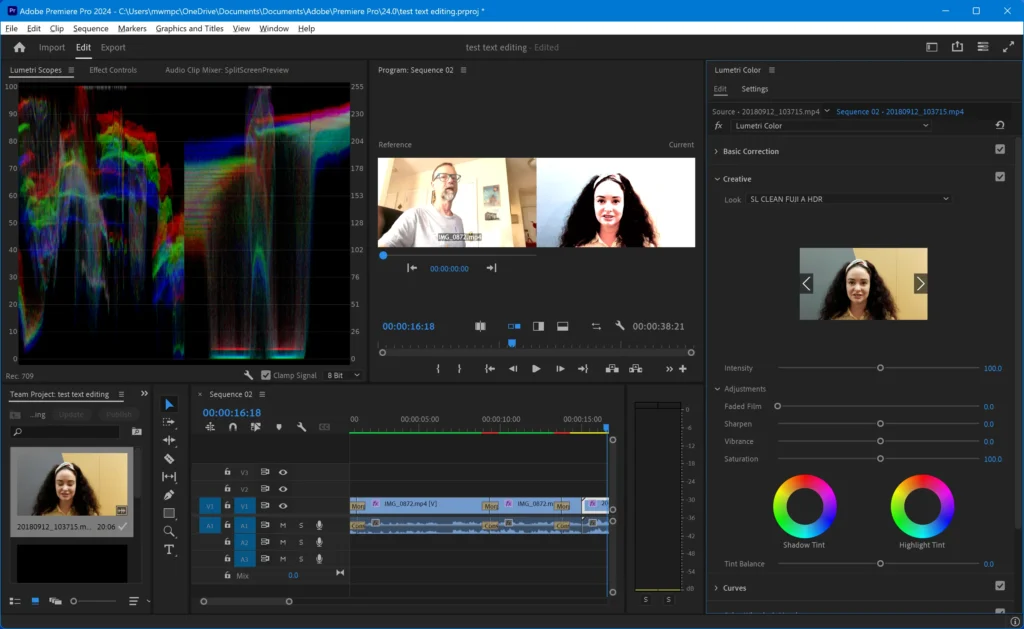
Test Results Summary
Here’s the weighted scorecard based on my evaluation of official capabilities, pricing structure, user feedback patterns, and competitive positioning:
| Category | Score | Weight | Notes |
|---|---|---|---|
| Editing workflow | 9.0/10 | High | Text-Based Editing, media intelligence, and caption tools are workflow-first, not gimmicks |
| Adobe ecosystem integration | 9.5/10 | High | After Effects, Photoshop, Frame.io, Express, Stock. Nothing else matches this breadth |
| AI workflow acceleration | 8.6/10 | Medium | Enhance Speech, Generative Extend, AI Object Masking target real editing chores |
| Collaboration and review | 8.3/10 | Medium | Frame.io inclusion is meaningful for teams; team admin features exist |
| Performance and stability | 6.6/10 | High | Community reports of 2026 update crashes, timeline issues, and version rollbacks |
| Ease of onboarding | 6.5/10 | Medium | Premiere’s UI is dense; not the place for first-time editors |
| Pricing and value | 6.0/10 | High | Subscription-only with cancellation penalties; expensive relative to one-time alternatives |
| Ownership and lock-in | 5.7/10 | Medium | No perpetual option; cloud storage drops to 5GB after cancellation; ecosystem dependency |
| Weighted overall | 7.7/10 |
The highest scores go to workflow and ecosystem. The lowest go to ownership and pricing. That split tells the whole story of Premiere in 2026: if you’re already inside Adobe, it’s strong. If you’re evaluating it cold, the value math is harder to defend.
Real-World Use Cases
Scenario 1: Freelance Editor Working Across Adobe Apps
A freelance editor handles client projects that require motion graphics in After Effects, photo compositing in Photoshop, and final delivery through Frame.io for client review. They work on both Windows and macOS machines depending on the client site.
Cost: Premiere single-app at US$22.99/month covers most needs, but this editor already pays for Creative Cloud Pro at US$69.99/month (standard rate) = US$839.88/year.
Workflow gain: Cross-app handoff between Premiere and After Effects via Dynamic Link, Frame.io review panel inside Premiere, and iPhone-to-desktop project start are real time-savers. Based on the documentation, the Text-Based Editing workflow means rough cuts can begin from transcription in the Text panel rather than just dragging clips. [source: official_docs]
Friction: The editor needs a capable workstation. Adobe’s own requirements recommend 32GB RAM for 4K on Windows and a GPU with at least 8GB VRAM recommended. [source: official_docs] If they cancel mid-year, the 50% early termination fee applies. [source: legal_terms]
Verdict: Premiere makes sense here because the ecosystem is the workflow. The subscription is a cost of doing business.
Scenario 2: YouTube Creator Upgrading from Beginner Tools
A YouTuber making weekly content at 1080p wants better audio cleanup and captions. They’re currently on Filmora and wondering if Premiere is worth the jump.
Cost: Premiere single-app is US$275.88/year. Filmora Advanced is US$59.99/year. The price gap is roughly US$216/year, every year.
Workflow gain: Premiere’s Enhance Speech (triggered from the Essential Sound panel after selecting a dialogue clip) and built-in caption translation are genuine upgrades. [source: official_docs] But the creator doesn’t use After Effects, doesn’t need Frame.io, and edits on a single Mac.
Friction: The YouTube creator gets almost no ecosystem benefit. They’re paying subscription rent for features they could approximate in DaVinci Resolve (free version) or Final Cut Pro (US$299.99 once). If they realize Premiere is overkill after month 3, they’re looking at roughly US$103 in cancellation fees on the single-app annual plan. [source: legal_terms]
Verdict: Skip Premiere. DaVinci Resolve’s free tier or Final Cut Pro’s one-time purchase makes more financial sense for a solo creator without Adobe ecosystem needs.
Scenario 3: In-House Marketing Team (3 Editors)
A marketing department produces daily social clips, internal training videos, and campaign content. Three editors need shared review workflows and admin oversight.
Cost: Premiere for teams is US$37.99/month per seat = US$455.88/year per seat = US$1,367.64/year for 3 seats before tax. If they need the full Creative Cloud Pro for teams, it jumps to US$99.99/month per seat = US$3,599.64/year for 3 seats before tax. [source: official_pricing]
Workflow gain: Frame.io panel integration for client and stakeholder review, team admin features, 1TB cloud storage per seat on Premiere team plans, and shared access to Adobe Express Premium. The caption and translation tools speed up multilingual social delivery. [source: official_pricing, official_docs]
Friction: That US$1,367/year (Premiere-only) or US$3,600/year (full Creative Cloud) is a real line item. And each seat only gets 25 monthly generative credits on the Premiere team plan, which may not go far if the team uses Generative Extend or Firefly features heavily. [source: official_pricing]
Verdict: Premiere for teams makes sense if the review workflow, admin features, and Adobe integration save the team meaningful production hours. But the team lead should calculate whether three DaVinci Resolve Studio licenses at US$885 total, once might cover 80% of the same work.
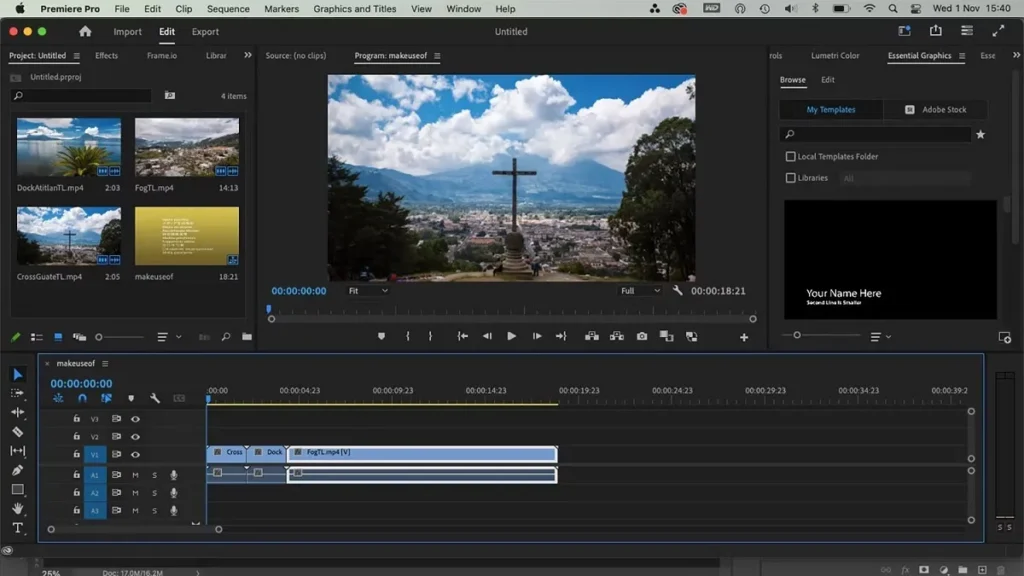
Pros
Quick verdict: Premiere’s strengths are real, but they’re ecosystem strengths, not standalone strengths.
1. The Adobe ecosystem advantage is still the biggest moat. No competitor integrates with After Effects, Photoshop, Audition, Adobe Express, Frame.io, and Adobe Stock the way Premiere does. User feedback on G2 and Gartner consistently points to this integration as the primary reason teams stay. [source: g2_reviews, gartner_reviews] This isn’t a marketing bullet. It’s a genuine workflow multiplier, but only if you use more than one Adobe app.
2. AI features target actual editing chores, not just demos. Text-Based Editing lives in the Text panel, where rough cuts start with transcription. Media intelligence lets editors search footage by visuals, dialogue, sounds, and similar shots. Enhance Speech is triggered from the Essential Sound panel. Caption translation is built into the caption workflow. [source: official_docs, changelog] These are time-saving tools tied to tasks editors do daily. That matters more than AI feature counts.
3. Cross-platform team workflow beats Mac-only alternatives. Premiere runs on current Windows and macOS environments, includes Frame.io for review, supports team licensing with admin features, and now handles iPhone-to-desktop project continuation. [source: official_pricing, changelog] For mixed-device teams, there’s no real equivalent from Apple or Blackmagic.
4. 2026 updates are workflow-substantive, not just cosmetic. AI Object Masking, redesigned shape masks, native Windows on Arm support, bulk bleep/mute, Adobe Stock integration inside the app, Content Credentials export, MKV support improvements, and more. [source: changelog] Adobe shipped meaningful work in early 2026.
5. Premiere still holds market trust for deadline-driven teams. Capterra and Gartner reviews repeatedly position Premiere as the standard for fast-turn marketing, broadcast, and day-to-day editing, even when reviewers complain about bugs. [source: capterra_reviews, gartner_reviews] That reputation isn’t unearned; it comes from the speed of the ecosystem workflow, not from the editor alone.
Cons
Quick verdict: The cons are structural, not cosmetic. They affect your wallet, your hardware, and your exit options.
1. The subscription model is the first real dealbreaker. Adobe charges US$22.99/month for Premiere on the annual billed monthly plan, which works out to US$275.88/year. But the real sting is the cancellation policy: after the first 14 days, Adobe applies a 50% early termination fee on the remaining contract balance. [source: legal_terms] If you cancel after month 3, that’s roughly US$103 gone. Most review sites gloss over this. I won’t.
2. Hardware appetite is not casual. Adobe’s own 26.0 system requirements tell the truth that the product page doesn’t emphasize. For Windows: 16GB RAM minimum for HD, 32GB or more recommended for 4K. A fast internal SSD for app and cache. An additional high-speed drive for media. GPU with at least 4GB VRAM, 8GB recommended. For shared 4K network workflows, Adobe recommends 10 Gigabit Ethernet. On Mac, Apple silicon with 16GB unified memory is the recommendation. [source: official_docs] If your machine doesn’t meet these specs, 4K editing will punish you.
3. Update stability is a documented trust problem. Recent Adobe Community threads report crashes when opening updated 2026 projects, timeline scrubbing issues, effects and caption-triggered crashes, and users rolling back to previous versions. [source: community_forum] G2 and Capterra reviews continue to surface update-related instability and bug complaints. [source: g2_reviews, capterra_reviews] I want to be fair here: not every user hits these issues. But the pattern is consistent enough across multiple sources that it deserves a prominent place in the review, not a footnote.
4. Generative Extend has a workflow limitation most reviews miss. Adobe’s own documentation notes that clips extended with Generative Extend cannot be transcribed with Speech to Text. [source: official_docs] That means Text-Based Editing and captioning don’t work on the extended portions unless you transcribe before extending. For editors who rely heavily on transcript-based workflows, this is a genuine friction point that Adobe doesn’t highlight on the feature page.
5. Migration from Final Cut Pro X isn’t plug-and-play. Adobe’s migration guidance says FCP7 XML can be imported into Premiere, but FCPX .fcpxml files need third-party conversion tools like XtoCC before import. [source: vendor_comparison] That’s an extra step (and sometimes an extra cost) that Adobe’s comparison pages mention but don’t emphasize. Community and Reddit feedback also raise concerns about backward project compatibility and plugin disruptions across recent versions. [source: community_forum, reddit]
6. After cancellation, your cloud access craters. When a subscription ends, the account downgrades to Creative Cloud free membership. Most apps stop working. Cloud storage access drops to a 5GB limit after a short grace period if you’re above the cap. [source: legal_terms] If you’ve stored project files, review assets, or shared templates in Creative Cloud, you need an exit plan before you cancel.
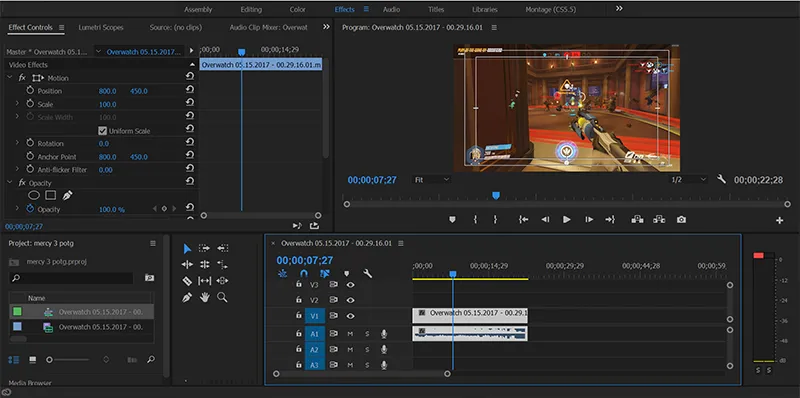
Things the Company Won’t Tell You About Adobe Premiere
This is the section Adobe’s marketing team would rather you skip.
The cancellation fee is a retention mechanism, not a consumer-friendly policy. Adobe’s annual plan, paid monthly, carries a 50% early termination fee on the remaining contract balance after the first 14 days. [source: legal_terms] That’s not a small-print curiosity. For a single-app user who signed up and realized after 3 months that they don’t need Premiere, the fee on the remaining 9 months (9 x US$22.99 = US$206.91) is roughly US$103.46. Adobe’s terms note the standard monthly rate and region-specific terms apply, but the math is clear: walking away is expensive.
The hardware requirements are higher than the marketing suggests. Adobe’s product page sells creative possibility. Adobe’s technical requirements page sells reality: 32GB RAM or more for 4K on Windows, fast SSD storage, additional media drives, and stronger GPU headroom. [source: official_docs] A mid-range laptop is not a serious 4K Premiere machine. Buyers should price the hardware upgrade into their cost analysis, not just the subscription.
Update instability is a recurring pattern, not isolated incidents. Community reports from early 2026 document crashes on project open after updates, timeline scrubbing problems, and effects-triggered crashes. [source: community_forum] Yes, Adobe ships fixes. But the pattern of “update breaks things, users roll back, patch arrives later” has shown up in G2 and Capterra feedback consistently enough that it’s a real operational risk for deadline-driven teams. [source: g2_reviews, capterra_reviews]
Generative Extend breaks the transcript workflow. Extended clips can’t be transcribed with Speech to Text. [source: official_docs] If you’re building a caption-first or Text-Based Editing workflow, you need to transcribe before extending, or accept that extended segments won’t have transcript coverage. Adobe documents this, but it’s buried in a known-issues page, not the Generative Extend feature page.
FCPX migration requires a third-party intermediary. Adobe’s own migration page acknowledges that FCPX .fcpxml files need tools like XtoCC for conversion before import. [source: vendor_comparison] That’s not a criticism of Adobe alone (Apple’s format is proprietary), but it means the “switch to Premiere” pitch is smoother in marketing than in practice.
Adobe Stock and Firefly content may cost extra. Adobe’s own homepage notes that additional costs may apply for Adobe Stock and Firefly content. [source: official_homepage] The generative credits included in plans (25/month for single-app and team Premiere plans, 4,000/month for Creative Cloud Pro) have limits, and heavy AI usage may push users into extra spending.
Pricing
Real Cost of Adobe Premiere by Team Type
Quick verdict: The subscription math gets uncomfortable fast, especially when you compare it to one-time purchase alternatives.
| Buyer type | Plan | Monthly cost | Year 1 cost | Year 2+ cost | Notes |
|---|---|---|---|---|---|
| Solo editor, single app | Premiere single-app | US$22.99/mo | US$275.88 | US$275.88 | Annual billed monthly. 25 gen credits/mo. 100GB storage. |
| Adobe-heavy freelancer | Creative Cloud Pro (individual) | US$34.99/mo (promo, 3 mo) then US$69.99/mo | US$734.88 | US$839.88 | Promo for first 3 months only. 4,000 gen credits/mo. 20+ apps. |
| Student/educator | Creative Cloud Pro (student) | US$19.99/mo (first yr) then US$39.99/mo | US$239.88 | US$479.88 | Price jumps significantly in year 2. |
| 3-seat team, Premiere only | Premiere for teams | US$37.99/mo/seat | US$1,367.64 | US$1,367.64 | Excl. VAT. 1TB storage/seat. 25 gen credits/seat. |
| 3-seat team, full Creative Cloud | Creative Cloud Pro for teams | US$99.99/mo/seat | US$3,599.64 | US$3,599.64 | Excl. VAT. 4,000 gen credits/seat. |
| DaVinci Resolve Studio | One-time purchase | — | US$295 | US$0 | Perpetual license. Free version also available. |
| Final Cut Pro | One-time purchase | — | US$299.99 | US$0 | Mac only. Creator Studio sub is US$129/yr. |
| Filmora Advanced | Annual subscription | — | US$59.99 | US$59.99 | 1,000 AI credits/mo. Perpetual option is US$79.99 but only covers v15. |
[source: official_pricing, competitor_official]
Cancellation Exposure
Adobe’s annual plan, paid monthly, is the default pricing structure. After the first 14 days, cancelling triggers a fee equal to 50% of the remaining contract balance. [source: legal_terms]
Example: A single-app subscriber cancels after month 3. Remaining obligation: 9 months x US$22.99 = US$206.91. Early termination fee: roughly US$103.46. This is calculated on the standard monthly rate and subject to region-specific terms, but the structure is clear.
The 7-day free trial converts automatically. If you forget to cancel during the trial and then decide to cancel in month 2, you’re already inside the annual contract with the fee structure in effect.
Competitor Breakeven Math
- DaVinci Resolve Studio vs. Premiere single-app: US$295 / US$22.99 = roughly 12.8 months. After that, every month of Premiere is money DaVinci Resolve owners aren’t spending.
- Final Cut Pro vs. Premiere single-app: US$299.99 / US$22.99 = roughly 13 months to breakeven. And Final Cut doesn’t have cancellation fees because there’s nothing to cancel.
These comparisons only measure subscription cost. If Premiere’s ecosystem integration saves you billable hours, the math changes. But if you’re using Premiere as a standalone editor, the financial argument for perpetual alternatives is strong.
Security, Privacy, Ownership, and Lock-In
Quick verdict: Adobe’s enterprise compliance is solid. The ownership and exit story is not.
Compliance and trust infrastructure: Adobe’s Trust Center lists SOC 2 Type 2, SOC 3, ISO 27001:2022, ISO 27017:2015, ISO 27018:2019, and ISO 22301:2019 for Creative Cloud enterprise. [source: official_trust] Frame.io carries Trusted Partner Network Gold Shield status. [source: official_trust] For teams and enterprises with compliance requirements, these certifications matter and they’re verifiable on Adobe’s compliance list page.
Firefly and AI content indemnification: Adobe’s Firefly product description includes IP indemnification details for qualifying customers and agreements, but excludes non-Adobe trained models and beta/trial features. Content Credentials are applied on export/download for qualifying Firefly outputs. [source: firefly_legal] If AI-generated content matters to your workflow, read the Firefly product description carefully. The coverage has boundaries.
Ownership reality: You don’t own Adobe Premiere. You rent it. When the subscription ends, the app stops working. Cloud storage drops to 5GB after a grace period. [source: legal_terms] Projects created in Premiere can be opened in Premiere (if you re-subscribe), but your working files, presets, and review workflows in Frame.io are tied to your subscription status. That’s not a security flaw; it’s a business model. But it means your exit plan needs to account for asset migration before you cancel.
Lock-in assessment: The combination of annual contracts, cancellation fees, cloud storage dependency, ecosystem integration (Dynamic Link to After Effects, Frame.io review flows, Adobe Stock assets), and proprietary project formats creates meaningful switching friction. It’s not impossible to leave, but it’s designed to be inconvenient.
What Most Reviews Miss About Adobe Premiere
1. The naming confusion is costing buyers search clarity. Adobe now calls the product “Premiere,” but search engines, forums, and most buyers still use “Premiere Pro.” This matters because product comparisons, tutorials, and community threads may reference either name for the same app. [source: official_homepage] New buyers should know they’re looking at one product with two names in the wild.
2. The iPhone-to-desktop story is real but narrowly scoped. Adobe now supports sending projects started in Premiere on iPhone to the desktop app. [source: changelog] That’s a meaningful mobile-to-desktop bridge, but it’s not the same as full mobile editing. Most reviews either ignore this feature or oversell it. The documentation shows it’s a project-start and continuation workflow, not a replacement for desktop editing.
3. Team plans differ from individual plans in ways that matter for budgeting. Premiere for teams includes 1TB cloud storage (vs. 100GB for individuals) and business admin features, but still only 25 monthly generative credits per seat, the same as the individual Premiere plan. [source: official_pricing] If a team of three editors all use Generative Extend or Firefly features, those 25 credits per seat may run out fast. Creative Cloud Pro for teams bumps that to 4,000 credits, but at US$99.99/month per seat. Budget accordingly.
4. FCPX migration requires third-party conversion, and backward compatibility is a reported concern. Adobe supports FCP7 XML import, but migrating from Final Cut Pro X requires third-party tools like XtoCC to convert .fcpxml files. [source: vendor_comparison] And community reports raise concerns about backward project compatibility across Premiere’s own version updates and plugin/workflow disruptions with newer builds. [source: community_forum, reddit] Switching to Premiere from another NLE, or even upgrading within Premiere, isn’t always smooth.
5. Adobe Stock and Firefly usage can push costs beyond the subscription price. Adobe’s own homepage notes that Stock and Firefly content may require additional costs. [source: official_homepage] The generative credits in each plan have defined limits. Heavy use of AI generation or stock footage will cost extra on top of the subscription. Most reviews quote the plan price as if it’s the total cost. It might not be.
Common Mistakes When Using Adobe Premiere
1. Buying the annual plan without understanding the cancellation terms. The annual billed monthly plan is the default, and it locks buyers into a 12-month commitment with a 50% early termination fee after 14 days. [source: legal_terms] New buyers who want to “try it for a few months” don’t realize they’re signing an annual contract. The 7-day free trial is the only risk-free window. After that, the financial commitment is real.
Fix: Start with the 7-day free trial. If you’re unsure after the trial, consider the monthly (non-annual) plan if available in your region. Read the subscription terms before purchasing.
2. Assuming a mid-range laptop handles 4K editing. Adobe’s own requirements recommend 32GB RAM or more for 4K on Windows, an SSD for app and cache, an additional drive for media, and 8GB GPU memory recommended. [source: official_docs] Buyers who invest in the subscription but edit on hardware below these thresholds will hit stuttering, slow renders, and preview frustration. The subscription price isn’t the only cost of running Premiere.
Fix: Check the official tech requirements before buying. Budget for hardware if your machine falls short.
3. Treating Generative Extend as frictionless for transcript-based workflows. Generative Extend is compelling for adding frames to clip edges, but extended portions can’t be transcribed with Speech to Text. [source: official_docs] Editors who rely on Text-Based Editing or auto-captioning need to transcribe clips before extending them, or accept gaps in transcript coverage. This limitation is documented in Adobe’s known issues page, not on the feature page itself.
Fix: Transcribe first, extend second if transcript coverage matters to your workflow.
4. Using Premiere when a simpler, cheaper editor would be enough. If your work is weekly YouTube videos at 1080p, social clips, or simple cuts with background music, you may not need a professional NLE with a US$275.88/year subscription. DaVinci Resolve’s free version handles 8-bit video up to 4K at 60fps. [source: competitor_official] Filmora Advanced is US$59.99/year. [source: competitor_official] Buying Premiere because “it’s the industry standard” is an expensive way to learn you didn’t need it.
Fix: Be honest about your editing complexity. If you’re not using After Effects handoff, Frame.io review, or caption translation, a simpler tool will do the same job for less.
5. Underestimating how much Adobe ecosystem dependency shapes Premiere’s value. Premiere’s strongest pitch is ecosystem speed: Dynamic Link to After Effects, Frame.io review, Photoshop layer import, Adobe Express for quick social derivatives. If you don’t use those connections, you’re paying for integration you’re not consuming. The subscription value is highest when Premiere is one node in a Creative Cloud workflow, not when it stands alone.
Fix: Before subscribing, map out which Adobe apps you actually use or plan to use. If the answer is “just Premiere,” compare the standalone value against DaVinci Resolve or Final Cut Pro.
Adobe Premiere vs Alternatives
Adobe Premiere vs DaVinci Resolve
DaVinci Resolve is the clearest “you may not need Adobe” alternative for serious editors. The free version is genuinely capable (8-bit formats up to 4K/60fps, multi-user collaboration, HDR grading), and DaVinci Resolve Studio at US$295 one-time is only slightly more than a single year of Premiere single-app pricing. [source: competitor_official]
Resolve 20 closes the AI gap significantly with IntelliScript, Animated Subtitles, Multicam SmartSwitch, and AI Audio Assistant. [source: competitor_official] It’s no longer just “the colorist’s tool.” Still, user reviews consistently flag a steeper learning curve, and some basic editing tasks are reported as harder to find than in competing editors. [source: competitor_reviews]
Buy Premiere over Resolve if: you need Adobe ecosystem integration (After Effects, Photoshop, Frame.io), work on mixed Windows/Mac teams, and value caption/translation workflows inside the same app family.
Buy Resolve over Premiere if: you want perpetual ownership, prioritize color grading and finishing depth, work independently or in budget-conscious teams, or simply refuse to rent your tools. The breakeven vs. Premiere single-app is roughly 12.8 months.
Adobe Premiere vs Final Cut Pro
Final Cut Pro is the cleanest exit recommendation for Mac-only editors who don’t need After Effects-style ecosystem continuity. At US$299.99 one-time, it breaks even against Premiere in about 13 months. Apple’s Creator Studio subscription at US$12.99/month or US$129/year adds premium content access at a fraction of Creative Cloud’s cost. [source: competitor_official]
Final Cut’s 2026 additions (Transcript Search, Visual Search, Beat Detection) bring it closer to Premiere’s search-and-speed positioning than older comparisons suggest. [source: competitor_official] Performance on Apple silicon remains a strong point in user reviews. [source: competitor_reviews]
The limitation is obvious: Mac only. And if you need After Effects handoff, Frame.io review workflows, or cross-platform collaboration, Final Cut doesn’t compete.
Buy Premiere over Final Cut if: you work across Windows and Mac, need Adobe ecosystem depth, or require teams-oriented admin and review features.
Buy Final Cut over Premiere if: you’re Mac-only, want ownership, and don’t depend on After Effects, Photoshop, or Frame.io. The math and the performance reputation both favor Final Cut for that profile.
Adobe Premiere vs Filmora
Filmora 15 isn’t a direct Premiere substitute for advanced professional work. But it’s the most relevant alternative for readers who, if they’re being honest, don’t actually need a pro NLE. At US$49.99/year (Basic) or US$59.99/year (Advanced with 1,000 AI credits/month), Filmora costs a fraction of Premiere. [source: competitor_official]
Filmora 15 added AI Extend, Pen Tool, dual-timeline editing, and source/timeline preview editing. [source: competitor_official] User reviews praise the onboarding speed and built-in templates. The common complaint is that some advanced features require add-on purchases. [source: competitor_reviews]
The perpetual plan at US$79.99 sounds simple but only covers Filmora 15 updates, not future major version upgrades, and it’s device-specific. [source: competitor_official] That “one-time” price is less straightforward than it looks.
Buy Premiere over Filmora if: you need professional-grade editing depth, team collaboration, ecosystem integration, or advanced captioning and AI workflows.
Buy Filmora over Premiere if: you’re a beginner, a social-first creator, or someone whose editing needs are genuinely simple enough that paying US$275/year for Premiere is money you’ll never earn back in workflow speed.
Is Adobe Premiere Worth It in 2026?
The honest answer is conditional, and anyone who gives you a flat “yes” or “no” is probably selling something (or hasn’t done the math).
Premiere’s value is highest when it’s embedded in a Creative Cloud workflow. If you use After Effects for motion graphics, Photoshop for compositing, Frame.io for reviews, and Adobe Express for quick social outputs, Premiere is the glue that connects those tools. The 2026 AI features (Text-Based Editing, media intelligence, Enhance Speech, caption translation) are workflow-first, and they target editing chores that eat real hours. [source: official_docs, changelog]
But you’re renting that value. Every year. With penalties if you leave early. And with hardware requirements that aren’t trivial for 4K work.
At US$275.88/year for the single app, Premiere is roughly the same annual cost as buying DaVinci Resolve Studio outright (US$295 once) or Final Cut Pro (US$299.99 once). After year one, the economics diverge sharply. By year three, a Premiere single-app subscriber has paid US$827.64. A DaVinci Resolve Studio owner has paid US$295. The difference is US$532 and growing.
So: is Adobe Premiere worth it? If the ecosystem saves you time you can bill for, yes. If you’re just editing, probably not.
Who Should Use Adobe Premiere
- Editors who already use After Effects, Photoshop, Audition, or broader Creative Cloud and benefit from cross-app handoff
- Mixed Windows and Mac teams that need a single NLE across platforms
- In-house marketing and video departments that need deadline-driven captioning, review workflows, and team admin features
- Freelancers who charge enough per project that the subscription cost is secondary to ecosystem speed
Who Should Skip Adobe Premiere
- Mac-only editors who don’t rely on the Adobe ecosystem (Final Cut Pro is usually the better financial and performance choice)
- Budget-first solo creators who can’t justify US$275.88/year for a standalone editor
- Buyers who strongly prefer perpetual ownership and want to avoid subscription lock-in
- Editors whose primary workflow is color grading, finishing, or VFX depth (DaVinci Resolve offers more depth in those areas and costs less over time)
- Beginners who don’t need a professional NLE and would be better served by Filmora or DaVinci Resolve’s free tier
FAQ
What is the current price of Adobe Premiere in 2026? The Premiere single-app plan is US$22.99/month on the annual billed monthly plan, which totals US$275.88/year. Creative Cloud Pro (all apps) is US$69.99/month at standard rate, or US$839.88/year. Team plans start at US$37.99/month per seat. All plans include Frame.io for Creative Cloud and Adobe Express Premium. [source: official_pricing]
Is Adobe Premiere the same as Premiere Pro? Yes. Adobe now uses “Premiere” as the current product name to cover the desktop and iPhone apps. Searchers and industry professionals still commonly use “Premiere Pro,” and both names refer to the same editing software. [source: official_homepage]
Can I buy Adobe Premiere with a one-time payment? No. Adobe Premiere is only available through subscription plans. There is no perpetual license option. DaVinci Resolve Studio (US$295) and Final Cut Pro (US$299.99) are the leading one-time purchase alternatives. [source: official_pricing, competitor_official]
What happens if I cancel Adobe Premiere early? If you’re on the annual plan (billed monthly) and cancel after the first 14 days, Adobe charges an early termination fee equal to 50% of the remaining contract balance. Your account downgrades to a free Creative Cloud membership, apps stop working, and cloud storage drops to 5GB after a grace period. [source: legal_terms]
Is Adobe Premiere good for YouTube creators? It depends on your workflow. If you use multiple Adobe apps and need advanced captioning, Enhance Speech, and Frame.io reviews, Premiere delivers genuine value. If you’re making weekly videos at 1080p without ecosystem needs, DaVinci Resolve (free) or Filmora (starting at US$49.99/year) will likely be enough at a fraction of the cost.
How does Adobe Premiere compare to DaVinci Resolve? Premiere wins on Adobe ecosystem integration, cross-platform team workflows, and bundled services (Frame.io, Express). DaVinci Resolve wins on cost (free or US$295 one-time), color grading depth, and all-in-one post-production scope. Resolve 20 now includes AI-powered editing features that narrow the workflow gap. [source: competitor_official]
How does Adobe Premiere compare to Final Cut Pro? Premiere wins on cross-platform support and Adobe ecosystem depth. Final Cut Pro wins on Mac-only performance, ownership economics (US$299.99 once), and simpler onboarding. Final Cut’s 2026 updates (Transcript Search, Visual Search) bring it closer to Premiere’s AI positioning. The deciding factor is usually platform: if you’re Windows or cross-platform, Premiere; if you’re Mac-only without Adobe needs, Final Cut. [source: competitor_official]
What are the system requirements for Adobe Premiere in 2026? Adobe recommends 16GB RAM for HD and 32GB or more for 4K on Windows, a fast internal SSD, an additional high-speed drive for media, and a GPU with at least 4GB VRAM (8GB recommended). On Mac, Apple silicon with 16GB unified memory is recommended. For shared 4K network workflows, 10 Gigabit Ethernet is recommended. [source: official_docs]
Does Adobe Premiere include Frame.io? Yes. Current Premiere plans include Frame.io for Creative Cloud, which provides video review and approval workflows inside the Premiere panel. Team plans include additional storage (1TB per seat). [source: official_pricing]
Is Adobe Premiere stable in 2026? Stability is mixed. Recent community reports document crashes related to 2026 project updates, timeline scrubbing, and effects/caption-triggered issues. G2 and Capterra reviews consistently surface update-related instability complaints. [source: community_forum, g2_reviews, capterra_reviews] Adobe does ship patches, but users working on tight deadlines should consider waiting before updating to new releases.
Final Verdict
Here’s where I land after evaluating Adobe’s pricing, documentation, 2026 release notes, and current user feedback.
Adobe Premiere is a strong professional editor wrapped in a subscription model that demands justification. The editing workflow is mature. The AI features are workflow-first. The ecosystem integration is unmatched. But you’re paying for all of that, every month, with penalties if you leave, and with hardware requirements that add to the true cost of ownership.
Buy Adobe Premiere if:
- You already use After Effects, Photoshop, or other Creative Cloud apps and the cross-app workflow saves you real time
- You work on a mixed Windows/Mac team that needs shared review, admin, and captioning tools
- You’re a freelancer or in-house team where the subscription cost is a rounding error compared to the billable hours the ecosystem saves
- You need Frame.io integration, caption translation, or Enhance Speech as part of your daily editing routine
Skip Adobe Premiere if:
- You’re a Mac-only editor without Adobe ecosystem dependency (buy Final Cut Pro for US$299.99)
- You prioritize perpetual ownership and refuse to rent your primary creative tool (buy DaVinci Resolve Studio for US$295)
- You’re budget-conscious and your editing needs are simpler than you think (try DaVinci Resolve free or Filmora at US$59.99/year)
- You care more about color grading depth, finishing quality, or all-in-one post-production than about ecosystem breadth
Score: 7.7/10. A capable editor taxed by its own business model. The tool is good. The question is whether you’re the right buyer for it.