
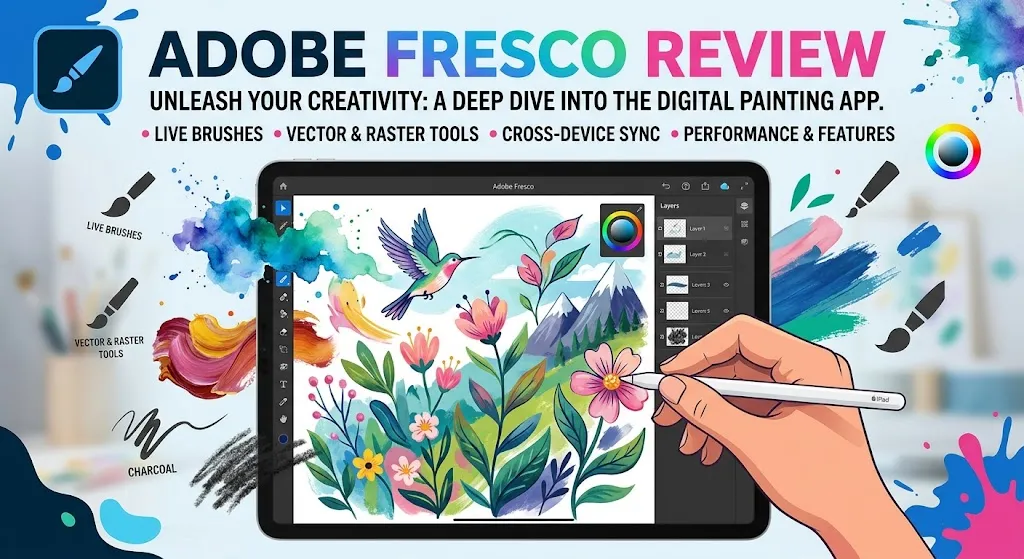
I went into this review expecting to write about a free drawing app. What I found was something more interesting and more complicated than that label suggests.
After evaluating Adobe’s official documentation, current pricing pages, release notes through early 2026, public user feedback on G2, and community forum threads, here is what I can tell you: Adobe Fresco is genuinely free to download and use. But “free” and “cost-free” are not the same thing. The app itself costs nothing. Your cloud storage, your premium font access, and your deeper Adobe workflow connections still have price tags attached to them. And for a certain kind of artist, those costs arrive quietly, after you’ve already built your workflow around the tool.
So the real question isn’t whether Fresco is free. It is. The real question is whether Fresco is the right free app for your specific situation, or whether Procreate at a flat US$12.99 or Clip Studio Paint starting at US$0.99/month serves you better with less ecosystem drag.
That’s the binary. The rest of this review explains the evidence behind it.
Bottom Line
Adobe Fresco earns a 7.4/10 in this review. It’s the strongest option for creators who want vector, raster, and live brush workflows in one app with direct handoff to Photoshop and Illustrator. The “free for all” positioning is real but incomplete: cloud storage caps at 5 GB on the free plan, premium Adobe Fonts remain gated behind a paid upgrade, and Windows ARM support is narrower than most buyers assume. If you already live inside Adobe’s ecosystem, Fresco adds genuine value. If you want a clean, offline, one-time-purchase iPad sketching tool with zero cloud friction, buy Procreate and don’t look back.
TL;DR
- What it is: A digital painting and drawing app combining vector, raster, and live brushes with deep Adobe ecosystem integration. Runs on iPad, iPhone, and Windows.
- Starting price: Free (core app). Paid upgrade available for premium Adobe Fonts and 100 GB cloud storage.
- Best for: Adobe Creative Cloud users, mixed-media illustrators, designers who need Photoshop/Illustrator handoff, and creators who want vector-plus-raster flexibility in one canvas.
- Skip it if: You want a simple offline iPad drawing app with zero cloud dependencies, you’re on Android, or your Windows hardware isn’t on Adobe’s supported list.
- Biggest trap: The 5 GB free cloud storage limit. You won’t notice it until your autosaved cloud documents fill it up, and by then your workflow is already built around the tool.
- Overall score: 7.4/10
Review Verdict in 30 Seconds
Adobe Fresco is the right tool if you need a drawing app that talks to Photoshop and Illustrator without friction, handles both vector and raster work on the same canvas, and fits inside Adobe’s cloud document system. The recent “free for all” shift (October 2024) removed the most obvious paywall, and late 2025 through early 2026 updates have added useful workflow refinements like a redesigned brush panel, basic shape tools, and an expanded Elements panel with 400+ new assets.
But Fresco is not trying to be a standalone, self-contained art tool. It’s a node inside Adobe’s creative ecosystem. Cloud documents, autosave, Behance publishing, PSD export, and Illustrator handoff are all first-class paths. That’s a strength if you’re already in Adobe’s orbit. It’s a dependency if you’re not. The verdict: use Fresco for Adobe workflow continuity and hybrid brush flexibility, not as a Procreate replacement.
What Adobe Fresco Is and Why People Are Looking at It in 2026
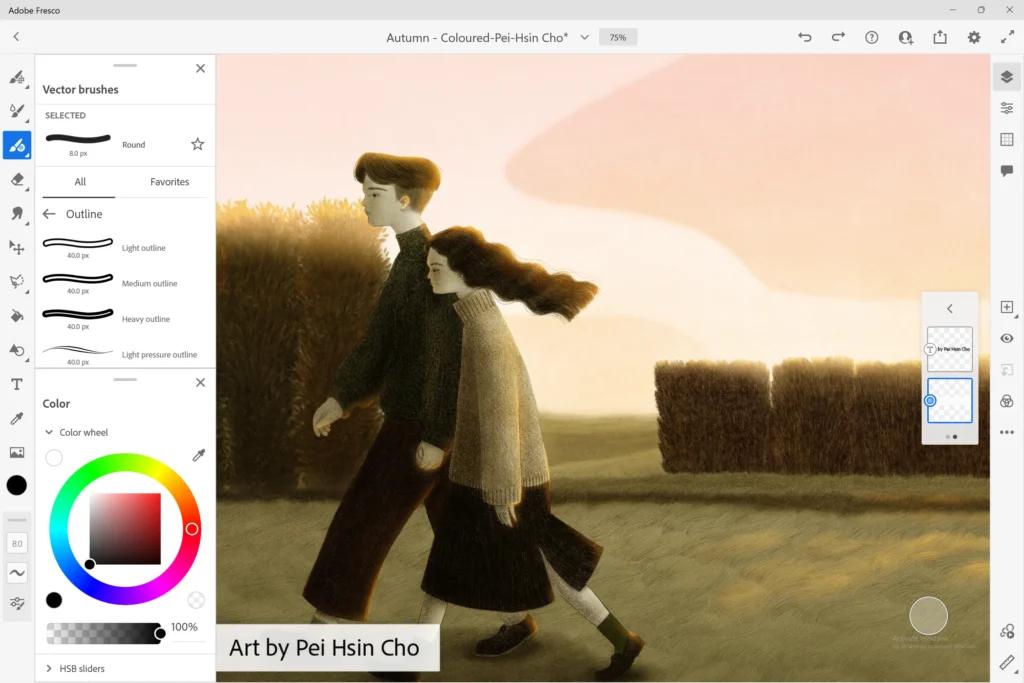
Based on Adobe’s current product page, Fresco is positioned as a digital painting and drawing app that is “Free for all.” That positioning changed in October 2024, when Adobe dropped the paywall on the core app and made thousands of previously premium brushes available to free users.
So why are people still searching for reviews? Because “free” raised more questions than it answered.
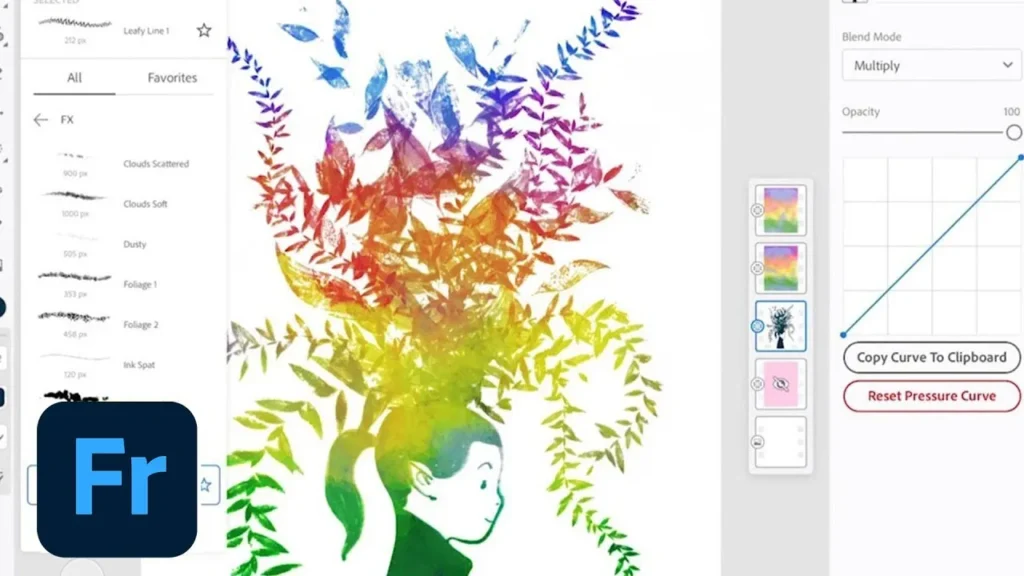
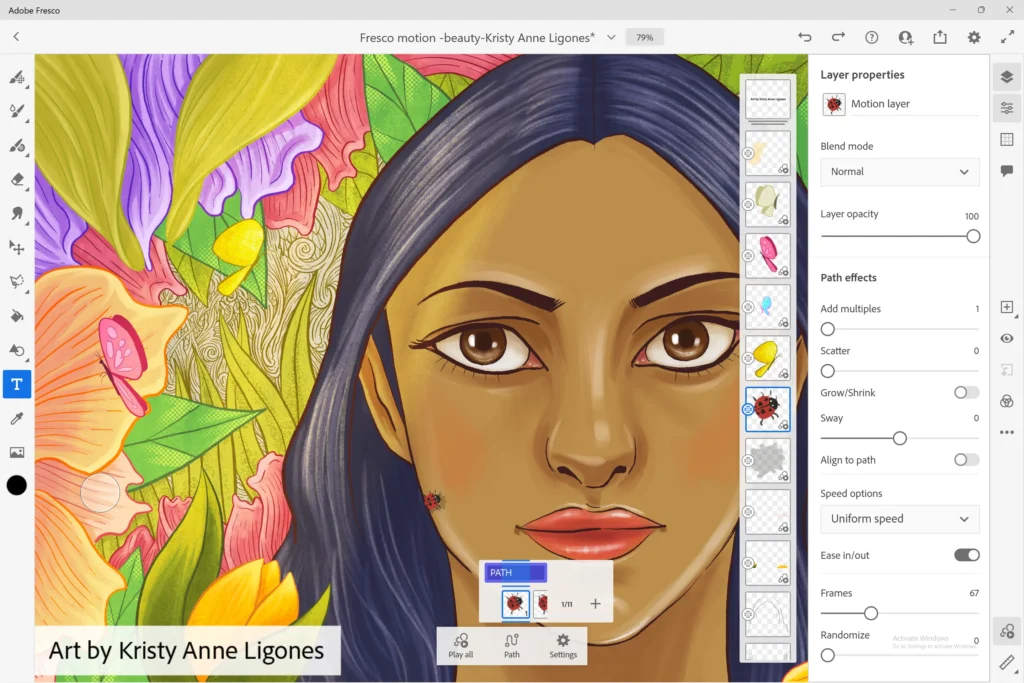
The app combines three brush types that most competitors separate: vector brushes (scalable, resolution-independent strokes), raster brushes (pixel-based painting), and live brushes (which simulate watercolor and oil paint physics). That triple workflow is Fresco’s clearest differentiator. Procreate doesn’t do vectors. Most vector apps don’t do convincing paint simulation. Fresco tries to do all three.
Fresco runs on iPad, iPhone, and Windows. It does not run on Android. That’s a platform limitation worth knowing up front, especially given how many buyers arrive at this comparison from “best drawing app” searches without a device filter.
The product’s 2026 story also includes something unusual for this category: Content Credentials. Adobe has built creator-verification metadata into Fresco, including a “Created without generative AI” label. That’s not just a marketing badge. In a market where provenance and authenticity are becoming differentiators for professional artists, it’s a workflow signal worth paying attention to.
How I Evaluated Adobe Fresco
I want to be transparent about how this review was built. I did not have private hands-on access to Adobe Fresco for original testing. This is a research-based evaluation. What I did was:
- Evaluate Adobe’s current product documentation, help pages, and system requirements in detail.
- Review the official release notes and “what’s new” changelog through early 2026.
- Analyze the current pricing and upgrade page (verified April 11, 2026).
- Cross-reference public review-platform sentiment from G2.
- Read community forum threads on Adobe’s support site for recurring pain points, particularly around brush imports, Windows ARM issues, and cloud storage friction.
- Compare competitor pricing and feature gates using official sources from Procreate and Clip Studio Paint.
Every factual claim in this review ties back to the sources above. Where I make editorial judgments, I’ll say so.
Test Results Summary
Here’s how Adobe Fresco scores across 7 weighted criteria:
| Criteria | Score | Quick Take |
|---|---|---|
| Adobe Ecosystem Integration | 9.0/10 | PSD export, Illustrator handoff, Behance publishing, cloud document sync. No other free drawing app connects to Adobe’s production tools this way. |
| Brush Flexibility | 8.5/10 | Vector + raster + live brushes in one canvas is genuinely unique. The redesigned brush panel (October 2025) improves organization. But community reports cite imported brush reliability issues. |
| Export & Output Options | 8.2/10 | JPG, PNG, PSD, PDF, MP4 timelapse, Behance, Illustrator. Strong breadth. Timelapse resolution differs by platform (4096×4096 on macOS, not Windows in cited docs). |
| Cross-Device Workflow | 7.5/10 | Cloud documents with autosave and version access work well on paper. But 5 GB free storage fills up, and Windows ARM support is limited to certain Surface devices. |
| Free Plan Value | 7.0/10 | The core app and thousands of brushes are genuinely free. But 5 GB cloud storage and gated premium fonts mean the free plan has real ceilings. |
| Platform Parity | 6.0/10 | No Android. Windows ARM limited to certain Surface models. Timelapse export differences by platform. This is not a write-anywhere-equally app. |
| Privacy & Trust Features | 7.8/10 | Content Credentials and “Created without generative AI” labeling are ahead of competitors. Privacy controls exist but require the user to find and use opt-out settings. |
Weighted Overall Score: 7.4/10
Real-World Use Cases
iPad Illustrator Inside Adobe’s Ecosystem
You sketch a character in Fresco using live brushes on your iPad, then open the Share menu and send the file to Photoshop as a layered PSD. Based on Adobe’s documentation, this handoff preserves layer structure. You continue refining in Photoshop on your desktop, then push the final asset to Behance for portfolio publishing. All without leaving Adobe’s cloud document system. For someone already paying for Creative Cloud, this workflow continuity is where Fresco earns its keep. (Actually, I’d argue it’s the only reason to choose Fresco over Procreate if you’re iPad-only.)
Mixed Media Designer Combining Vectors and Painting
You start a poster design with vector shapes in Fresco, add painterly texture on raster layers, then send the vector layers to Illustrator for final production work. Fresco’s ability to mix vector and raster on the same canvas, then split them for different production pipelines, is something Procreate simply can’t do. Based on Adobe’s docs, the Illustrator handoff routes through the Share icon, making it a documented first-class path rather than a workaround.
Hobby Artist Sketching on a Surface
You picked up a Surface Pro and want a free drawing app that supports stylus pressure. Fresco works here, but with caveats. Based on Adobe’s system requirements page, Windows ARM support is limited to certain Surface models. Community forum threads mention brush import issues on ARM builds. If your Surface hardware is on Adobe’s supported list, Fresco is a legitimate free option. If it’s not, you may hit friction before you finish your first sketch.
Freelance Artist Who Wants a Simple, Permanent Sketch App
This is where Fresco is not the right answer. If you want to buy an app once, own it forever, work offline without cloud storage concerns, and never think about Adobe subscription adjacency, Fresco is the wrong tool. The app is free, yes. But the cloud-first architecture, the 5 GB storage limit, and the ecosystem pull toward paid upgrades create a different kind of relationship with the user than a one-time US$12.99 Procreate purchase does.
Pros
Quick verdict: Fresco’s advantages are real but specific. They reward Adobe-native workflows and hybrid illustration needs, not standalone simplicity.
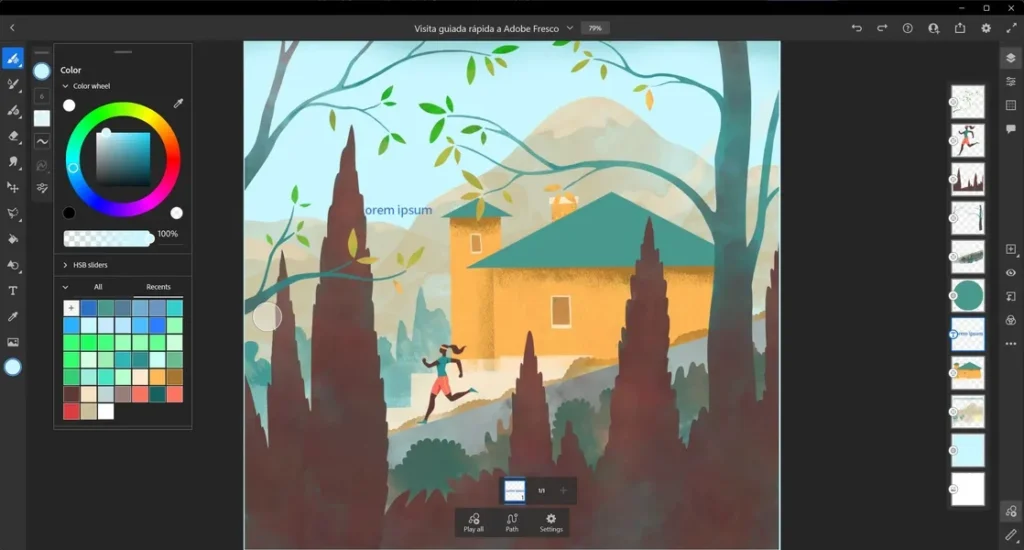
- Hybrid brush workflow is the clearest differentiator. Based on Adobe’s documentation, Fresco combines vector, raster, and live brushes in one environment. Vector strokes stay resolution-independent. Raster layers give you traditional pixel painting. Live brushes simulate watercolor and oil paint physics. Few apps attempt all three, and I haven’t found another free one that does.
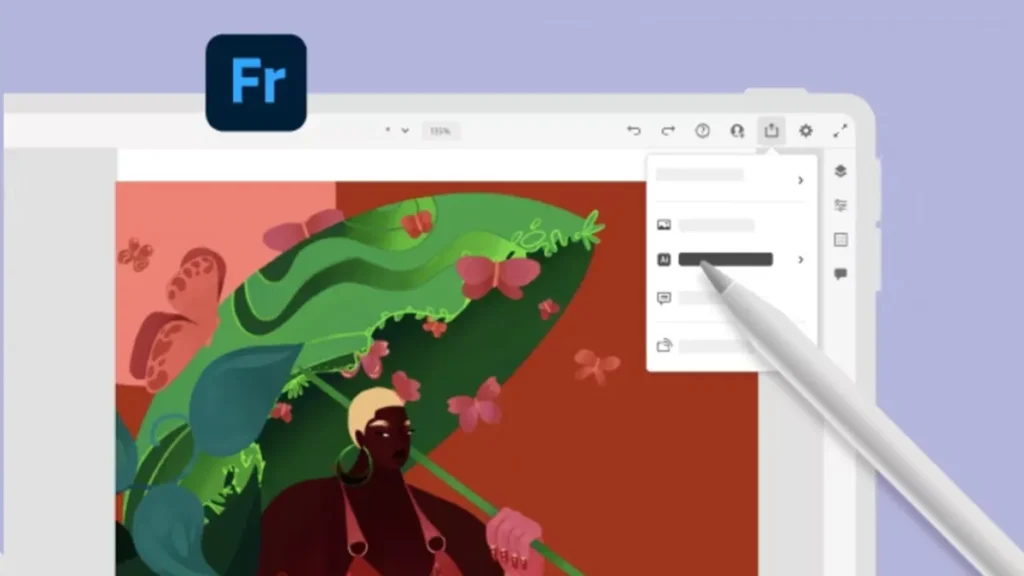
- Adobe ecosystem handoff is genuinely strong. PSD export to Photoshop, vector layer handoff to Illustrator, Behance publishing, and Adobe Capture pattern workflows are all documented first-class paths. The Share menu does a lot of work here: Quick Export is the fast path, Publish & Export is where the real handoff options live.
- Export flexibility is broader than you’d expect from a free app. Current docs show export to JPG, PNG, PSD, PDF, MP4 timelapse, Behance, and Illustrator. That’s a wider output range than Procreate offers.
- Adobe has shipped meaningful updates recently. The changelog shows: pose improvements and a refreshed Elements panel with 400+ new assets (February 2026), new basic shape tools and vector-layer selection loading (December 2025), and pose precision, brush panel redesign, quick-start tiles, symmetry, and Elements expansion (October 2025). This is not a neglected product.
- Content Credentials add a trust layer competitors lack. The “Created without generative AI” label and attached provenance metadata are unusual in this category. For professional artists building portfolios or selling work, this is a differentiator that matters more than it looks.
- G2 user signals point to ease of use. Public review snippets praise the intuitive interface, Apple Pencil responsiveness, pattern creation workflows, and brush utility. The praise isn’t universal, but the positive signal on approachability is consistent.
Cons
Quick verdict: The weaknesses concentrate around cloud storage limits, platform gaps, imported brush reliability, and the distance between “free” marketing and real-world cost friction.
- “Free” is only half true. The app costs nothing to start. But the free plan caps cloud storage at 5 GB. Cloud documents are central to Fresco’s workflow because autosave routes everything through cloud storage by default. A serious user filling that 5 GB will face a choice: pay for the upgrade or start managing exports manually. Adobe’s premium Fonts are also gated behind the paid tier. So “free for all” means “free to start, with ceilings.”
- Windows ARM support is narrower than most buyers assume. Based on Adobe’s system requirements, Fresco on Windows ARM is limited to certain Surface devices. If you bought a Surface expecting broad Fresco compatibility, check the supported device list before you commit your workflow. Community forum threads mention brush import failures specifically on ARM builds, suggesting the experience can be rougher than on Intel/AMD hardware.
- Imported brush reliability is a recurring friction point. Public community threads report crashes during brush imports, disappearing imported brushes, and stalled imports of large .abr libraries. This isn’t a universal problem, but it’s a repeated one. For artists switching from Photoshop with established brush collections, this friction can break the onboarding experience. Adobe’s documentation does not explicitly acknowledge these specific import failures in the help content I reviewed.
- Platform parity is imperfect. Timelapse export resolution goes up to 4096×4096 on macOS but not on Windows in the cited documentation. No Android support at all. Some historical Behance integration quirks appear in older support notes. Fresco is not an app you can use identically across every device you own.
- No Android. Full stop. Fresco runs on iPad, iPhone, and Windows. Android users are excluded entirely. For a “free for all” app, that’s a significant platform hole.
Things the Company Won’t Tell You
This section exists because Adobe’s marketing tells a clean story, and some of it deserves harder scrutiny.
1. “Free for All” Still Has a 5 GB Cloud Ceiling
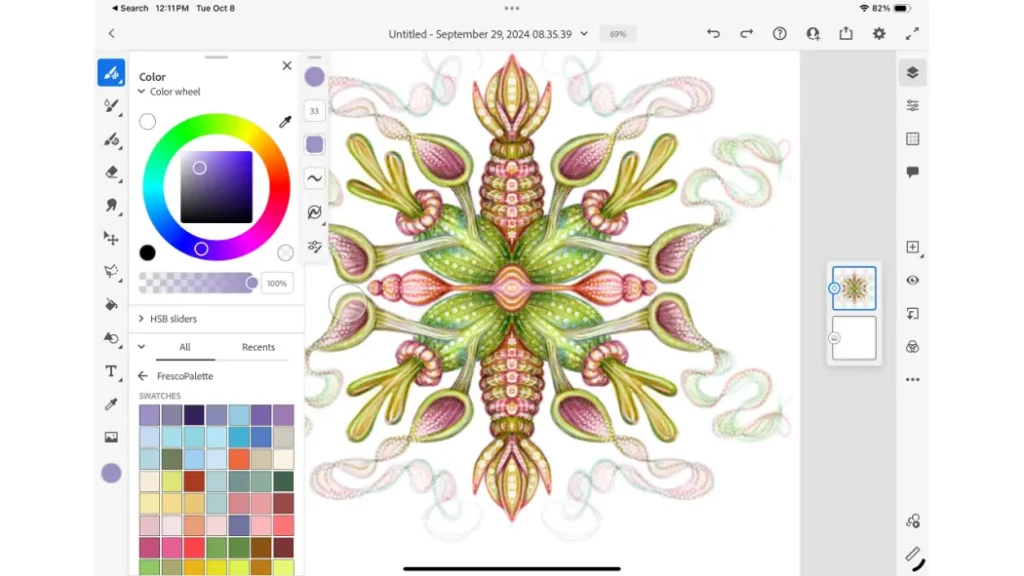
Adobe positions Fresco as “Free for all” on its product page. That’s accurate for the app itself and the brush library. But cloud documents are core to how Fresco works. Autosave routes your work through cloud storage. The free plan gives you 5 GB. Once you fill that, your options are: delete older cloud documents, export work and remove it from cloud storage, or upgrade to the paid plan for 100 GB. Adobe’s docs explain cloud documents, but the marketing doesn’t lead with the storage ceiling.
2. Premium Adobe Fonts Are Still Part of the Paid Story
The free plan includes the core app and thousands of brushes. It does not include premium Adobe Fonts. If your workflow involves typography (and many illustration/design workflows do), the paid upgrade is where that access lives. This isn’t a major cost for most hobby artists, but for designers working on client projects, it’s a gap that can push you toward paying.
3. The Privacy Picture Has Nuance
Adobe states it does not analyze user content to train generative AI models unless the user submits content to Adobe Stock. But Adobe may analyze content processed or stored on its servers for product improvement unless the user opts out. That opt-out exists through Adobe’s privacy preference controls, but it requires the user to find and activate it. Most artists won’t know this distinction exists unless someone tells them. I’m telling you.
4. Imported Brushes Are a Known Risk Zone
Community forums contain repeated reports of brush import issues: crashes, stalls, and brushes disappearing after import. These reports span multiple threads and device types. Adobe’s official Fresco documentation doesn’t explicitly list brush import as a known limitation in the pages I reviewed. But the volume of community reports suggests this is a real operational risk, especially for users migrating large brush libraries from Photoshop.
Pricing
Quick verdict: The core app is free. The real cost question is whether you’ll hit the storage wall or need premium fonts.
Current Adobe Fresco Plans (Verified April 11, 2026)
| Plan | Price | Cloud Storage | Key Inclusions |
|---|---|---|---|
| Free | $0 | 5 GB | Full app access. Thousands of brushes (previously premium). Vector, raster, and live brushes. Cloud documents with autosave. Export to JPG, PNG, PSD, PDF, MP4 timelapse. |
| Paid Upgrade | Varies (ecosystem-dependent) | 100 GB | Premium Adobe Fonts. Increased cloud storage. Part of broader Creative Cloud plans. |
App Store metadata also shows ecosystem-adjacent pricing: “Photoshop on iPad with Fresco” at US$7.99 and US$69.99, plus bundle pricing at US$14.99 and US$149.99. This tells you Adobe’s monetization story around Fresco isn’t just about the free app itself. It’s about routing you into the broader Adobe product ecosystem where subscription revenue lives.
The Real Cost of Adobe Fresco by User Type
| User Type | Likely Starting Cost | Month-6 Reality | Hidden Friction | Better Alternative If Not a Fit |
|---|---|---|---|---|
| Hobby iPad Artist | $0 | $0 if you stay under 5 GB and don’t need premium fonts | Cloud storage fills up over time if you don’t manage exports. No offline-first guarantee. | Procreate (US$12.99 once, no cloud required, no subscription adjacent) |
| Adobe Creative Cloud User | $0 (included in CC) | $0 extra beyond your existing CC subscription | Cloud storage is shared with other CC apps. You may already be near your storage cap. | Fresco is likely the right fit here. The ecosystem integration is its best feature. |
| Windows Stylus User | $0 | $0 if hardware is on Adobe’s supported list | ARM support limited to certain Surface models. Brush import issues reported on ARM. Timelapse resolution capped below macOS parity. | Clip Studio Paint PRO (US$63.00 perpetual) or Krita (free, open source) if your device isn’t supported. |
Competitor Pricing Comparison
| App | Pricing Model | Entry Price | Platforms | Key Trade-Off |
|---|---|---|---|---|
| Adobe Fresco | Free + paid upgrade | $0 | iPad, iPhone, Windows | Free but cloud-first with storage limits. Adobe ecosystem lock-in. |
| Procreate | One-time purchase | US$12.99 | iPad only | Simple ownership. No cloud friction. But iPad-only and no vector workflow. |
| Clip Studio Paint PRO | Perpetual + subscription options | US$0.99/mo or US$63.00 perpetual | Windows, macOS, iPad, iPhone, Android, Chromebook | Broadest platform support. More licensing complexity. Stronger for comics and advanced illustration. |
Security, Privacy, Ownership, and Lock-In
Quick verdict: Fresco has a more developed trust story than most drawing apps in this category, but the privacy picture requires the user to take action.
Content Credentials and Creator Verification
Adobe has built Content Credentials into Fresco, including the ability to label work as “Created without generative AI.” Based on Adobe’s documentation, this attaches provenance metadata to your exports. For professional artists selling work or building portfolios, this is a genuinely useful trust signal. Procreate and Clip Studio Paint don’t offer anything comparable.
Privacy and Content Analysis
Adobe states it does not analyze user content to train generative AI models unless the user submits content to Adobe Stock. But Adobe may analyze content processed or stored on its servers for product improvement unless the user opts out. The opt-out path exists through Adobe Privacy Choices. This isn’t a dealbreaker for most users, but it’s a setting you should know about, especially if you’re creating client work or proprietary designs that route through Adobe’s cloud.
Cloud Document Dependencies
Cloud documents are central to Fresco’s workflow. Autosave, version access, and cross-device continuation all run through Adobe’s cloud. That creates a dependency: your work lives on Adobe’s servers by default. You can export and save locally, but the default behavior pulls toward cloud storage. If Adobe changes its cloud document policies, storage limits, or pricing in the future, your workflow is tied to those decisions.
Lock-In Considerations
Your artwork files are portable. PSD, PNG, JPG, PDF exports give you standard formats that open anywhere. But your workflow isn’t portable. If you build your creative process around Fresco’s cloud documents, Photoshop handoff, Illustrator vector routing, and Behance publishing, switching to Procreate or Clip Studio Paint means rebuilding those connections from scratch. The files travel. The pipeline doesn’t.
What Most Reviews Miss About Adobe Fresco
1. Free Does Not Erase Cloud Limits
Most reviews lead with “Fresco is now free” and stop there. What they miss is that the cloud document system, which is central to how Fresco saves and syncs work, has a 5 GB ceiling on the free plan. Cloud documents use autosave, so every project you start contributes to that cap whether you think about it or not. The 100 GB upgrade requires a paid plan. For a casual user making occasional sketches, 5 GB may be fine for months. For anyone working regularly, it’s a timer.
2. Adobe Fonts Are Still Part of the Paid Story
Thousands of brushes went free when Adobe dropped the paywall. Premium Adobe Fonts did not. If your workflow involves type, that gate still matters. Most reviews don’t separate “free brushes” from “free everything.” They should.
3. Windows ARM Support Is Narrower Than Buyers Assume
Adobe’s system requirements page lists specific supported Surface models for Windows ARM. But many “drawing app for Surface” review roundups don’t mention this limitation. If you buy a Surface device that’s not on Adobe’s supported list, Fresco may not install or may run with issues. Check the system requirements before you plan your hardware purchase around this app.
4. Fresco Is Strongest When It’s Not Used Alone
Every major strength in Fresco’s current documentation comes back to its connections: Photoshop handoff, Illustrator routing, Behance publishing, cloud document sync across devices. Fresco as a standalone island sketch app is decent. Fresco as a node inside Adobe’s creative network is where the value multiplies. Reviews that evaluate it in isolation miss this reality.
5. Content Credentials Are More Than a Marketing Badge
The “Created without generative AI” label and attached provenance metadata deserve more attention than most reviews give them. In a market where AI-generated art provenance is becoming a real concern for buyers, platforms, and galleries, Fresco’s Content Credentials system is a workflow-level differentiator. It’s not perfect, but it’s further ahead than anything in Procreate or Clip Studio Paint.
Common Mistakes When Using Adobe Fresco
1. Assuming Free Means Fully Offline and Storage-Neutral
The mistake: Downloading Fresco because it’s free and expecting a completely offline, storage-neutral experience.
The consequence: Cloud documents autosave by default, consuming cloud storage. The 5 GB free cap fills over time without the user actively managing it. Once full, you either pay for more storage or manually export and delete cloud documents.
The fix: Get into the habit of exporting finished work locally and clearing cloud documents you no longer need. Treat cloud storage as a working buffer, not an archive.
2. Assuming Imported Brushes Will Behave Identically Across Devices
The mistake: Importing a large .abr brush library from Photoshop and expecting it to work flawlessly in Fresco on every device.
The consequence: Community forum reports describe crashes during import, brushes disappearing after import, and stalled imports. These issues appear more frequently on Windows ARM devices. Adobe’s official documentation does not explicitly list these as known limitations.
The fix: Import brushes in smaller batches. Test imports on your specific device before committing your entire library. Keep backup copies of your brush files outside Fresco.
3. Assuming Illustrator Handoff Preserves Everything Identically
The mistake: Building a complex multi-layer project with mixed vector and raster layers and assuming the Illustrator handoff will recreate the file identically.
The consequence: The handoff is designed for vector layers. Raster layers and live brush strokes involve different rendering and may not translate one-to-one into Illustrator’s environment.
The fix: Design your layer structure with the handoff in mind. Keep vector work on vector layers if you know you’ll route to Illustrator. Use PSD export for Photoshop-bound raster work instead.
4. Assuming Windows Hardware Support Is Broad
The mistake: Buying any Windows tablet or stylus-enabled laptop and assuming Fresco will work on it.
The consequence: Adobe’s system requirements specify supported Windows ARM Surface models. Running Fresco on unsupported hardware can mean installation failures or degraded performance. Community reports mention brush import problems specifically on ARM builds.
The fix: Check the official system requirements before purchasing hardware. If your device isn’t listed, consider Clip Studio Paint or Krita as alternatives with broader hardware support.
5. Ignoring Adobe Privacy Preference Controls
The mistake: Using Fresco with default privacy settings and not realizing Adobe may analyze content stored on its servers for product improvement.
The consequence: Your creative work may be analyzed by Adobe for product improvement purposes. This is distinct from AI training (which Adobe says it doesn’t do without Adobe Stock submission), but it’s still content analysis that many artists aren’t aware of.
The fix: Visit Adobe Privacy Choices and configure your preferences. Review the Adobe Privacy Policy to understand what data handling applies to your account.
Adobe Fresco vs Alternatives
The right comparison depends on what you’re actually buying for. Here’s how each competitor fits different buyer profiles.
Adobe Fresco vs Procreate
Choose Fresco if: You want vector-plus-raster-plus-live-brush flexibility, you need Photoshop/Illustrator handoff, you want cloud document sync across iPad and desktop, or you care about Content Credentials for provenance tracking.
Choose Procreate if: You want a one-time US$12.99 purchase with no subscription strings attached, you’re iPad-only and don’t need cross-device cloud sync, you prefer an app that works offline without cloud storage dependencies, or you prioritize native iPad ergonomics over Adobe ecosystem integration.
Key difference: Fresco is a cloud-first ecosystem app. Procreate is a self-contained creative tool. Fresco wins on flexibility and Adobe continuity. Procreate wins on simplicity, pricing clarity, and zero buyer anxiety. Procreate also supports canvas sizes up to 16k by 8k on compatible iPad Pros, which is a specification Fresco doesn’t match in the documentation I reviewed.
Watch out: Procreate is iPad-only. If you need Windows continuation, it’s not an option. But if you’re strictly an iPad artist, Procreate’s one-time purchase and offline-first architecture make it the lower-risk choice.
Adobe Fresco vs Clip Studio Paint
Choose Fresco if: You want a free entry point, you need Adobe production-tool handoff, or your workflow centers on mixed vector and raster work flowing into Photoshop and Illustrator.
Choose Clip Studio Paint if: You want broader platform support (Windows, macOS, iPad, iPhone, Android, Chromebook), you need deeper specialist tools for comics and advanced illustration, or you want the option of a perpetual license on desktop (PRO at US$63.00, EX at US$277.00).
Key difference: Fresco is approachable and Adobe-connected. Clip Studio Paint is deeper and more platform-versatile, but with more licensing complexity. Clip Studio’s subscription and perpetual license structure takes more effort to understand, but it gives buyers more options for how they want to pay. Fresco’s “free” headline is simpler on the surface, but carries cloud-storage and ecosystem cost nuances underneath.
Watch out: Clip Studio Paint’s licensing model has real complexity. Annual vs monthly plans cover different device counts and include different update entitlements. Read the plan comparison carefully before committing.
Quick Comparison Table
| Feature | Adobe Fresco | Procreate | Clip Studio Paint |
|---|---|---|---|
| Price | Free (paid upgrade available) | US$12.99 once | From US$0.99/mo or US$63.00 perpetual |
| Platforms | iPad, iPhone, Windows | iPad only | Windows, macOS, iPad, iPhone, Android, Chromebook |
| Vector Brushes | Yes | No | Yes |
| Live Paint Simulation | Yes (live brushes) | Limited | Limited |
| PSD Export | Yes | Yes | Yes |
| Illustrator Handoff | Yes (direct) | No | No |
| Cloud Sync | Yes (central to workflow) | No (local-first) | Optional (subscription plans) |
| Content Credentials | Yes | No | No |
| Android Support | No | No | Yes |
| Subscription Required | No (but paid upgrade exists) | No | No (perpetual available on desktop) |
| Max Canvas (cited docs) | Not specified in this review’s source set | Up to 16384×8192 (compatible iPads) | Varies by device and plan |
Is Adobe Fresco Worth It in 2026?
That depends on which version of “it” you’re evaluating.
If you’re evaluating the free plan as a casual sketch tool, yes. Fresco at $0 with thousands of brushes, vector/raster/live brush support, and PSD export is a genuinely compelling free drawing app. The catch is cloud storage, not the app itself.
If you’re evaluating Fresco as a production node inside Adobe’s ecosystem, it’s a strong yes. The Photoshop handoff, Illustrator routing, Behance publishing, and cloud document sync create a workflow that competitors can’t match. But this only matters if you’re already paying for the rest of Adobe’s tools. Fresco doesn’t generate Adobe ecosystem value on its own. It amplifies the value you already get from Photoshop and Illustrator.
If you’re evaluating Fresco as a Procreate replacement on iPad, slow down. Procreate gives you a one-time purchase, offline-first architecture, deep iPad-native ergonomics, and zero cloud-storage anxiety. Fresco gives you more brush-type flexibility and Adobe integration. These are different products solving different problems. Choosing between them is not about which is “better.” It’s about whether you want simplicity or ecosystem connectivity.
If you’re evaluating Fresco as a Windows drawing app, exercise caution. The platform works on supported hardware, but ARM device support is limited, timelapse resolution is capped below macOS parity, and community reports suggest brush import friction on ARM. Check the system requirements first, commit second.
Who Should Use Adobe Fresco
Use Fresco if:
- You’re an illustrator or designer already inside Adobe’s ecosystem and you want a drawing app that routes directly to Photoshop and Illustrator.
- You need vector and raster workflows on the same canvas (and you actually use both).
- You want live brush paint simulation that goes beyond what Procreate offers.
- You care about Content Credentials and provenance tracking for your artwork.
- You want a free drawing app on iPad or supported Windows hardware and you’re comfortable with cloud-first storage.
Who Should Skip Adobe Fresco
Skip Fresco if:
- You want a clean, permanent, offline iPad drawing app with no cloud strings attached. Buy Procreate for US$12.99 and don’t look back.
- You’re on Android. Fresco doesn’t exist there.
- Your Windows hardware isn’t on Adobe’s supported list. Don’t fight the system requirements.
- You want deep specialist tools for comics and sequential illustration. Clip Studio Paint is built for that.
- You dislike cloud-dependent workflows. Fresco’s autosave and cloud documents are core to the experience, not optional extras.
FAQ
Is Adobe Fresco really free?
Yes, the core app is free to download and use. Adobe made Fresco “Free for all” in October 2024, including thousands of previously premium brushes. But the free plan has a 5 GB cloud storage limit, and premium Adobe Fonts require a paid upgrade. The app is free. The ecosystem around it is not entirely free.
Is Adobe Fresco worth it in 2026?
It depends on your workflow. If you already use Adobe Photoshop or Illustrator and want a drawing app that connects directly to them, yes. If you want a simple, offline, one-time-purchase drawing app, Procreate at US$12.99 is a better fit. Fresco’s value multiplies inside Adobe’s ecosystem and diminishes outside it.
How much does Adobe Fresco cost?
The core app is free. The paid upgrade adds premium Adobe Fonts and 100 GB cloud storage (up from 5 GB on the free plan). App Store metadata shows related ecosystem pricing: Photoshop on iPad with Fresco at US$7.99 and US$69.99, plus bundle pricing at US$14.99 and US$149.99.
Does Adobe Fresco work on Android?
No. Fresco runs on iPad, iPhone, and Windows only. Android is not supported.
What’s the difference between Adobe Fresco and Procreate?
Fresco is a free, cloud-first app with vector, raster, and live brushes that integrates with Adobe’s ecosystem. Procreate is a US$12.99 one-time purchase iPad app that’s offline-first and self-contained. Fresco wins on ecosystem integration and brush-type flexibility. Procreate wins on pricing simplicity, iPad-native depth, and zero cloud dependency.
Can I use Adobe Fresco on a Surface Pro?
Yes, but with caveats. Adobe’s system requirements specify supported Windows ARM Surface models. If your Surface device is on the supported list, Fresco works. If it’s not, you may experience installation issues or degraded performance. Community reports also mention brush import problems on ARM devices.
Does Adobe Fresco export to PSD?
Yes. Based on Adobe’s documentation, PSD export is a first-class path. You can also export to JPG, PNG, PDF, MP4 timelapse, publish to Behance, and send vector layers to Illustrator.
Does Adobe use my Fresco artwork to train AI?
Adobe states it does not analyze user content to train generative AI models unless the user submits content to Adobe Stock. But Adobe may analyze content processed or stored on its servers for product improvement unless the user opts out through Adobe’s privacy preference controls.
What are live brushes in Adobe Fresco?
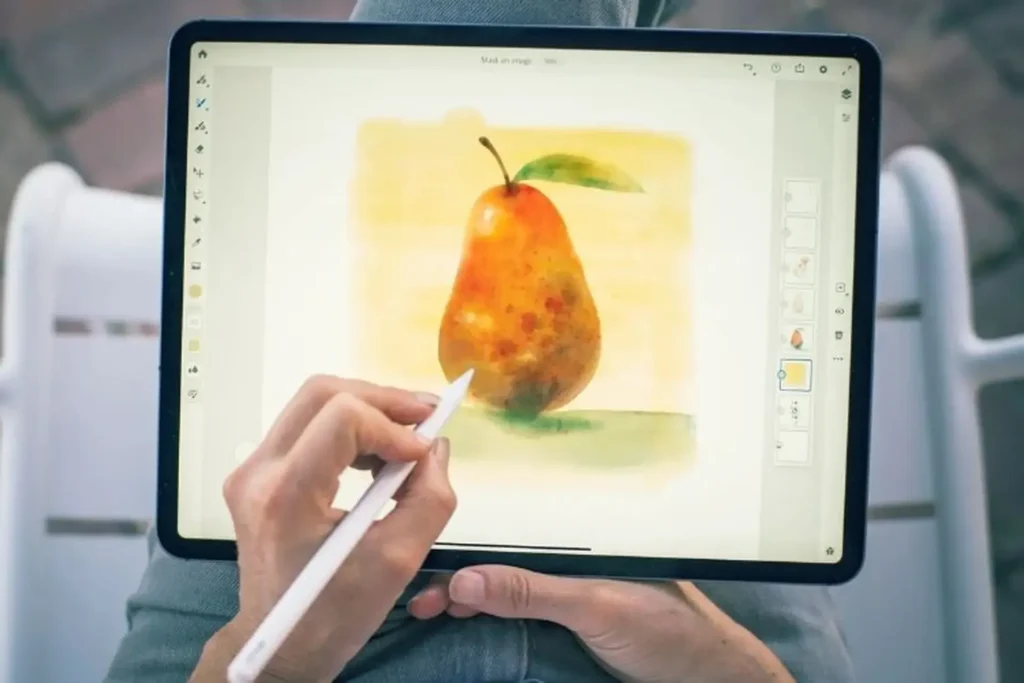
Live brushes simulate watercolor and oil paint physics on the digital canvas. When you paint with a live watercolor brush, the color spreads and blends as it would on wet paper. This is a feature that separates Fresco from most drawing apps, including Procreate.
Is Adobe Fresco better than Clip Studio Paint?
They serve different needs. Fresco is more approachable, free to start, and better connected to Adobe’s production tools. Clip Studio Paint has broader platform support (including Android), deeper specialist features for comics and illustration, and offers perpetual desktop licenses. Fresco is the better entry point. Clip Studio Paint is the deeper specialist tool.
Final Verdict
Adobe Fresco in 2026 reminds me of a well-built bridge that only connects to one city. If that city is where you live (meaning Adobe’s ecosystem), the bridge is excellent: free to cross, well-maintained, and it gets you where you need to go faster than any alternative route. If you’re headed somewhere else, the bridge doesn’t help, and the toll booths on the other side of it (cloud storage, premium fonts, ecosystem subscriptions) only become visible after you’ve already started walking.
I’ll give Adobe credit here: few drawing apps make vector, raster, PSD export, and Illustrator handoff feel this connected based on the documentation. The recent updates show a product team that’s refining the experience rather than abandoning it. And Content Credentials put Fresco ahead of competitors on a trust feature that’s quietly becoming important.
But the “free” story needs more asterisks than Adobe puts on it. Cloud storage caps matter when your app defaults to cloud autosave. Windows ARM limitations matter when your marketing says “Windows.” And imported brush reliability matters when your target audience includes Photoshop switchers with established brush libraries.
The binary:
If you already live in Adobe’s ecosystem and want a drawing app that extends your Photoshop and Illustrator workflow to iPad or Surface, use Fresco. It’s free to start, and the integration value is real.
If you want a clean one-time iPad purchase with zero cloud drama, zero subscription adjacency, and zero ecosystem dependency, walk away and buy Procreate{target=”_blank” rel=”noopener”} for US$12.99. You’ll sleep better.
Overall Score: 7.4/10