


Advertisement
Read Your Favourite Magazines On Your Device
i Ads by Google

Best smartphones for macro photography – capture close-up detail

Home / Buying advice / Best smartphones for macro photography – capture close-up detail

Best smartphones for macro photography – capture close-up detail

Which smartphones are best for close-ups? We compare the best of them


Amy Davies profile picture


Amy Davies

SQUIRREL_ANCHOR_LIST

macro mode in native camera app, displaying a pink rose, the same scene in the background

The macro mode should automatically activate when you bring it close to a subject. Photo: Amy Davies

You don’t always need specialist equipment for close-ups; the best camera phones are very capable when it comes to macro photography, says Amy Davies.

For those who would like to give macro photography a go but prefer not to buy new kit, there’s always the option of using your phone. A phone has obvious advantages of convenience and cost over cameras, which generally require a lens with macro capability, either for magnification, close-focusing, or both.

Not long ago, clip-on macro lenses and loupes for smartphones were available to buy. These tended to be low in quality, fiddly to use and, since they were usually specific to a phone model, they became obsolete as soon as you upgraded your device. In recent years, flagships and even mid-range phones have come equipped with macro functionality directly in camera. It’s even become a key selling point for many.

If macro photography is of interest to you, and you’re thinking of upgrading your smartphone, consider some of those listed here. These are all high-end smartphones with a price tag to match, but cheaper phone deals can be found by skipping back a generation or more – just check that the older versions offer macro first.

How does phone macro work?

Generally speaking, most smartphones utilise the ultra-wideangle camera for macro work. The phone will detect when you’re attempting to take a close-up picture and automatically switch to macro mode, in most cases. With the iPhone 16 Pro, for example, this gives you the ability to focus as close as 2cm from the subject. The phone will then crop in to give the same angle of view as if shooting with the standard 1x lens, for a more natural appearance. Since you’re switching to a different sensor and lens, there are some situations where image quality may suffer – such as in low light.

Most phones have the option to switch off the macro focusing for each shot if you prefer to use the standard lens – but you will probably need to move further from the subject to achieve focus.

There are exceptions to using the ultra-wide lens, such as the Xiaomi 15 Ultra and Vivo X200 Pro that use the telephoto lens for macro. Some smartphones have dedicated macro cameras, but in practice, we’ve usually found these to be poor performers, particularly when they’re low resolution – some are just 2 megapixels.

Best smartphones for macro at a glance:

Continue reading to find out how we tested the smartphones and why we chose these models

Why you can trust Amateur Photographer

We spend many hours testing every product we recommend, in detail, in a variety of situations and shooting scenarios, and only use experts for our reviews, so you can be sure that you’re getting the best products. Find out more about our expert writers.


Best overall for macro

iPhone 17 Pro

iPhone 17 Pro. Image credit: Amy Davies

Amateur Photographer verdict

Great advantages for macro photography, in particular with handling and operation, and the impressive new level of zoom optical quality is a welcome addition on an iPhone.

Pros

  • 8 x optical quality zoom
  • Triple high-resolution sensors 
  • Tough body 
Cons

  • Relatively minor upgrade overall from Pro 16 
  • Limited colours 
  • High price 

Scroll to see more →
Specifications iPhone 17 Pro
Main camera 48MP, f/1.78, 24mm, PDAF, OIS, (1/1.28" sensor)
Ultra-wide camera 48MP, f/2.2, 13mm, PDAF, (1/2.55" sensor)
Telephoto camera 48MP, f/2.8, 100mm, 4x optical zoom, PDAF, OIS (1/3.06" sensor)
Selfie camera 18MP, f/1.9 with AF, "center stage"
Video 4K 120fps video
Screen 6.3” Super Retina XDR OLED screen
Battery 3998mAh (Nano SIM), 4252mAh (eSIM), Wired, Wireless

The iPhone 17 Pro employs a triple-lens camera setup, comprising a wideangle, 0.5x ultrawide, and 4x telephoto lens. The main sensor is also 48MP, with a 24mm f/1.78 lens, while the 5x telephoto is 100mm f/2.8 equivalent.

Apple is now in its fourth generation of smartphones with macro capability. As on previous models, this mode enables you to get super-close to the subject by automatically switching to the ultra-wideangle camera. You can record both video and still images with the iPhone’s macro mode, and you can also shoot in Apple’s ProRAW format when it is engaged too. 

iPhone 17 Pro Macro sample. Image credit: Amy Davies

If you’re finding image quality to be low – such as if light levels are poor – you can switch off the macro focusing and revert to using the main camera. You can still get fairly close, so if the subject isn’t particularly small, this can work fairly well. Another option is to switch to Portrait mode to create a shallow-depth-of-field effect. Again, this uses the main camera, so it will work best with subjects which aren’t super-small. Note there’s no macro focusing capability in this mode, nor can you shoot in raw format.

The iPhone 17 Pro also gains a new Camera Control button, which aims to make using the phone a little more like using a real camera. You can press it one to open the camera, then again to take a photo. Sliding your finger along it zooms in and out, too. 

Read our full review of the iPhone 17 Pro


Best Oppo for macro

Oppo Find X9 Pro

The Oppo Find X9 Pro rear cameras. Image: Jessica Miller

Amateur Photographer verdict

The Find X9 Pro has an exceptional set of rear cameras, and the best macro telephoto lens we’ve seen on a recent phone.

Pros

  • Amazing telephoto close-up performance
  • Impressive main camera
  • Good value for money
  • Fantastic battery
Cons

  • Unavailable in the US

Scroll to see more →
Specifications Oppo Find X9 Pro
Main camera 50MP f/1.5, with 1/1.28inch sensor, OIS, 23mm, PDAF
Ultra-wide-angle 50MP f/2.0, 15mm, AF
Telephoto cameras 200MP f/2.1 3x, with close focus, 70mm, OIS, AF
Selfie camera 50MP f/2.0 selfie camera, with AF
Video 4K 120fps video
Screen 6.78inch AMOLED screen with 3600nits (peak)
Battery 7500mAh battery

This flagship smartphone by Oppo comes with an impressive triple set of cameras created in collaboration with Hasselblad. All cameras are equipped with high resolution sensors with auto-focus and OIS (optical image stabilisation on the main and telephoto). There’s a 200MP 3x periscope telephoto camera with impressive 9cm macro focus. The main camera and telephoto camera have brighter apertures than most others, and these specs make the Find X9 Pro a formidable competitor to the well-known flagships.

The main 23mm f/1.5 camera features a 50MP 1/1.28inch sensor, which is larger than many other phones. It delivers consistently impressive results with plenty of detail, excellent colour reproduction, and reliable exposure. Moreover, the dynamic range is great with HDR automatically turning on when needed.

The floating telephoto camera is a periscope design, and it gives you amazing looking close-up photos, even in poor lighting, with plenty of detail. It is also backed by a 200MP sensor, helping capture even more detail. Finally, the last ultra-wide-angle 15mm equivalent, f/2 camera provides nice results, with good colour and exposure, as well as good levels of detail. The camera app gives you quick access to 0.6x, 1x, 2x, 3x and 6x making it feel like you’ve got way more cameras than there actually are.

Macro photo using the 3x telephoto zoom. Image: Jessica Miller

The upgraded and high-quality camera system offers plenty of photo opportunities, and the 50MP selfie camera with autofocus is also a very welcome addition to the spec sheet. Results across all cameras are high quality, consistent and produce really nice natural colours. You’ll also find that this has THE BIGGEST battery of any current flagship we’ve tested, with a whopping 7500mAh, and this really does last longer than anyone else on the list.

Best for: Macros and close-up, with great low-light performance. The telephoto lens produces some great results, and the battery life is immense!

Read our full Oppo Find X9 Pro review


Samsung for macro

Samsung Galaxy S25 Ultra

The Samsung Galaxy S25 Ultra in hand. Image: Amy Davies

Amateur Photographer verdict

The Samsung Galaxy S25 Ultra remains an excellent flagship smartphone for photographers, with good close-up capability

Pros

  • 3x high resolution sensors
  • 4x lenses
  • Advanced AI functionality
  • Excellent screen
Cons

  • Fairly minor camera upgrade from last model
  • Very high price

Scroll to see more →
Specifications Samsung Galaxy S25 Ultra
Main camera 200MP, f/1.7, 24mm, PDAF, OIS(1/1.3” sensor)
Ultra-wide camera 50MP, f/1.9, 13mm, PDAF
Telephoto camera 10MP, f/2.4, 67mm, PDAF, OIS, 3x optical zoom, (1/3.52” sensor) and 50MP, f/3.4, 111mm, PDAF, OIS, 5x optical zoom, (1/2.52” sensor)
Selfie camera 12MP f/2.2, 26mm selfie camera with AF
Video 8K 24/30fps, 4K 30/60/120fps
Screen 6.9-inch 3120×1440 pixel AMOLED, 2600 nits peak brightness, Corning Gorilla Armor 2
Battery 5000 mAh, 45W fast charging, wireless charging

The Galaxy S25 Ultra is Samsung’s flagship camera phone, with a vast array of AI photography features inherited from the previous S24 Ultra. Overall it’s one of the best smartphone cameras around, with four cameras on the rear. Of these, three are now high resolution, as the ultrawide camera received a generous 50 MP upgrade from 12MP before.

The AI technology is utilised during image capture and is said to improve night photography, noise performance, zoom quality, and HDR imaging, among others. AI is also relevant in the on-device and cloud-based editing features, like the really useful reflection removal tool. The S25 Ultra also has one of the best screens on any phone, thanks to an excellent anti-reflective coating. 

A macro image taken with the Samsung Galaxy S25 Ultra. Image: Amy Davies
Galaxy S25 Ultra · f/1.9 · 1/52s · 2.2mm · ISO50

For macro shooting, the good news is that three of the cameras have pretty good close-up capabilities. The bad news, though, is that you’re never quite in control of which one the phone is using. By default, if you point the camera at a close-up object, the phone will switch from the main camera to the ultra-wide-angle camera and give you a cropped (and distorted looking) photo, as well as lower quality results in low-light. Switch to the 3x camera, and the phone now will crop from the 1x camera – giving a pixelated, but relatively pleasing-looking, image. Switch to the 5x or 10x cameras, and the phone will again crop, this time from the 3x camera, giving a pixelated image. 

This is all quite frustrating, and the device doesn’t advise you what’s going on until you look at the EXIF data after you’ve taken the shot. However, for the best results, the 5x option (which crops from the 3x camera) looks to give the best results. Other smartphones, though, have really impressive telephoto macro capabilities that use the periscope camera.  

Read our full Samsung Galaxy S25 Ultra review


Google Pixel for macro

Google Pixel 10 Pro

Google Pixel 10 Pro. Image credit: Joshua Waller

Amateur Photographer verdict

A small flagship phone with great build quality and fair macro performance.

Pros

  • Great image quality 
  • No camera punishment for choosing smaller screen
  • Can shoot in raw when shooting macro
Cons

  • Uses wide-angle camera for macro
  • Expensive for additional storage options
  • No true 8K video recording 

Scroll to see more →
Specifications Google Pixel 10 Pro
Main camera 50MP, f/1.68, 25mm, PDAF, OIS (1/1.31" sensor)
Ultra-wide camera 48MP, f/1.7, macro AF (1/2.55" sensor)
Telephoto camera 48MP, f/2.8, 113mm 5x zoom, PDAF, OIS (1/2.55" sensor)
Selfie camera 42MP f/2.2 selfie camera with AF
Video 8K video via cloud-based “Video Boost” (upscaling) / 4K 60fps
Screen 6.3-inch, 1-120Hz, 2000 nits peak brightness, Gorilla Glass Victus 2
Battery 4870mAh battery, 30W fast charging, wireless charging

Macro functionality was introduced to the Google Pixel range for the first time with the 7 Pro. The Pixel 10 Pro maintains a similar triple-lens array, with standard, ultra-wide and 5x telephoto options. The main sensor is 50MP, with the standard output being 12.5MP.  However, for our purposes, the significant improvement is that the ultra-wide camera in the Pixel 10 Pro is f/1.7 with 48MP sensor, with macro autofocus.

As with most macro-capable smartphones, the Pixel 10 Pro will automatically detect when attempting to focus close to a subject and switch to macro mode using the ultra-wide camera. With it enabled, you can focus as close as 3cm. This can be overridden when not wanted for certain conditions, but again, you won’t be able to focus as closely.

You can shoot both video and stills when close-focusing, and as a bonus, you can record in RAW format when using macro mode, since this is accessible in the standard Photo setting. There is also a Pro mode to control exposure, shutter speed, and white balance.

Google Pixel 10 Pro, ultra-wide macro. Photo Joshua Waller
Pixel 10 Pro · f/1.7 · 1/4184s · 2.02mm · ISO59

Using the ultrawide lens for macro is pretty common, but we generally find it doesn’t yield the very best results – and the same is true for the Pixel 10 Pro. While the macro results are perfectly adequate, shooting in this way requires you to step into the available light, which doesn’t help matters. Better results can be seen from other high-end Android models that offer telephoto macro, such as the Xiaomi 15 Ultra and the Vivo X200 Pro.

Portrait mode is also available and, again, can be useful for creating shallow-depth-of-field images of macro-type subjects in certain conditions. But this will work best with subjects that aren’t particularly small.

Read our full Google Pixel 9 Pro review


OnePlus phone for macro

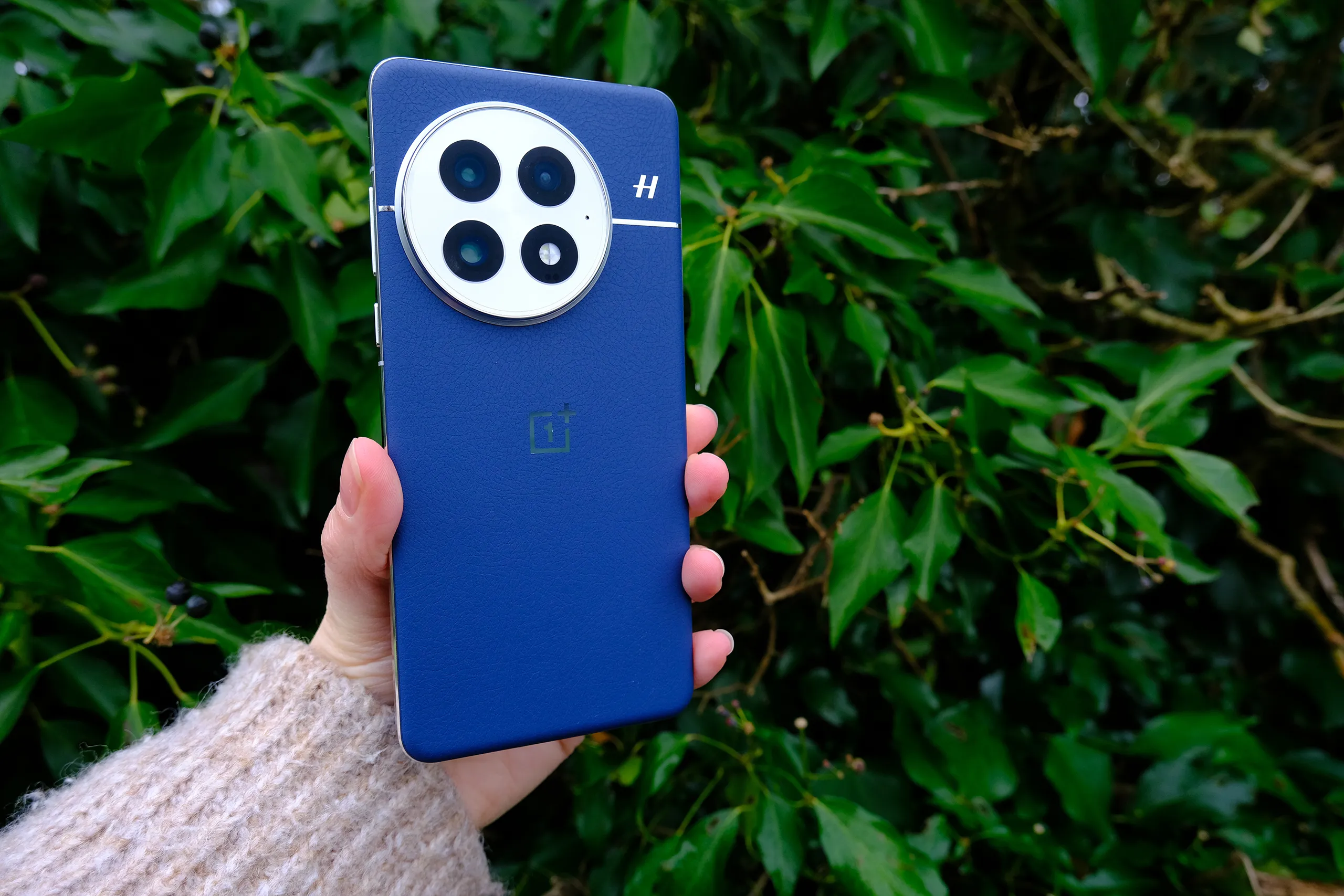
OnePlus 13

Despite being on the large side, the OnePlus 13 is nice to hold and very smart to look at Image: Jessica Miller

Amateur Photographer verdict

This is a great all-round phone from OnePlus with fantastic cameras, features, build and design. It’s one of the best phones for its price point.

Pros

  • Great value, all-round flagship
  • Excellent battery life
  • Hasselblad partnership on cameras
  • Premium build quality
Cons

  • Selfie camera still fixed focus only
  • No 4K 120fps video

Scroll to see more →
Specifications OnePlus 13
Main camera 50MP, f/1.6, 23mm, (1/1.4″ sensor) PDAF, OIS
Ultra-wide camera 50MP, f/2.05, 15mm, (1/2.75 sensor) PDAF
Telephoto camera 50MP 3x Triprism telephoto, f/2.6, 73mm, (1/1.95″ sensor), PDAF, OIS
Selfie camera 32MP, f/2.45, 21mm (1/2.74″ sensor), fixed focus
Video 8K 30fps on rear cameras, 4K 60fps
Screen 6.82inch screen, 1-120Hz dynamic, 1600/4500 nits, Ceramic Guard glass
Battery 6,000mAh Silicon NanoStack battery

Historically OnePlus phones have boasted high-end specs for less money, and things are no different with its latest OnePlus 13. Improvements have been made to both hardware and software, with its upgraded triple-camera setup a product of an on-going collaboration with Hasselblad, combined with OnePlus’ most advanced imaging software. Yet the OnePlus 13 goes for a significantly lower price than equivalent models from the likes of Apple and Samsung, starting at £899 for the 256GB version.

There are three cameras onboard, with the main wideangle camera combining a 50MP sensor with an optically stabilised 23mm f/1.6 equivalent lens. The other two cameras comprise a 50MP ultra-wideangle with a 15mm f/2 lens, plus a 50MP 73mm f/2.6 equivalent 3x telephoto with OIS. Digital zoom can reach up to 120x.

Macro shot using 2x zoom Image Jessica Miller
OnePlus 13 · f/1.6 · 1/209s · 6.06mm · ISO250

In the default ‘Photo’ mode you can shoot with the three lenses and digital zoom options, as well as adjust exposure compensation, aspect ratio, flash and timer. Further control can be taken in Master mode, with the option to ISO, shutter speed and white balance. The phone switches to night mode automatically when it detects low light, you can also opt for night mode yourself under the “more” tab.

Of most interest to us here, though, is the ‘Macro shot’ feature, which allows you to take close-up photos. This will turn on automatically when you get very close to a subject. You can also turn it on manually via the menu, which then activates the telephoto lens for macro. You can also leave it on autofocus, or change to manual focus to adjust focusing yourself, which works well.

In use, the OnePlus 13 delivers great results in a range of environments, and from all the lenses. Colours are vibrant and pleasing without becoming over-saturated, with plenty of detail shown, too.

Read our full OnePlus 13 review


Xiaomi phone for macro

Xiaomi 15 Ultra

The camera unit of the Xiaomi 15 Ultra. Image: Amy Davies

Amateur Photographer verdict

For photographers looking for the best smartphone for their needs, the Xiaomi 15 Ultra remains pretty much the king. It’s a shame to no longer have the variable aperture for the main lens

Pros

  • Class leading one-inch type sensor
  • 4x high-resolution lenses
  • Leica partnership
  • Great photography kit available
Cons

  • Very high price
  • Not available in all markets
  • Selfie camera still doesn’t have AF
  • Main lens aperture no longer variable

Scroll to see more →
Specifications Xiaomi 15 Ultra
Main camera 50MP, f/1.63, 23mm (1" Sony LYT-900 sensor) PDAF, OIS
Ultra-wide camera 50MP, f/2.2, 14mm (1/2.76" sensor) PDAF
Telephoto camera 50MP, f/1.8, 70mm 3x optical zoom, (1/2.51" sensor) PDAF, OIS and 200MP, f/2.6, 100mm 4.3x optical zoom, (1/1.4" sensor) PDAF, OIS
Selfie camera 32 MP, f/2.0, 21mm (wide), (1/3.14" sensor)
Video 8K video at up to 30fps, 4K video at up to 120fps
Screen 6.73-inch, 3200x1400pixel, 3200 nits peak brightness, 120Hz AMOLED screen
Battery 5410mAh battery with fast and wireless charging

Xiaomi’s latest flagship, the 15 Ultra, is the best smartphone you can buy right now for photography. It has four cameras, including a 23mm equivalent f/1.63 main camera, 14mm f/2.2 ultra-wide, 50MP f/1.8 telephoto, and 100mm f/2.6 periscopic telephoto. Three of these have 50MP sensors, while the 100mm has a super-high resolution 200MP sensor for improved digital zoom. All are fronted by Leica Summilux branded lenses, a fine marker of quality. 

Not only that, but the main sensor is of the one-inch type, which is much larger than sensors found in almost every other smartphone out there – and certainly bigger than from the mainstream brands of Samsung, Apple and Google. 

A macro image shot with the Xiaomi 15 Ultra. Image: Amy Davies
Xiaomi 15 Ultra · f/1.8 · 1/100s · 11.5mm · ISO100

Macro shooting is an area where this phone really excels. The telephoto macro option leads to highly detailed results – we’d love to see a similar approach from the bigger names, too. The 15 Ultra produces macro shots which are much better than the Samsung Galaxy S25 Ultra, the iPhone 16 Pro Max or the Google Pixel 9 Pro, although it’s pretty similar to some other Chinese models, such as the Vivo X200 Pro.

One real bonus treat for photographers is the optional Photography Kit. With this, you get a detachable grip that provides real physical controls, including shutter and video buttons, a zoom rocker, and a command dial. It also gives extra battery life, while a special phone case allows the use of 67mm filters. What’s more, you also get an add-on thumb grip that provides a much more secure hold.

All these high-level specifications don’t come cheap though. The Xiaomi 15 Ultra will set you back £1,299, putting it in the same realm as the likes of the Samsung S25 Ultra and the iPhone 16 Pro Max. The Photography Kit adds another £179.

Read our full Xiaomi 15 Ultra review


8 Tips for shooting macro with your smartphone

To get the most from your smartphone when shooting macro, give these tips a try to boost your shots.

1. Know when to switch it off

Sometimes, the dedicated macro mode can do a worse job than leaving the standard lens to it. If you don’t need to get super-close, switch it off and see how the main sensor copes first.

2. Shoot RAW if you can

For maximum flexibility, shooting in RAW (+JPEG/HEIF simultaneously, usually) gives you scope to edit your smartphone macro shots after the fact, or by using apps such as Snapseed. Not all smartphones offer the ability to shoot raw and macro at the same time.

3. Experiment with digital filters

Most smartphones include some inbuilt digital filters. Try experimenting with black & white and macro, for example.

4. Adjust exposure

Even smartphones without full manual control give you some degree of tweaking. Using the onscreen slider to add some positive exposure compensation can brighten up close-up subjects to good effect.

5. Turn your phone upside down

To get super-close to some subjects, a rotation of the smartphone – so the screen is upside down and the lenses at the bottom – can provide a better angle. It’s a simple tip, but it’s easy to fail to realise the difference it makes.

6. Use a smartphone tripod

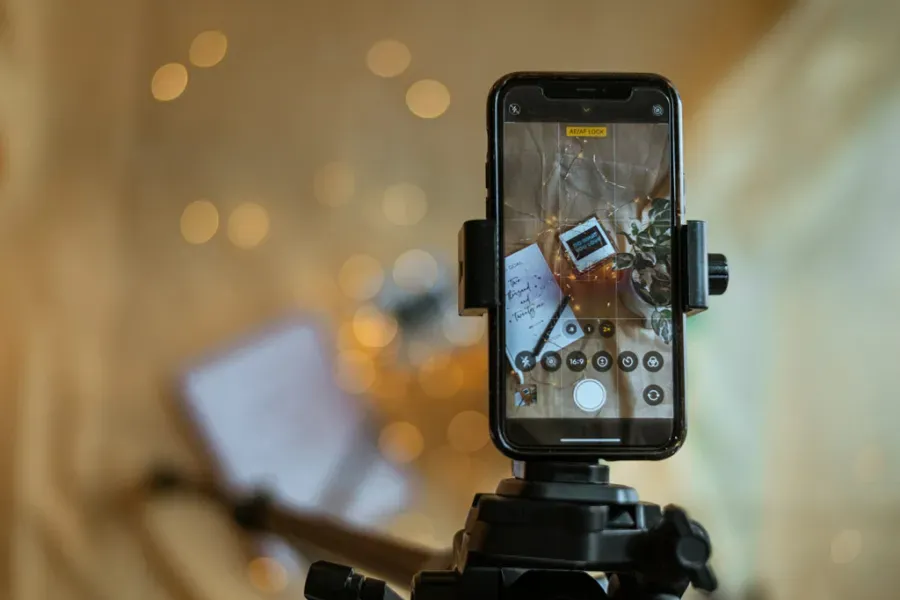
To remove the risk of shake, you could use a phone tripod or a smartphone adapter for your existing tripod. You could also utilise the smartphone’s self-timer (usually 3 seconds or 10 seconds) so that you’re not touching the phone at the point of capture.

7. Portable LED lights

Another potential accessory you might to use is portable LED lights to illuminate the scene, especially for very close-up scenes. This will help to produce clearer, sharper details, especially in situations where light is low in the first place.

8. Use the telephoto lens

If your smartphone doesn’t have a dedicated macro lens/capability, but it does have a zoom lens, try using that to recreate the appearance of close-ups.

Read more tips for shooting macro on smartphones and check out the best camera phone accessories. to complemetn your setup.


Recent updates:

See our smartphone reviews and find more tips for smartphone photography below:


Follow AP on FacebookInstagramYouTube and TikTok.


google preferred source


Apple News

Share on Pinterest

Share on LinkedIn
Profile image of Amy Davies
Amy Davies

About

Amy is a highly experienced photography and technology journalist who has been working on AP since 2018, having been working in the industry since 2009. She is a graduate of the magazine journalism course at Cardiff University and has written for a wide range of publications and websites. As Features Editor, she is responsible for commissioning an eclectic mix of features connected to general photography, along with interviews. She is also a very experienced reviewer of cameras and associated technology, with her reviews featured on multiple sites including TechRadar, Digital Camera World, Trusted Reviews, ePhotozine, Stuff, Expert Reviews, T3, Photography Blog and more. She is also an expert on smartphone photography and smartphones generally.


Amy Davies

Amy Davies

Stay Updated

Get the latest camera news, reviews and buying guides straight to your inbox.

Read Your Favourite Magazines On Your Device