


Samsung Galaxy S26 Ultra Review: a minor upgrade, but still class-leading


It’s yet another “incremental upgrade”, but a bigger overall jump if you last updated your phone some time ago
Amateur Photographer verdict
This is a very well-specced phone which takes great photos, and while it’s expensive, it’s one of the best Android phones you can buy for photography. It’s still not perfect, but it’s pretty great.
- 4x lenses
- Excellent screen
- Privacy display has some uses
- Very high price
- Macro mode still not using telephoto
- Only one screen size available
- Minimal upgrade from S25 Ultra
The newest Samsung flagship doesn’t appear to be remarkably different from the last Samsung flagship. And that’s because really, it isn’t. There’s all the same AI features as the last couple of models, and small tweaks to two of its four cameras. But, with such minor alterations, will it still find a place in our list of the best smartphones for photographers? Let’s take a closer look…
Samsung Galaxy S26 Ultra: At A Glance
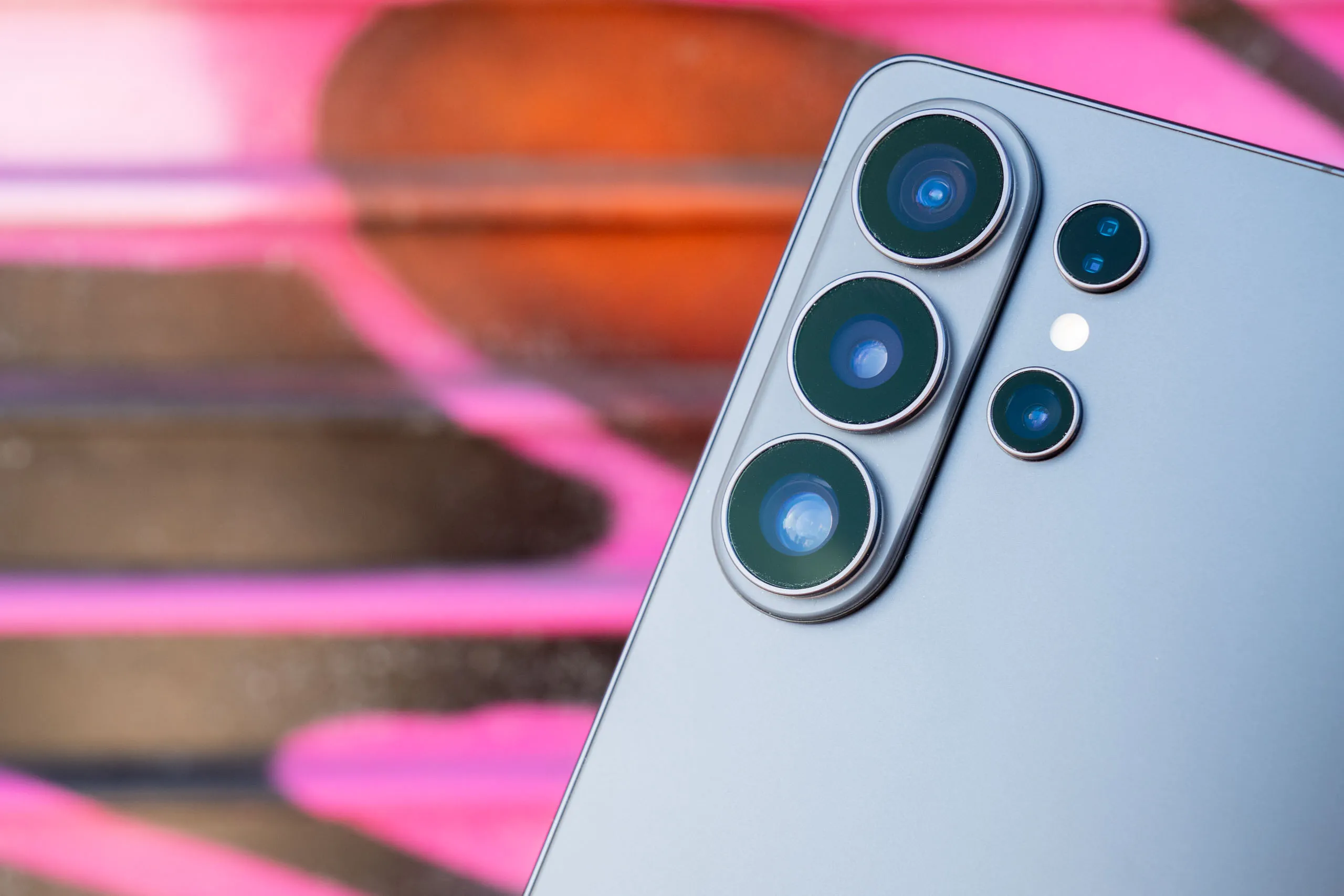
- 4x rear lenses – 13mm ultrawide, 23mm main, 67mm and 111mm telephotos
- 12MP 26mm selfie camera
- 8K 30fps / 4K 120fps video
- 6.9-inch LTPO AMOLED screen, 120Hz, 3120 x 1440 pixels, Corning Gorilla Armor 2, anti-reflective coating, Privacy Display, 2600 nits peak brightness
- IP68 water and dust resistant
- Qualcomm Snapdragon 8 Elite Processor
- 7 years of Android updates
How I review the Samsung Galaxy S26 Ultra
I review smartphones from the perspective of choosing one for its photography and camera performance. I look at what the Samsung Galaxy S26 Ultra offers; the features included for photography and video, paying particular attention to the cameras on the phone, and new features, photo editing capabilities, as well as the output from each lens, and how the phone performs overall.
Samsung Galaxy S26 Ultra: Features
As has proven to be the case for the past few Samsung “Ultra” generations, the Galaxy S26 Ultra represents a fairly minimal upgrade from the S25 Ultra. But, it’s fair to say that most people don’t simply upgrade every year, so if you’re jumping from a model which is 2, 3 or even 4 generations old, you will notice a much greater difference.
It’s also worth remembering that this is a very highly specced phone in the first place, so to expect big differences would probably be unfair. Let’s start with the camera setup. As with the past couple of generations, there are four lenses here – a 1x, an ultrawide and two telephoto lenses.

The main camera has a 200MP sensor, with a 23mm f/1.4 equivalent lens. This is a slightly wider focal length, and also a slightly wider aperture than the 24mm f/1.7 lens as found on the S25 Ultra – this could make a bit of difference in lower light situations. The 5x lens has also seen a change, now being f/2.9 instead of f/3.4 – the focal length is the same as the S25 Ultra. The ultrawide and 3x lenses appear to be the same as the S25 Ultra.
It’s a bit disappointing to see the same 12MP selfie camera that’s been on this series for a few years now. This is a bit of a low-grade option for a top-tier phone. Even the recent iPhone 17 series finally upgraded to an 18MP device – but perhaps that will be the big upgrade for the S27 series next year.
The 6.9-inch screen is ever so slightly bigger than the previous 6.9-inch screen (you need to look at the dimensions in mm to see the difference – it’s 174.9mm for the S26 Ultra, compared to 174.2mm for the S25 Ultra), while the overall size of the device is very marginally smaller and the bezels surrounding the screen are now thinner. That means you now have a bigger screen to body ratio than before – or to put it more simply, more of the front of the phone is the screen.

There’s an anti-reflective coating, while there’s also Corning Gorilla Armor 2. But the big new feature for 2026 is the “privacy display” – more on that below.
Other improvements compared to the S25 Ultra include a faster processor, the option to buy a 16GB RAM option (you might find this useful if you do a lot of gaming, or perhaps 4K video recording). There’s also now faster wired charging (60W) – but you will need to buy a compatible charger separately, nothing comes in the box.
Samsung Galaxy S26 Ultra: Handling and Design
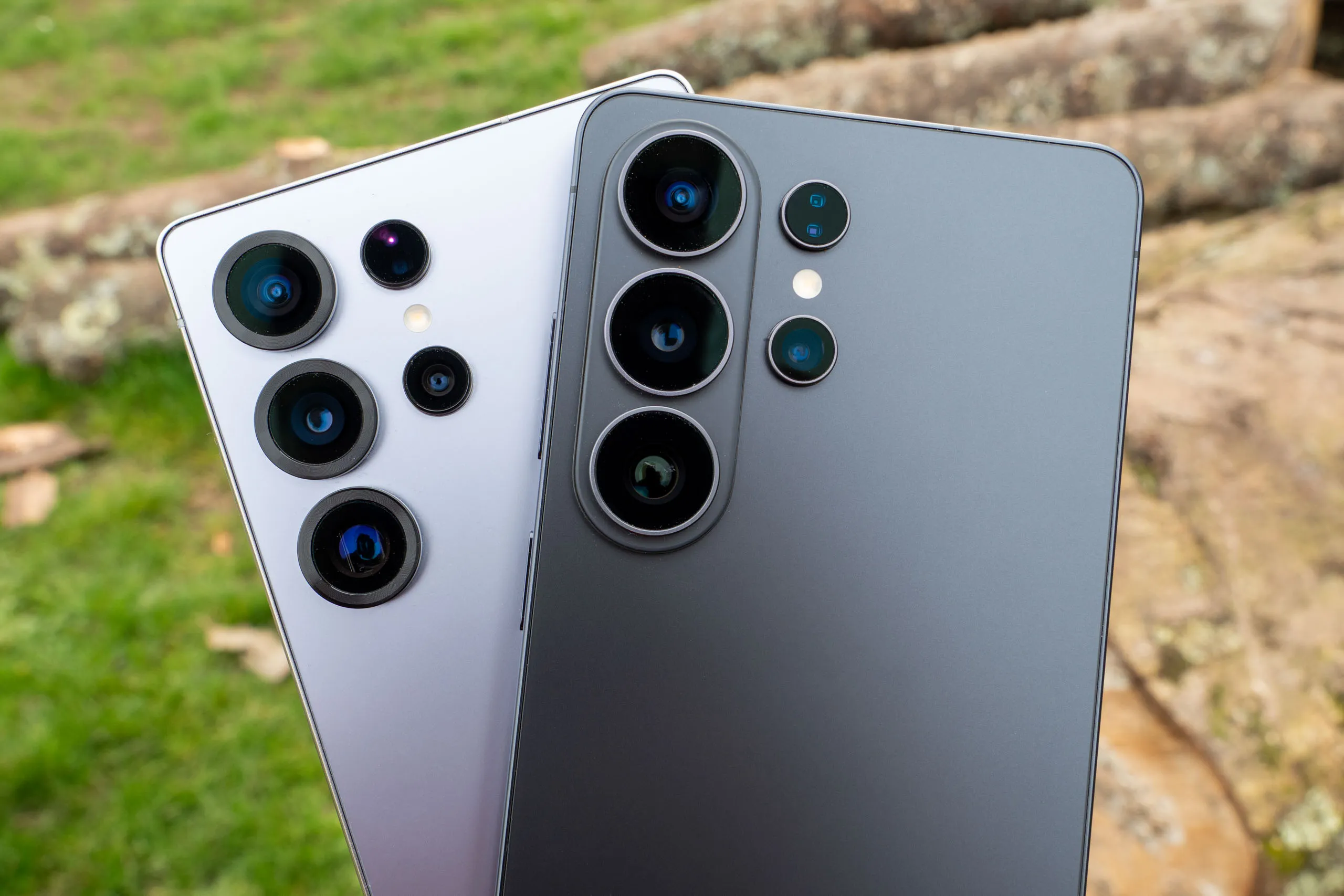
There’s been a couple of tweaks to the aesthetics of the S26 Ultra when looking at it side by side with the S25 Ultra. The “roundification” (yeah, I’m sure that’s a word) of the model continues apace, with the corners rounder than last year’s, which were in turn rounder than the year before.

Also there’s been a change to the look of the camera units themselves. The S25 Ultra ditched thin bezels for rounder frames around the lenses – this time they’ve ditched the frames and gone back to the thin bezels. Go figure. Three out of the four lenses are now also sitting on a protrusion from the back of the camera – it looks pretty nice, but it makes the back of the phone very uneven, so if you place it on a table it does not sit flush and can clatter about an awful lot – a case can mitigate for this somewhat. I found this to be a problem on the S25 Ultra too, but it’s even worse here.
Aside from these fairly minor changes, little else has changed. The overall size of the device remains roughly the same, with a huge 6.9-inch screen. This is the largest screen size you’ll find in a phone (aside from folding phones), and it’s quite a beast. Don’t get me wrong it’s great for looking at pictures and videos on, but I struggle to use it easily as a phone – my hands just don’t have the width to be able to use it with just one hand, which a little bit annoying. It’s frustrating that Samsung doesn’t provide its flagship in two different sizes, in the same way that Apple (iPhone 17 Pro / Max) and Google (Pixel 10 Pro/XL) do – giving you the choice of screen sizes without having to sacrifice other features, such as the quality of the onboard camera.
There are other models in the S26 line-up that have smaller screens, but to get one of those you have to be prepared to compromise with a lesser camera, as well as missing out on other features too. As with the S25 Ultra, there’s nicely thin bezels around the edge of the screen, so you really are taking full advantage of the screen size.

As well as this, there is anti-reflective coating, which helps to reduce glare and reflection. The maximum brightness is 2600 nits, which is a little on the low side for a phone at this price and range-point, with other rivals offering much higher counts, and direct competitors, such as the iPhone 17 Pro Max being 3000 nits.
What’s new for the S26 Ultra is the new “privacy” function. This essentially works by making it very hard to read the screen from any angle other than straight on. So people on the bus can’t see how much money you’ve got in your bank account, or indeed anything else you might not want someone else to see what you’re looking at. It’s somewhat useful, but from a photography perspective, it dulls down colours and makes it difficult to compose from slightly awkward angles – I’ve found the best way to use it is to either turn it on and off manually as and when it’s needed, or to set it to only come on for certain apps or in certain situations (such as when you’re typing in a password).
As has been the case for several generations now, the S26 Ultra comes with a stylus included. You can use this to make handwritten notes, make drawings, or even just for navigating around the phone. It’s a shame however that you still can’t use it as a remote shutter release – something that was the case a few models back, but has since been removed as a feature.

Toughness wise, the S26 Ultra has a Corning Gorilla Glass Armor 2 screen which should fare pretty well against every day scrapes and scratches. The body of the phone is “Armor Aluminium”, so it should be pretty strong. It’s also IP68 dust and water resistant, pretty much the default credentials for a smartphone these days. I’m somewhat surprised Samsung hasn’t made it IP69 like some of its rivals – meaning you can spray hot jets of water at it, as well as merely submerge it. I’m not really sure why anyone needs this protection, but it’s something to put in a marketing campaign isn’t it?
Samsung Galaxy S26 Ultra: Native Camera App
There’s a good variety of different shooting modes found in the S26 Ultra’s native camera app.

By default, you’ll be photographing in Photo mode, which gives you quick and easy access to all the different lenses. You can tap between the different options, or pinch to zoom if you want to move past or in between focal lengths. There are some other useful features, such as adding filters, changing the aspect ratio and adjusting exposure compensation.
You can also change the output resolution. By default, it outputs at 12MP, but you can also choose 50MP or 200MP – with the 200MP only being available for the 1x sensor, as only that sensor has that many pixels available. I’d like to see a 24MP option here, as we see on the iPhone 17 Pro – most people are unlikely to need 50/200MP files, but 12MP can be a bit on the low side.
If the phone detects that light levels are low, then the Night mode should automatically engage. You can also select it separately too if you feel it’s not being sensitive enough. Similarly, the macro mode should automatically come on should you get close to a subject, however in this case you can’t switch it on manually (though you can choose a “Food” option in the “More” menu which is arguably a de facto close-up mode).
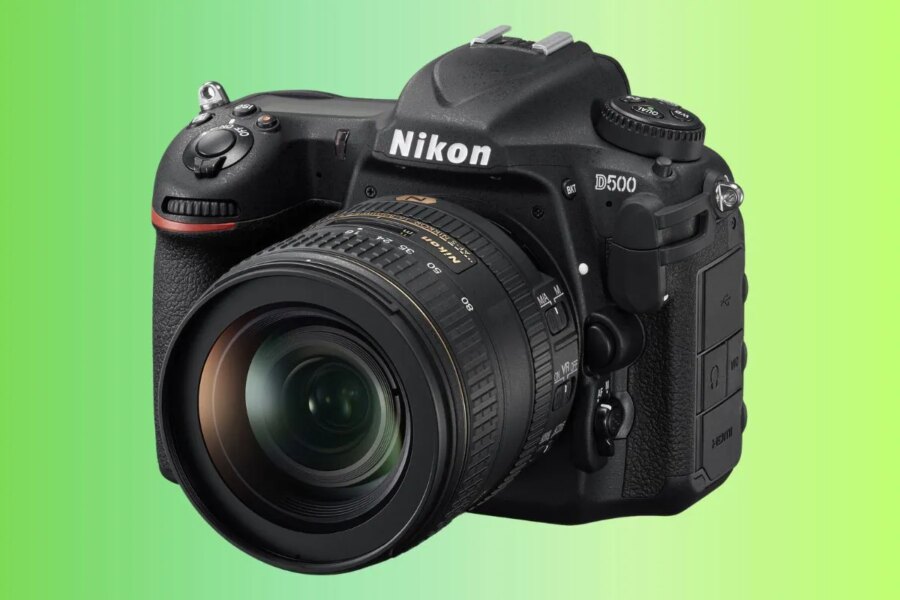
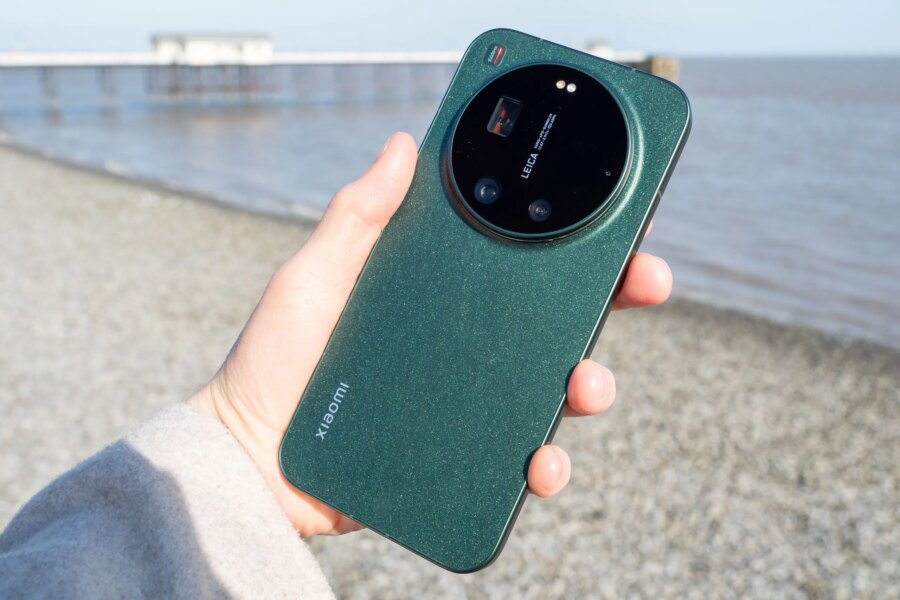
The S26 Ultra uses the ultrawide for close-ups, cropping to retain the 1x angle of view. I would love to see Samsung taking a leaf from other Androids, such as the Xiaomi 17 Ultra and using the telephoto for macro, but for now this is what we’ve got.

Other shooting modes are pretty much what you’d expect. There’s a Portrait mode, with 1x, 2x, 3x and 5x options available – you can also adjust the amount of background blur and other things, such as filters. It’s worth noting that you must be shooting in Portrait mode if you want the background blur effect – you can’t add it after the fact like you can with a recent iPhone or Google Pixel model.
There’s not one, but two advanced modes for those that want that additional control. There’s a Pro mode where you can adjust things like shutter speed and white balance, as well as shoot in raw format (DNG) if you like. Note that you can’t shoot in raw format in the standard photo mode. On top of this Pro mode there’s also an Expert RAW mode, which requires an additional download. This seems to have much of the same functionality as the Pro mode, but one thing to note here is that you can shoot at 24MP in this mode.

Editing can be done in-camera, with lots of options ranging from fairly simple (such as cropping), to a bit more advanced (like adding a digital filter), all the way up to fairly extensive AI edits, including removing reflections, taking out passers-by in the background of your shot, and even moving elements around the frame. If you use AI for any editing, a watermark will be added saying “AI Generated Content”. This seems a bit extreme for, say, removing a passer-by, as it suggests that the WHOLE frame is AI Generated, so it’s something to pay attention to.
The video mode is fairly standard fare for the most part, with access to the various resolutions and frame rates. An interesting new feature is “Super Steady with Horizontal Lock” on, which essentially acts like a built-in gimbal, keeping your footage steady even if the phone is rotated or tilted.
Samsung Galaxy S26 Ultra: Image Quality and Performance

The Ultra range from Samsung has been producing excellent quality images for several years now, and with only marginal changes in the setup here, I was expecting pretty much the same image quality as the past couple of generations. That’s generally what I’ve got.

In essence, that means that images are great. They’re bright and punchy, and display lovely natural colours when shooting with the default options selected. Many other Androids which I test to go a bit overboard – indeed Samsung used to – but in recent years, the colours have really improved and such is the case here.

There’s also plenty of detail on display, with all of the sensors capable of resolving plenty of fine details in a range of situations. I took a close-up of a tiger (it was stuffed, I’m not that brave) and you can see lots of fine hairs – considering this is with the 3x lens, not the main lens, it’s pretty impressive for a smartphone – and it was also in a reasonably dark museum too, so even more bonus points.


Unsurprisingly, the best results come from the 1x / 200MP lens. With this lens you can also shoot at 2x, which gives very good results. The 3x lens is also pretty good, while the 5x lens produces very usable results in good light. With this lens you can zoom to 10x, 30x and even 100x. The 10x result is fairly good, but once you move past that the quality degrades quite noticeably. The 30x might be just about OK if you’re desperate to get that close to your subject, but the 100x essentially remains a marketing gimmick.

The ultrawide lens also produces some good images, with plenty of detail and colour which matches very well to the other lenses.

Close-up results are fairly good, but as mentioned before, I am disappointed that Samsung is still sticking with the ultrawide lens. It’s not that this is a bad lens – far from it – but the results I’ve seen from other Android smartphones for macro are generally so much better that it’s a shame not to also see it in action here.


Samsung calls low-light shooting “Nightography”, so it clearly has put some effort into making it a good performer at this kind of shooting. The results are very good generally. In this scene here, the camera has picked out more detail than can be seen by the eye – in real life, the stadium doesn’t appear as brightly as this. The ultrawide has also produced a pretty good result too, which some other phones can sometimes struggle with. The zoom lenses do an OK job – the results are certainly usable, especially if you don’t intend to scrutinise an image too closely anyway.

Portrait mode works pretty well, producing a fairly natural background blur and coping quite well with slightly fussy outlines, especially in good light. I’d like to see the option to add blur after you’ve taken the shot – it can be easy to forget to switch to Portrait mode when you’re chasing an errant toddler, but I appreciate not everybody has this exact use case scenario.

Despite the older selfie camera, the results are still pretty good. That’s not to say they couldn’t be better though – so it’s something for Samsung to look at for the next model, hopefully.
Samsung Galaxy S26 Ultra: Value for Money
There’s no getting around the fact that this is an expensive phone. It’s one of the most expensive on the market, but it is roughly in line with other high-end models such as the iPhone 17 Pro Max and the Xiaomi 17 Ultra.
It’s fair to say that you get a good amount of specs for your money, so even though the outlay is high, you are pretty much guaranteed a high-performing phone for a number of years, bringing the cost per year down pretty well.
Samsung phones also do a good job of retaining their value too, much more than most other Androids. So you should find that if you wanted to sell this in a couple of years time, you won’t do too badly in the resale market, and you’ll likely get much more than you would for say an Oppo, OnePlus or even more well-known brands such as Xiaomi and Google.
The cheapest price point available is the 256GB option – I’d argue this is probably enough for most people, so I’d probably go for that one.
If you wanted to save money, you could look towards the older S25 Ultra model. At the time of writing, it’s still available to buy on the Samsung website – but the saving here is pretty modest. Instead, I’d look at second-hand options, where you can likely pick up a better deal.
How about compared to its competitors. The S26 Ultra is roughly the same price as iPhone 17 Pro Max, but you get an additional lens, and other features such as the privacy screen and more advanced shooting options.
Compared against the Google Pixel 10 Pro XL, it’s quite a bit more expensive – so if you’re keen on Androids, I’d seriously consider this instead if you want to save money. You only get three lenses, but otherwise it’s fairly similarly matched.
Samsung Galaxy S26 Ultra: Verdict
Once again, Samsung has made a fantastic phone with the Galaxy S26 Ultra. There’s not a huge amount to criticise about it – aside from the fact that once again it’s a small, incremental jump from the previous model. Perhaps my biggest gripe is that there remains only one size of phone available – for those of us who don’t want massive phones, but still want the best camera, it’s a shame not to have options.
Anyway, it’s safe to say, if you’ve got an S25 Ultra, I can see little reason to immediately upgrade to this. That’s probably even true if you’ve got an S24 Ultra, too. However, if you’ve got an S22 Ultra or an S23 Ultra – or of course something from a different brand – then you will spot much more differences and feel the benefit of upgrading a lot more.

The S26 Ultra is very capable of taking great pictures across a range of scenarios. Images have great colours, plenty of detail and the cameras work well in low light too. Video is good, with some interesting options available for those who like to create different types of content.
Aesthetics wise, the S26 Ultra isn’t the most exciting looking big flat box on the market, and I find the fact that it wobbles on a flat surface pretty annoying – but that’s nothing a decent case can’t sort out regardless.
The S26 Ultra is clearly a class-leading phone and an excellent choice for photographers right now. It’s expensive, but then pretty much all flagships are, but it should hold its price well and certainly last you at least 3 or 4 years – possibly even more.
For those who like Android phones and who want to stay within the mainstream, this is the phone I’d go for. If you want to save a bit of cash, the Pixel 10 Pro is a great alternative, while if you want the best of the best for photography, the Xiaomi 17 Ultra is the best choice. If you want an iPhone, you’re probably not even reading this article – but if you are, there’s aspects of the Samsung Galaxy S26 Ultra which are better than the iPhone 17 Pro Max, such as the additional lens, too, so it’s worth considering even if normally you’re an Apple fan.
Overall, while still not quite perfect, the Samsung Galaxy S26 Ultra is a fantastic phone for photographers, and a great benchmark for other brands.

Full Specifications
| Specifications | Samsung Galaxy S26 Ultra |
|---|---|
| Main, wide-angle camera | 200MP 23mm f/1.4 equivalent main camera, 1/1.3-inch sensor, PDAF, OIS |
| Telephoto camera 1 | 10MP 67mm f/2.4 3x camera, 1/3.94-inch sensor, PDAF, OIS |
| Telephoto camera 2 | 50MP 111mm f/2.9 5x camera, 1/2.52-inch sensor, PDAF, OIS |
| Ultra-wide camera | 50MP f/1.9 ultrawide, 13mm, 1/2.52-inch sensor, PDAF |
| Selfie camera | 12MP f/2.2, 26mm selfie camera with AF |
| Video | 8K 24/30fps, 4K 30/60/120fps |
| Battery | 5000mAh, 60W wired, 25W wireless charging |
| Screen | 6.9-inch LTPO AMOLED screen, 120Hz, 3120 x 1440 pixels, Corning Gorilla Armor 2, anti-reflective coating, Privacy Display, 2600 nits peak brightness |
| Processor | Qualcomm Snapdragon 8 Elite |
| Storage | 256GB, 512GB, 1TB |
| Operating System | Android, 7 years of updates |
| Dimensions | 163.6 x 78.1 x 7.9mm |
| Weight | 214g |
| Dust and water resistance | IP68 |
Follow AP on Facebook, Instagram, YouTube and TikTok.