
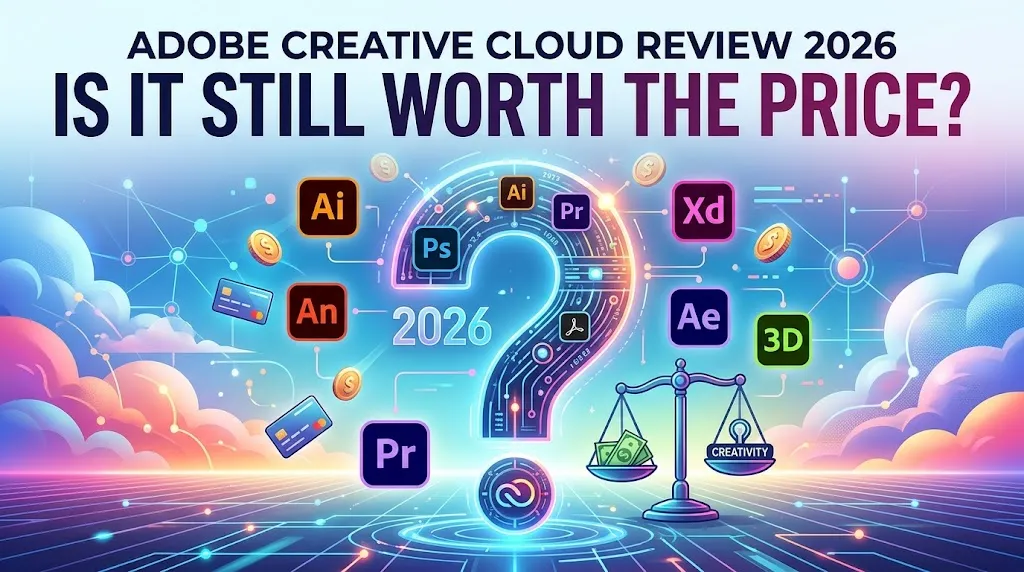
Adobe Creative Cloud is the subscription most creative professionals either pay for reluctantly or defend aggressively. There’s very little middle ground. And after spending weeks evaluating Adobe’s current pricing architecture, plan documentation, public user complaints, competitor positioning, and the fine print buried across half a dozen help pages, I’ll tell you this: the product inside the box is still genuinely strong. The problem is the box itself.
The pricing has become a tree with too many branches. The marketing around AI features says “unlimited” when it doesn’t quite mean unlimited. The cancellation terms punish buyers who didn’t read page three of the terms. And the gap between what Adobe charges a full-time multi-app professional and what it charges someone who just needs Photoshop twice a week has never been wider.
So here’s the verdict up front: if you’re a full-time creative professional using three or more Adobe apps every week, Creative Cloud Pro is still the strongest ecosystem on the market. If you’re not that person, you’re probably overpaying. And in 2026, with Affinity now free forever, Canva Business at $20/person/month, and Figma owning product design collaboration, the “just get Adobe” default is harder to justify than it’s ever been.
Bottom Line
| Best for | Full-time creative professionals who genuinely use 3+ Adobe apps weekly and depend on Adobe-native file compatibility, Fonts, Libraries, and cross-app workflows |
| Not ideal for | Casual creators, marketers who mostly produce social/brand content, students after year-one pricing expires, and anyone who defaults to the full suite when a Single App or Photography plan would do |
| Starting realistic price | $54.99/month (Creative Cloud Standard, annual billed monthly). Pro starts at $69.99/month. But the Photography plan at $19.99/month or a Single App at $22.99/month may be all you need. |
| Biggest strength | Unrivaled breadth: photo, vector, layout, PDF, motion, video, fonts, review, and AI tooling under one account with genuine cross-app workflow depth |
| Biggest drawback | Pricing complexity and lock-in. Adobe is no longer a single purchase decision; it’s a pricing tree where buying the wrong plan costs you hundreds per year, and annual contracts carry a 50% early termination fee on the remaining balance |
| Editorial verdict | Still the strongest creative ecosystem for serious multi-app professionals. But for everyone else, the cost is now too high, the plan structure too easy to buy wrong, and the alternatives too strong to ignore. Score:7.4/10 |
TL;DR
- Best for: Multi-app creative professionals, agencies, and teams that need Adobe-native file delivery and ecosystem depth
- Skip if: You only need 1-2 apps, produce mostly social/brand content, or are budget-sensitive and desktop-first
- Real entry price: $54.99/month (Standard) or $69.99/month (Pro) on annual billing. Month-to-month Pro jumps to $104.99/month.
- Hidden cost: Annual paid-monthly plans trigger a 50% remaining-balance cancellation fee after the first 14 days. Student pricing doubles at renewal.
- Core reason to buy: No other ecosystem combines photo, vector, layout, PDF, motion, video, fonts, asset libraries, review tools, and AI generation under one subscription
- Core reason to avoid: You’re paying for 20+ apps when you use 2, and the cancellation terms make it painful to course-correct
- Score: 7.4/10
Review Verdict in 30 Seconds
Adobe Creative Cloud remains the only subscription that puts professional-grade photo editing, vector design, page layout, video editing, motion graphics, PDF tools, font libraries, review workflows, and generative AI into one account. That breadth is real and it matters for full-time creatives who touch multiple mediums daily.
But in 2026, Adobe has also become the easiest creative subscription to buy wrong. The difference between Standard ($54.99/month), Pro ($69.99/month), Photography ($19.99/month), and Single App ($22.99/month) plans isn’t obvious from the marketing pages. The “unlimited AI” language obscures the standard-vs-premium generation split. And the cancellation penalty on annual plans can cost a freelancer hundreds of dollars if they change direction mid-year.
If you use the ecosystem deeply, pay for it. If you don’t, the alternatives are now too good and too cheap to ignore.
What Adobe Creative Cloud Is (and What It Isn’t in 2026)
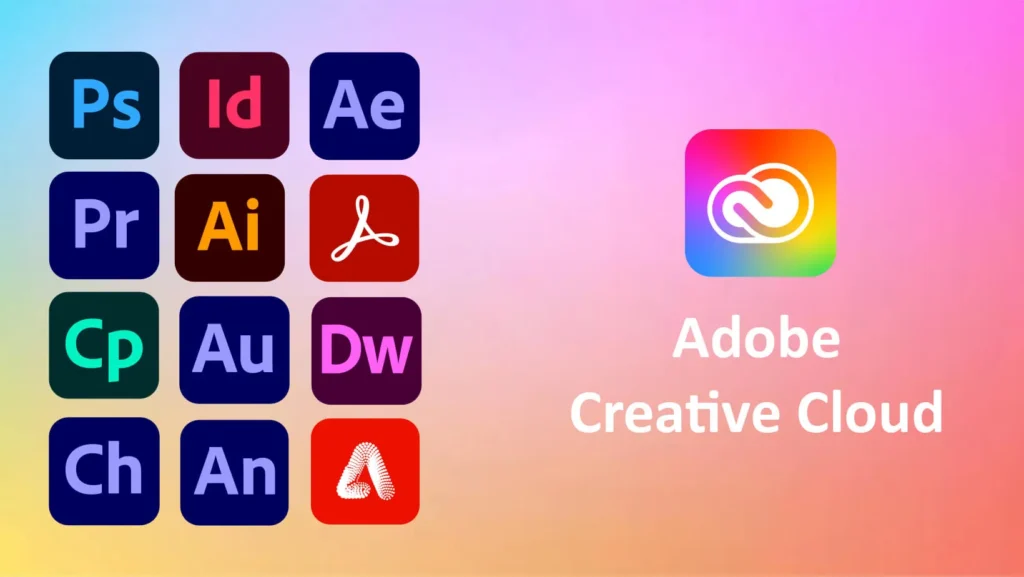
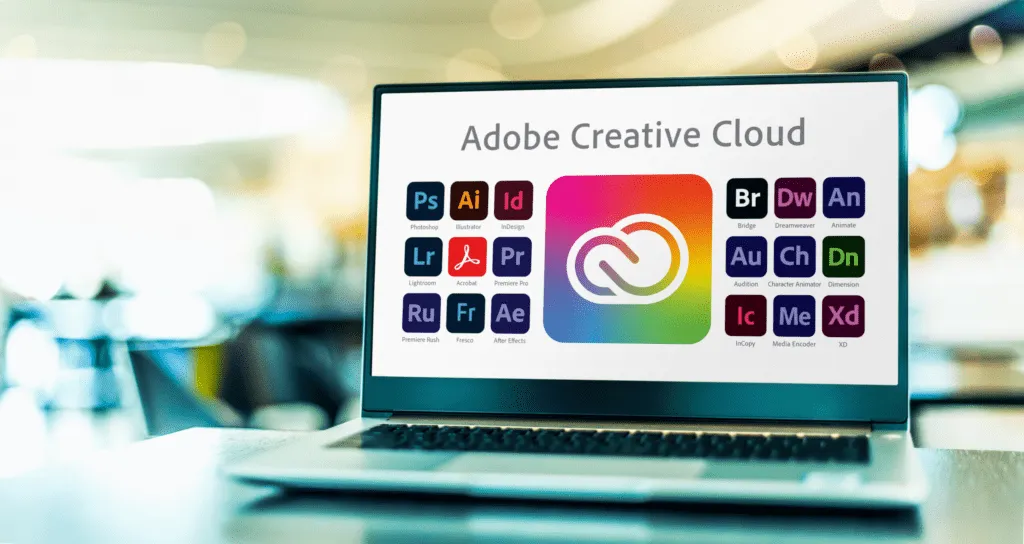
Adobe Creative Cloud is a subscription-based creative software ecosystem. Not a single app. Not a simple bundle. It’s a layered system of 20+ desktop applications, web tools, mobile apps, cloud services, font libraries, asset management, review workflows, and generative AI features, all tied to a single Adobe ID.
The top apps inside the suite include Photoshop, Illustrator, Premiere Pro, After Effects, Lightroom, InDesign, Acrobat Pro, Adobe Express, and Firefly. Around those apps orbit supporting services: Adobe Fonts, Creative Cloud Libraries, Cloud Documents, Frame.io for review, the Creative Cloud desktop app as the operational hub, and Adobe Exchange as the plugin marketplace.
Here’s what changed in the last year that most reviews still haven’t caught up to. Adobe renamed “Creative Cloud All Apps” to Creative Cloud Pro and introduced Creative Cloud Standard as a lower-priced individual tier. That renaming wasn’t cosmetic. Pro and Standard now carry meaningfully different feature sets, especially around AI access, generative credits, and web/mobile capabilities. If you’re reading a review that still talks about “All Apps” as a single plan, the information is stale.
Also significant: Adobe discontinued Creative Cloud Synced files for personal users. That does NOT mean Adobe’s cloud is “gone.” Cloud Documents, Creative Cloud Libraries, Lightroom cloud storage, and Frame.io all remain active. But the distinction matters because many reviews (and many buyers) still treat Adobe cloud storage as one monolithic thing. It isn’t.
How We Evaluated Adobe Creative Cloud
This is a research-based editorial evaluation, not a hands-on lab test. I didn’t install every app and run benchmarks. What I did was systematically evaluate Adobe Creative Cloud as a buying decision, which is the thing most reviews skip.
Sources evaluated:
- Adobe’s official pricing pages for current plan structures and billing models
- Adobe help docs on plan changes, eligibility, and terms
- Adobe’s generative credits FAQ for AI entitlement clarity
- Creative Cloud desktop release notes for recent iteration activity
- Adobe subscription terms for cancellation and refund policies
- Adobe Trust Center and compliance documentation for security/privacy posture
- Adobe Community forums for recurring user frustrations and desktop-app issues
- Reddit discussions on switching costs, cancellation experiences, and price complaints
- G2 and Capterra review sentiment for perceived strengths, learning curve, and workflow value
What this evaluation is not:
I didn’t benchmark render speeds, measure export times, or stress-test crash frequency. I didn’t test every plugin or run A/B import workflows. Those claims would require hands-on lab conditions that this evaluation scope doesn’t cover. What I evaluated is what a buyer actually needs to decide: is this worth the money for someone like me, and what’s the real cost of getting it wrong?
Test Results Summary
Quick verdict: Adobe scores high on creative depth and ecosystem gravity, but pricing transparency and casual-user value drag the overall score down.
| Criteria | Weight | Score (1-10) | Notes |
|---|---|---|---|
| Creative depth | 20% | 9.5 | No competitor matches 20+ pro apps across photo, video, layout, motion, PDF |
| Workflow ecosystem | 15% | 9.0 | Libraries, Fonts, Cloud Documents, Frame.io create genuine cross-app integration |
| Collaboration/admin (teams) | 10% | 8.0 | Admin dashboard, team libraries, 180-day version history, 24×7 support on qualifying plans |
| Pricing transparency | 15% | 4.5 | Standard vs Pro vs Photography vs Single App vs Firefly is confusing even to power users |
| Value for casual users | 15% | 3.5 | A marketer paying $69.99/month for Pro when they use Express and Photoshop twice a week |
| AI value clarity | 10% | 5.0 | “Unlimited standard” sounds broader than it is; premium features are separately gated and credit-limited |
| Migration/export flexibility | 10% | 6.5 | PSD/AI/PDF formats are industry standard, but Adobe Fonts, Libraries, and plugin dependencies create switching friction |
| Security/enterprise maturity | 5% | 8.5 | SOC 2 Type 2, ISO 27001, FedRAMP Tailored for enterprise; Trust Center is solid |
| Overall | 100% | 7.4 |
Real-World Use Cases
Scenario 1: Freelance Multi-App Creative
The persona: A freelance designer who uses Photoshop for retouching, Illustrator for vector work, InDesign for layouts, and occasionally Premiere Pro for client video. They rely on Adobe Fonts for almost every project and share assets across apps using Creative Cloud Libraries.
The fit: This is Adobe’s strongest use case. Creative Cloud Pro at $69.99/month ($839.88/year) gives this person everything under one roof. The cross-app workflow gravity (shared color swatches, font syncing, Library assets that update everywhere) is something no competitor fully replicates. And because clients expect PSD, AI, and INDD files, the format compatibility alone keeps this user locked in.
The risk: Even here, the risk is overbuying on billing frequency. The same plan on month-to-month costs $104.99/month, or $1,259.88/year. That’s a $420 annual gap for flexibility. And if this freelancer hits a slow quarter and tries to cancel the annual plan mid-cycle, Adobe charges an early termination fee worth 50% of the remaining balance.
Scenario 2: In-House Marketer or Content Team
The persona: A 3-person marketing team producing social graphics, brand templates, short-form video, and presentation decks. They use Photoshop occasionally and Adobe Express regularly, but most of their work could live in Canva.
The fit: This team is overpaying if they’re on Creative Cloud Pro for teams at $99.99/license/month. That’s roughly $300/month for 3 seats, or $3,600/year. If their primary output is social and brand content, Canva Business at $20/person/month ($60/month, $720/year) covers 80% of what they actually do for a fraction of the cost.
The exception: If this team handles print production, needs InDesign, or delivers Adobe-native files to external partners (agencies, printers), then Canva alone falls short. In that case, one or two Adobe Single App licenses ($22.99/month each) alongside Canva may be the smarter stack.
Scenario 3: Small Design or Product Organization
The persona: A 10-person product company with 4 designers, 2 content creators, and a product team that relies on Figma for UI work. The designers occasionally need Photoshop for image editing and Illustrator for icon creation.
The fit: This org doesn’t need Adobe for its core design workflow. Figma Professional at $16/seat/month handles UI design, prototyping, design systems, and real-time collaboration better than Adobe does. For the occasional Photoshop or Illustrator use, individual Single App licenses make more sense than a full Creative Cloud subscription.
The risk: Buying Creative Cloud Pro for teams ($99.99/license/month) for all 10 seats would cost $999.90/month, or nearly $12,000/year. If only 4 people need any Adobe app at all, the waste is staggering.
Pros
Quick verdict: Adobe’s real advantages are earned through ecosystem breadth and cross-app workflow depth, not through any single feature.
1. No other subscription matches the creative breadth
Adobe remains the only ecosystem where professional-grade photo editing (Photoshop), vector design (Illustrator), page layout (InDesign), PDF editing (Acrobat Pro), video editing (Premiere Pro), motion graphics (After Effects), web/social design (Express), font management (Adobe Fonts), review workflows (Frame.io), and generative AI (Firefly) all live under one account. That’s not marketing language; it’s a structural fact. No competitor bundles this many production-grade tools. For a creative professional who touches 4-5 of these mediums weekly, the convenience value is real.
2. Cross-app workflow gravity creates a genuine moat
The value of Creative Cloud isn’t just the app list. It’s the connective tissue: Cloud Documents that stay synced, Creative Cloud Libraries that let you reuse assets across Photoshop, Illustrator, and InDesign simultaneously, Adobe Fonts accessible in every Adobe app without separate licensing, and Frame.io for async video review. This interoperability creates workflow gravity that cheaper alternatives don’t match. Switching away means rebuilding those connections piece by piece.
3. Teams features go beyond app access
Creative Cloud for teams at $99.99/license/month (Pro) is expensive, but the package extends beyond application licenses. It includes an admin dashboard for centralized license management, team libraries for shared Brand assets, 180-day version history for Cloud Documents, 24×7 technical support, and two Adobe expert sessions per user per year on qualifying plans. For agencies managing multiple designers across accounts, that operational layer reduces friction in ways a pile of individual licenses doesn’t.
4. Industry-standard file compatibility protects client relationships
Agencies, publishers, printers, and production houses still expect PSD, AI, INDD, and PDF files to arrive in native Adobe format. Working in the Adobe ecosystem means those handoffs happen without conversion steps, compatibility warnings, or fidelity loss. G2 and Capterra reviews consistently cite this as the primary reason creative teams stay with Adobe even when they’re annoyed by the cost.
5. The learning ecosystem is still the deepest in creative software
Public discussions across Reddit, G2, and Capterra repeatedly cite tutorials, integrations, and the “everything in one place” mentality as reasons people keep paying. Adobe’s install base means that virtually any workflow problem has a documented solution, whether from Adobe’s own help pages, YouTube tutorials, or community forums. This matters especially for teams with mixed skill levels: on-ramping a junior designer into Photoshop is faster than on-ramping them into a less-documented alternative.
Cons
Quick verdict: Adobe’s biggest weaknesses aren’t product failures. They’re buying traps, pricing friction, and trust erosion from opaque marketing.
1. The pricing structure is designed for confusion, not clarity
Adobe’s buyer journey is fragmented across pricing pages, help pages, account settings, and app-specific docs. There’s no single clean explainer that walks a new buyer through Standard vs Pro vs Photography vs Single App vs Firefly add-ons. During my evaluation of Adobe’s pricing pages and plan documentation, the number of decision branches a first-time buyer faces was striking. A freelancer who only needs Photoshop and Lightroom can accidentally land on Creative Cloud Pro at $69.99/month when the Photography plan covers both for $19.99/month. That mistake costs $600/year.
Workaround: Study the Adobe plans page carefully before buying. Don’t trust landing-page funnels.
2. The cancellation penalty is severe enough to be a buyer-risk section
On annual plans paid monthly (which is how most individuals buy), canceling after the first 14 days triggers an early termination fee equal to 50% of the remaining contract value. If a freelancer signs up for Creative Cloud Pro at $69.99/month and cancels 3 months in, that’s 50% of 9 remaining months, roughly $315 in penalties. Adobe’s own subscription terms document this plainly, but the checkout flow doesn’t exactly put it in bold.
Workaround: If you’re unsure about commitment, start month-to-month despite the higher price. The premium buys you cancellation freedom.
3. The AI messaging is slippery for casual buyers
Adobe promotes “unlimited standard generative features” across Creative Cloud plans. That sounds broad until you realize that premium generative features (things like higher-quality image generation, video generation, and partner model access) are separately gated. Creative Cloud Pro includes 4,000 monthly credits for premium features. Creative Cloud Standard restricts premium generative feature access entirely. If a buyer sees “AI included” and assumes unlimited everything, they’ll hit a wall. And Firefly add-on plans ($9.99 to $199.99/month for additional credits) add another upsell layer.
Reality check: “Unlimited standard AI” is not “unlimited AI.” Be clear on what standard vs premium generation means before you buy.
4. Month-to-month pricing is punishing
Creative Cloud Pro month-to-month costs $104.99/month, or $1,259.88/year before tax. The annual paid-monthly price for the same plan is $69.99/month, or $839.88/year. That’s a $420/year penalty for wanting flexibility. Adobe clearly incentivizes annual lock-in, which makes the cancellation fee above even more frustrating.
5. The desktop app introduces friction, not just convenience
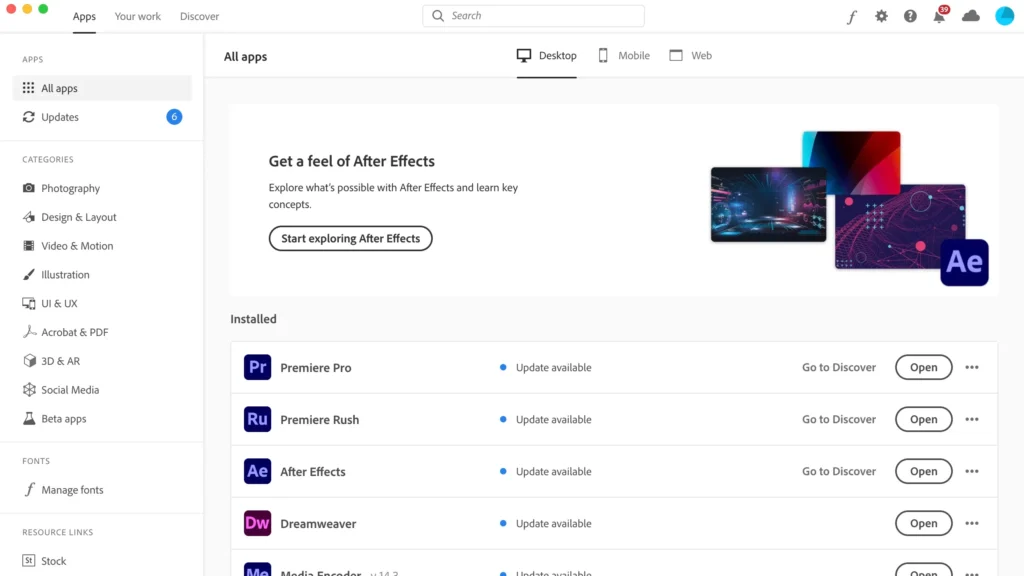
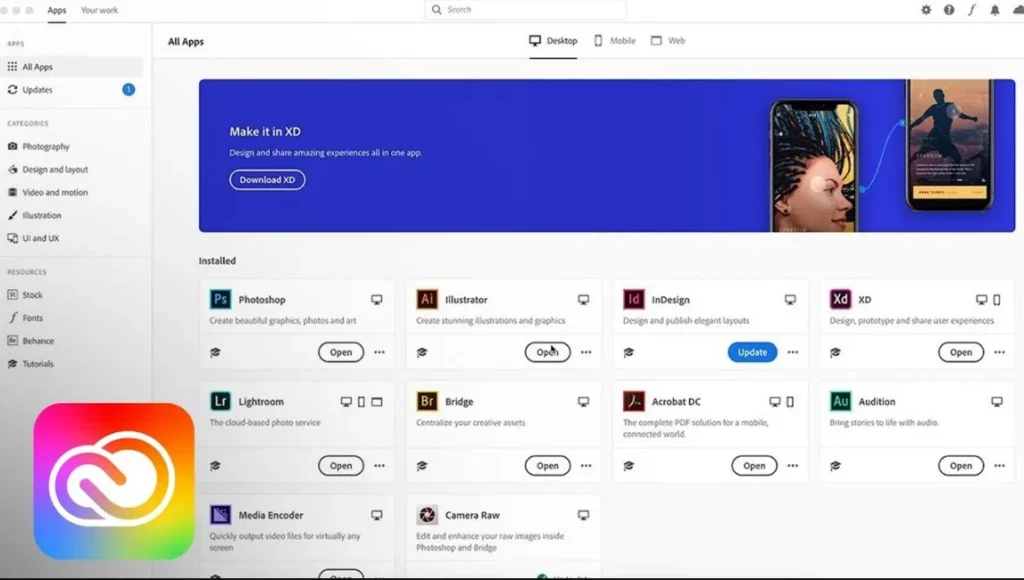
Adobe’s own documentation positions the Creative Cloud desktop app as the operational hub for installs, updates, plugin discovery, plan changes, and library sharing. But community forum threads document recurring issues: missing app tabs, sign-out loops, and visibility glitches that require cache clearing or config workarounds. These are documented community patterns, not hypothetical concerns. For users who just want to open Photoshop and work, the desktop app can feel like an unnecessary middleman.
6. The learning curve is still steep for beginners
Capterra review sentiment specifically notes the need for tutorials and the difficulty getting started without training. Adobe apps are deep tools designed for professionals. A marketer who signs up because their team “needs Photoshop” may spend more time learning the interface than producing output. For those users, the simpler UX of Canva or the focused interface of Affinity may be a better starting point.
Things Adobe Won’t Tell You
This section exists because Adobe’s own marketing creates buyer confusion that the help docs then quietly clarify. Here’s what the pitch leaves out.
Adobe is now a pricing tree, not a clean suite purchase
In 2025, Adobe split its individual all-apps offering into Creative Cloud Pro and Creative Cloud Standard. It also maintains Photography, Single App, Adobe Express, and Firefly plans. Each one carries different app access, different AI entitlements, different storage, and different pricing. The question is no longer “should I buy Adobe?” It’s “which specific Adobe plan fits what I actually do, and what am I giving up by choosing wrong?”
Creative Cloud Pro is not automatically the right plan
Adobe’s marketing pushes Pro as the flagship, and it is the most complete individual plan. But a photographer who uses Photoshop and Lightroom is overbuying Pro by $50/month compared to the Photography plan. A video editor who only needs Premiere Pro is overbuying by $47/month compared to a Single App plan. Pro is right for multi-app users. For everyone else, it’s expensive insurance against apps you won’t open.
Month-to-month pricing is designed to push you into annual contracts
The $35/month gap between annual and month-to-month Pro pricing is intentional. Adobe wants annual commitments. But once you’re on an annual plan, you’re also subject to the early termination fee. It’s a lock in either direction: pay more for freedom, or commit and hope you don’t change your mind.
Annual paid-monthly cancellation can sting
This is worth repeating because most reviews bury it. If you cancel an annual plan after the 14-day refund window, Adobe charges 50% of the remaining months. There is no “free cancellation after 3 months” grace. The fee applies immediately after day 14. Adobe does state that switching between paid plans doesn’t trigger this fee, which is a frequently overlooked detail.
“Unlimited AI” is not the full story
Adobe separates standard generative features from premium generative features. “Unlimited standard generations” applies to lower-tier AI capabilities. Premium features (higher-quality generation, specific model access, Firefly Boards) are credit-limited. Creative Cloud Pro comes with 4,000 monthly premium credits. Standard users don’t get premium access at all. If you need heavy premium generation, you’re looking at Firefly add-on plans from $9.99/month (2,000 credits) up to $199.99/month (50,000 credits). The marketing doesn’t lead with this distinction.
Synced files are gone, but Adobe cloud is not gone
Adobe discontinued Creative Cloud Synced files for personal users. But Cloud Documents, Creative Cloud Libraries, Lightroom cloud storage, and Frame.io are all still active and functional. The confusion comes from reviews and forum posts that conflate “Synced files” with “all Adobe cloud storage.” They’re different things. What’s gone is the old folder-sync model. What remains is everything else.
Pricing
Quick verdict: Adobe’s pricing is only confusing if you look at the marketing page. Once you map it to actual buyer types, the right answer becomes clearer. Here’s the math.
Individual Plan Pricing (2026)
| Plan | Annual (billed monthly) | Month-to-month | Annual (prepaid) |
|---|---|---|---|
| Creative Cloud Standard | $54.99/mo | $82.49/mo | $599.88/yr |
| Creative Cloud Pro | $69.99/mo | $104.99/mo | $779.99/yr |
| Student/Teacher Pro (Year 1) | $19.99/mo | N/A | $239.88/yr |
| Student/Teacher Pro (Renewal) | $39.99/mo | N/A | $479.88/yr |
| Photography plan | $19.99/mo | N/A | N/A |
| Single App (Photoshop, Illustrator, etc.) | $22.99/mo | N/A | N/A |
| Lightroom (single) | $11.99/mo | N/A | N/A |
| Adobe Express Premium | $9.99/mo | N/A | N/A |
Firefly AI Add-on Plans
| Plan | Price | Premium Credits |
|---|---|---|
| Firefly Standard | $9.99/mo | 2,000 + unlimited standard |
| Firefly Pro | $19.99/mo | 4,000 + unlimited standard |
| Firefly Pro Plus | $49.99/mo | 10,000 + unlimited standard |
| Firefly Premium | $199.99/mo | 50,000 + unlimited standard |
Teams Pricing
| Plan | Price per license/month (annual) |
|---|---|
| Teams Single App | $37.99 |
| Creative Cloud Pro for teams | $99.99 |
| Creative Cloud Pro Plus for teams | $110.49 |
Real Cost of Adobe by Team Type
| Buyer type | Recommended plan | Monthly cost | Annual cost (before tax) | Hidden risk | Better alternative if overbuying |
|---|---|---|---|---|---|
| Solo freelancer using 4+ apps | Creative Cloud Pro (annual) | $69.99 | $839.88 | 50% cancellation fee on remaining balance if you quit mid-year | None. This is the correct plan for this person. |
| Student (year 1) | Student Creative Cloud Pro | $19.99 | $239.88 | Renewal jumps to $39.99/mo ($479.88/yr). That’s a 100% price increase. | Check if Photography or Single App covers your coursework instead. |
| Student (year 2+) | Student Creative Cloud Pro | $39.99 | $479.88 | Still cheaper than standard, but the shock hits if you didn’t budget for it | Affinity (free forever) for desktop-first design coursework. |
| 5-seat creative team | Creative Cloud Pro for teams | $499.95 | $5,999.40 | Nearly $6K/year. If 2 of those seats barely use Adobe, that’s $2,400 wasted | Canva Business ($100/mo for 5 seats) for roles that only produce social and brand content |
| Photoshop + Lightroom user | Photography plan | $19.99 | $239.88 | None. This is the best value plan in Adobe’s lineup | Don’t buy Pro ($839.88/yr) if you only use these two apps. Save $600. |
| One-app user (e.g., just Illustrator) | Single App plan | $22.99 | $275.88 | None, as long as you don’t need cross-app features | Affinity (free) if your work is desktop-first and file compatibility isn’t critical |
| Month-to-month buyer | Creative Cloud Pro (monthly) | $104.99 | $1,259.88 | $420/year more than annual billing. Zero cancellation fee, but brutal at scale. | Commit to annual if you’re sure. Otherwise, test with a Single App first. |
Security, Privacy, Ownership, and Lock-In
Quick verdict: Adobe’s enterprise security posture is mature. But for individual and small-team buyers, the real concern isn’t security certifications. It’s asset lock-in and post-cancellation reality.
Trust Center and compliance maturity
Adobe publishes a Trust Center with product/service status and privacy/compliance resources. The compliance list covers SOC 2 Type 2, SOC 3, ISO 27001:2022, ISO 27017, ISO 27018, ISO 22301, FedRAMP Tailored, FERPA-ready, GLBA-ready, and CSA Star Level 2 for relevant enterprise offerings.
That’s a serious compliance portfolio. But a nuance worth flagging: these certifications apply to Adobe’s enterprise infrastructure and qualifying service tiers. They shouldn’t be read as a blanket guarantee that every individual subscription scenario carries the same security profile. For a solo freelancer, the Trust Center matters as evidence of organizational maturity, not as a personal compliance shield.
Asset lock-in is the real dependency
The deeper concern for most Adobe buyers isn’t whether Adobe encrypts their data. It’s what happens to their work if they leave. Adobe Fonts used in all your designs? Gone after subscription ends. Creative Cloud Libraries with shared brand assets? Inaccessible. Plugins from Adobe Exchange that drive your workflow? Not transferable. Cloud Documents? Still accessible briefly, but cloud storage drops to 5GB on the free tier, and generative credits expire when the subscription ends.
This is workflow gravity working in reverse. The same ecosystem features that make Adobe convenient while subscribed become friction barriers when leaving. Your .psd and .ai files are yours, sure. But the fonts, Libraries, cloud storage, and plugin integrations that surround those files aren’t portable.
File compatibility realities
Photoshop (.psd), Illustrator (.ai), and InDesign (.indd) files are industry standards, and competitors including Affinity support import of most of these formats. But “import support” isn’t the same as “seamless fidelity.” Some layer effects, advanced typography, or InDesign-specific features may not translate perfectly to non-Adobe environments. Canva can import PSD and AI files, but with file-size and layer limits. And Affinity supports PSD, AI, PDF, SVG, TIFF, and IDML import, but Reddit user reports flag gaps in features like Image Trace and certain workflow polish details.
Post-cancellation storage and access
After cancellation, your Adobe account falls back to a free Creative Cloud membership. Cloud storage drops to 5GB. Any generative credits remaining in your balance expire. You can still access files stored locally, but anything that lived primarily in Adobe’s cloud becomes constrained. Plan accordingly and export proactively before canceling.
What Most Reviews Miss About Adobe Creative Cloud
1. Adobe is a pricing tree, and most reviews treat it like one product
The current SERP for “Adobe Creative Cloud review” is full of articles that describe Adobe as though it’s a single purchase at a single price. It isn’t. There are at least 8 distinct individual pricing paths (Standard, Pro, Photography, Single App, Lightroom, Express, and multiple Firefly tiers) plus 3 team tiers. The real review question isn’t “is Adobe good?” It’s “which Adobe plan matches what I actually do, and what happens if I pick wrong?”
2. “Unlimited standard AI” is not unlimited AI
Most reviews mention Adobe’s AI capabilities without distinguishing between standard and premium generative features. Standard generation is unlimited on most plans, yes. But premium generation (higher-quality outputs, partner models, Firefly Boards) is credit-limited to 4,000/month on Pro and zero on Standard. If a buyer doesn’t understand this split, they’ll feel misled when they hit the premium paywall.
3. Synced files are gone, but that isn’t the whole cloud story
Adobe discontinued Creative Cloud Synced files for personal users. But Cloud Documents, Libraries, Lightroom cloud storage, and Frame.io remain fully operational. Multiple reviews and Reddit threads still confuse this discontinuation with “Adobe killed cloud storage.” That’s wrong, and it creates unnecessary alarm for buyers evaluating Adobe’s cloud capabilities.
4. The real moat is workflow gravity, not app count
When people ask “why do I need 20+ apps,” the answer isn’t that you’ll use all 20. The answer is that Libraries, Fonts, Cloud Documents, and cross-app asset sharing create a workflow ecosystem where switching away means rebuilding asset pipelines from scratch. That gravity is Adobe’s actual competitive moat, and it’s the reason switching to Affinity or Canva is easier said than done for established creative teams.
5. The Standard vs Pro gap matters more than most reviews explain
Creative Cloud Standard ($54.99/month) gives you 20+ desktop apps, 100GB cloud storage, and limited web/mobile access, but no premium generative feature access and lower AI entitlements. Creative Cloud Pro ($69.99/month) adds broader web/mobile access, premium generative features, 4,000 monthly credits, partner model access, and Firefly Boards. That $15/month gap ($180/year) is meaningful if you use generative AI features daily. It’s wasted money if you don’t.
Common Mistakes When Using Adobe Creative Cloud
Mistake 1: Buying Pro when Photography or Single App is enough
The Photography plan ($19.99/month) includes Photoshop (desktop, web, and mobile), Lightroom, Lightroom Classic, and 1TB of cloud storage. If those are the only apps you use, buying Creative Cloud Pro costs you an extra $50/month, or $600/year, for apps you’ll never open.
Fix: Audit which Adobe apps you actually open weekly. If the answer is only Photoshop + Lightroom, switch to the Photography plan.
Mistake 2: Staying month-to-month for too long
Month-to-month Creative Cloud Pro costs $104.99/month. Annual billed monthly costs $69.99/month. If you stay month-to-month for a full year, you’ve paid $1,259.88 instead of $839.88. That’s $420 in flexibility premium. One month of testing month-to-month is smart. Twelve months is expensive indecision.
Fix: After your first month, decide whether to commit annually or cancel.
Mistake 3: Ignoring the renewal jump on student pricing
Student Creative Cloud Pro starts at $19.99/month in year one, then jumps to $39.99/month on renewal. That’s a 100% price increase that Adobe discloses in the plan details but doesn’t emphasize during sign-up. A student who budgets based on year-one pricing may scramble when year-two billing kicks in.
Fix: Budget for $39.99/month from the start, and evaluate whether your coursework actually needs the full Pro suite or whether Photography or Single App would suffice.
Mistake 4: Assuming cancel means no penalty
On annual plans paid monthly, canceling after the 14-day refund window triggers a fee equal to 50% of the remaining contract balance. A buyer who cancels 4 months into a $69.99/month annual plan is looking at roughly $280 in penalties. Adobe states that changing to a different paid plan doesn’t trigger this fee, which is an important distinction.
Fix: If you want to reduce cost, switch to a cheaper Adobe plan rather than canceling outright. If you’re done with Adobe entirely, consider timing your cancellation close to your annual renewal date.
Mistake 5: Assuming Adobe cloud storage still works the old way
The discontinuation of Synced files confused many users. The old model let you sync a folder from your desktop to Adobe’s cloud. That’s gone. But Cloud Documents (for saving directly from apps), Creative Cloud Libraries (for shared assets), and Lightroom’s cloud storage all work differently and remain active. Buyers who see “synced files discontinued” and panic about losing cloud access are reacting to the wrong change.
Fix: Understand which Adobe cloud service you actually use. If it’s Cloud Documents or Libraries, nothing changed for you.
Adobe Creative Cloud vs Alternatives
Adobe Creative Cloud vs Canva Business
| Dimension | Adobe Creative Cloud | Canva Business |
|---|---|---|
| Best for | Full-time multi-app creative professionals | Marketers, social teams, lightweight brand ops |
| Price (individual) | $54.99-$69.99/mo | Part of team plan |
| Price (5-seat team) | ~$500/mo (Pro for teams) | ~$100/mo ($20/person) |
| Creative depth | 20+ professional apps | Simpler editor with templates and brand tools |
| File import | Native PSD, AI, INDD | PSD/AI import with size/layer limits; Figma import; PDF import may flatten elements |
| Collaboration | Frame.io, Libraries, team admin | Real-time editing, brand kits, simpler sharing |
| AI capabilities | Firefly with standard/premium split | Canva AI tools integrated in editor |
Where Adobe wins: Depth. If you need InDesign for print layout, After Effects for motion, Premiere Pro for video, or Illustrator for production vector work, Canva doesn’t replace those capabilities. The professional ceiling is fundamentally higher.
Where Canva wins: Speed, price, and accessibility. A marketer who needs a branded social post, a presentation deck, or a quick video ad will produce it faster in Canva at a fraction of the cost. And for a 5-person content team, the price difference ($100/month vs $500/month) is a decisive argument.
Who should choose which: If your team’s primary output is campaign content, social graphics, and brand templates, start with Canva Business. If your team delivers production-grade creative work across print, video, and multi-medium formats, stay with Adobe. The two can coexist: some agencies run Adobe for production and Canva for fast marketing content.
Adobe Creative Cloud vs Affinity
| Dimension | Adobe Creative Cloud | Affinity |
|---|---|---|
| Best for | Ecosystem-dependent multi-app workflows | Budget-conscious desktop designers |
| Price | $54.99-$69.99/mo (subscription) | Free forever |
| Apps | 20+ apps across all creative mediums | Photo, vector, and layout in one app |
| File support | Native PSD, AI, INDD | PSD, AI, PDF, SVG, TIFF, IDML import |
| Platform | Mac, Windows, web, mobile | Mac, Windows (iPad coming soon) |
| Video/motion | Premiere Pro, After Effects | None |
| Fonts | Adobe Fonts library included | No equivalent |
| Cloud/collaboration | Cloud Documents, Libraries, Frame.io | No cloud ecosystem |
Where Adobe wins: Ecosystem breadth and workflow gravity. Adobe Fonts, Libraries, cloud collaboration, motion graphics, video editing, and plugin marketplace have no Affinity equivalent. For teams that rely on these services daily, Affinity can’t replace the full stack.
Where Affinity wins: Price. Full stop. Affinity is now free forever, combining photo editing, vector design, and page layout in one application with strong desktop file format support (PSD, AI, PDF, SVG, TIFF, IDML). For a designer whose work is desktop-first and doesn’t depend on Adobe Fonts, cloud storage, or video/motion capabilities, the financial argument for switching is devastating: $0/year vs $840+/year.
Who should choose which: If you’re a budget-conscious freelancer or hobbyist doing desktop design, photo editing, and print layout, and you can live without Adobe’s fonts, motion tools, and cloud ecosystem, Affinity is the strongest cost alternative available. If your workflow depends on Adobe’s interconnected services or you deliver video and motion work, Adobe remains necessary.
Adobe Creative Cloud vs Figma
| Dimension | Adobe Creative Cloud | Figma |
|---|---|---|
| Best for | Multi-medium creative production | UI/product design and collaboration |
| Price (pro) | $69.99/mo (Pro individual) | $16/seat/mo (Professional, annual) |
| Collaboration | Libraries, Frame.io, team admin | Real-time multiplayer, design systems, team libraries |
| Design systems | Limited cross-app system support | Built for design system architecture |
| Photo/video/print | Photoshop, Premiere Pro, InDesign, After Effects | No equivalent |
| Enterprise | Teams pricing + admin console | Organization ($55/seat) and Enterprise ($90/seat) with SSO, SCIM, governance |
Where Adobe wins: Total creative breadth. Figma is not an image editor, video editor, motion tool, or page layout application. If the job requires Photoshop-level photo manipulation, Premiere Pro video editing, or InDesign print production, Figma simply doesn’t compete.
Where Figma wins: Real-time design collaboration, design systems, and product design workflows. For product teams building interfaces, maintaining component libraries, and reviewing designs collaboratively, Figma’s multiplayer editing and system architecture are stronger than anything in Adobe’s stack. G2 reviews consistently praise Figma’s collaboration superiority, though they also flag lag on large or complex files.
Who should choose which: Product/UI teams should use Figma. Full-stack creative teams should use Adobe. Many organizations use both: Figma for product design and Adobe for marketing creative, photo/video production, and print.
Migration Reality Matrix
| Migration path | What transfers | What breaks | Who loses the most | Who saves the most |
|---|---|---|---|---|
| Adobe to Canva | PSD/AI files import (with limits), PDF imports (may flatten), individual assets | Complex layer structures, InDesign layouts, video/motion projects, Adobe Fonts, Library links | Print-heavy designers, video editors, teams dependent on native Adobe handoffs | Marketing teams, social content creators, small teams overpaying for apps they barely use |
| Adobe to Affinity | PSD, AI, PDF, SVG, TIFF, IDML files | Adobe Fonts (gone), Cloud Libraries (gone), video/motion workflows (no Affinity equivalent), Image Trace gaps, some workflow polish details | Motion/video professionals, users dependent on Adobe Fonts and cloud ecosystem | Budget-conscious desktop designers, freelancers tired of subscription costs, hobbyists |
| Adobe to Figma | Basic design assets via export/import | Photo editing depth, print layouts, video/motion, Adobe Fonts, Creative Cloud Libraries | Full-stack creative professionals, print designers, video editors | Product/UI teams overpaying for Adobe when they mainly do interface design |
Is Adobe Creative Cloud Worth It in 2026?
That depends entirely on which “you” is asking.
If you’re a creative professional who uses Photoshop, Illustrator, and Premiere Pro (or any combination of 3+ Adobe apps) every week, and your clients or collaborators expect Adobe-native files, then yes. Creative Cloud Pro at $69.99/month is still the most efficient way to access the deepest creative toolkit available. The workflow gravity of Fonts, Libraries, and Cloud Documents adds real value on top of the apps themselves. Nothing else matches that breadth.
If you’re a photographer who lives in Photoshop and Lightroom, Creative Cloud Pro is not worth it. The Photography plan at $19.99/month gives you both apps plus 1TB of cloud storage at less than a third of the Pro price. Paying $69.99 for the same two apps plus 18 you won’t open is a $600/year mistake.
If you’re a marketer producing social content, brand templates, and campaign graphics, it’s probably not worth it. Canva Business at $20/person/month covers 80% of that workload for a fraction of the price. Adobe’s depth is wasted if your output is Instagram carousels and presentation decks.
If you’re a student, it’s worth it in year one at $19.99/month. But budget for the $39.99/month renewal, and seriously evaluate whether Affinity (free forever) or a Photography plan ($19.99/month) would cover your actual coursework needs.
If you’re a design or product team that primarily does UI work, Figma Professional at $16/seat/month is a better fit. Add a Single App license or two for occasional Adobe needs rather than subscribing the whole team to Creative Cloud.
Who Should Use Adobe Creative Cloud / Who Should Skip
Buy Creative Cloud Pro if:
- You use 3+ Adobe apps every week for paid creative work
- Your clients or agency partners expect native PSD, AI, or INDD file delivery
- You rely on Adobe Fonts across multiple projects
- You need cross-app workflow features like Libraries and Cloud Documents
- You produce work across multiple mediums: photo, video, print, web, motion
Downgrade to Photography or Single App if:
- You only use Photoshop + Lightroom (Photography plan: $19.99/month)
- You only use one desktop app like Illustrator or Premiere Pro (Single App: $22.99/month)
- You don’t use Libraries, Fonts, or cross-app features regularly
- You’re a student whose coursework only requires 1-2 apps
Walk away if:
- You produce mostly social/brand/marketing content and Canva covers your needs
- You’re a desktop-first designer who can live without Adobe Fonts, cloud services, and video/motion tools (Affinity is free)
- You’re a product/UI designer whose collaboration needs are better served by Figma
- You’re paying for the Adobe logo rather than the Adobe workflow
- You signed up for Pro “just in case” and haven’t opened more than 2 apps in 3 months
FAQ
Is Adobe Creative Cloud worth it in 2026?
For full-time multi-app creative professionals, yes. Creative Cloud Pro at $69.99/month remains the only subscription covering professional-grade photo, video, design, layout, and motion tools under one account. For casual users, single-app users, or marketing teams, the alternatives (Canva Business, Affinity, Figma) are now strong enough and cheap enough that Adobe is often overkill.
Why is Adobe Creative Cloud so expensive?
The full Creative Cloud Pro plan costs $69.99/month ($839.88/year) on annual billing. Month-to-month pricing is $104.99/month ($1,259.88/year). The pricing reflects Adobe’s position as the dominant multi-app creative ecosystem with decades of tools, formats, and workflow infrastructure. But for buyers who only need 1-2 apps, the suite pricing is poor value compared to the Photography plan ($19.99/month) or Single App plans ($22.99/month).
What is the difference between Creative Cloud Standard and Creative Cloud Pro?
Both include 20+ desktop apps. Standard costs $54.99/month and includes 100GB cloud storage, limited web/mobile access, and no premium generative feature access. Pro costs $69.99/month and adds broader web/mobile access, premium generative feature access, 4,000 monthly premium generation credits, partner model access in Firefly, and Firefly Boards. The $15/month gap matters most for buyers who use AI generation features heavily.
Can I cancel Adobe Creative Cloud without a fee?
You can cancel within 14 days for a full refund. After 14 days on an annual plan (billed monthly), Adobe charges an early termination fee of 50% of the remaining contract balance. Switching to a different paid Adobe plan does not trigger this fee.
Is Adobe Creative Cloud better than Canva?
For professional creative production across multiple mediums, yes. Canva doesn’t replace Photoshop’s image editing depth, Premiere Pro’s video capability, InDesign’s print layout, or After Effects’ motion graphics. But for marketing content, social graphics, and brand templates, Canva Business at $20/person/month is faster, cheaper, and sufficient for most marketing teams.
Is Affinity a real alternative to Adobe Creative Cloud?
For desktop-first design, photo editing, and page layout, yes. Affinity is now free forever and supports PSD, AI, PDF, SVG, TIFF, and IDML import. But it doesn’t replace Adobe Fonts, video/motion capabilities, cloud collaboration, or the plugin ecosystem. The transition works for some designers, but users report missing features like Image Trace and gaps in workflow polish.
What happens to my files if I cancel Adobe Creative Cloud?
Your locally saved files (PSD, AI, INDD, etc.) remain yours. But your Adobe account drops to a free tier with 5GB cloud storage, you lose access to Adobe Fonts, Creative Cloud Libraries become read-only, and any remaining generative credits expire. Export everything you need before your subscription ends.
Does Adobe Creative Cloud include AI?
Yes, but the access varies by plan. All Creative Cloud plans include unlimited standard generative features. Creative Cloud Pro adds premium generative feature access with 4,000 monthly credits. Creative Cloud Standard does not include premium generative access. Firefly add-on plans ($9.99/month to $199.99/month) can stack more premium credits on top.
What is the cheapest way to get Photoshop?
The Photography plan at $19.99/month includes Photoshop (desktop, web, and mobile), Lightroom, Lightroom Classic, and 1TB cloud storage. That’s cheaper than the Photoshop Single App plan and much cheaper than Creative Cloud Pro. For Photoshop-only users, the Photography plan is the best value.
Is Adobe Creative Cloud good for teams?
For teams that need multi-app creative production, yes. Creative Cloud Pro for teams costs $99.99/license/month and includes admin dashboard, team libraries, 180-day version history, 24×7 support, and expert sessions. But at $500/month for a 5-seat team, it’s expensive compared to Canva Business ($100/month for 5 seats). The value depends on whether your team actually needs Adobe-depth tools or is overbuying.
Final Verdict
Adobe Creative Cloud is still the strongest multi-app creative ecosystem available. Nothing else bundles the same depth of photo editing, vector design, page layout, video editing, motion graphics, PDF tools, font management, and generative AI under one subscription. For creative professionals who use that breadth daily, the ecosystem gravity of Libraries, Fonts, Cloud Documents, and Frame.io creates real workflow value that cheaper alternatives can’t replicate.
But here’s the honest finish. Adobe has made it too easy to buy the wrong plan, too expensive to change your mind, and too confusing to understand what “AI included” actually means. The gap between what a power user gets and what a casual buyer gets is enormous, yet the marketing pitch barely distinguishes between them.
My recommendation is blunt:
If you use 3+ Adobe apps weekly for professional creative work, buy Creative Cloud Pro on annual billing. The $839.88/year is expensive, but no alternative covers the same ground.
If you only need Photoshop and Lightroom, stop. Buy the Photography plan at $19.99/month. You’re done. Don’t let the checkout page upsell you to Pro.
If you only need one Adobe desktop app, buy the Single App plan at $22.99/month. Buying the full suite for one app is a mistake.
If you produce mostly marketing, social, and brand content, switch to Canva Business. At $20/person/month, it’s 80% of the output at 20% of the cost.
If you’re a desktop-first designer who can live without Adobe’s cloud and font ecosystem, try Affinity. It’s free, it handles PSD/AI/PDF/IDML files, and it might be all you need. (Actually, correction: it will be all many designers need. The ones who need more will know it within a week.)
If you’re a UI/product designer, use Figma. Adobe doesn’t beat $16/seat/month for collaborative interface design.
Adobe built the best creative operating system in the industry. They also built a pricing structure that charges the casual buyer nearly the same as the power user. In 2026, that’s not a “solid choice for most.” It’s a sharp choice for some, an overbuy for many, and a trap for buyers who don’t read the fine print.
Score: 7.4/10