



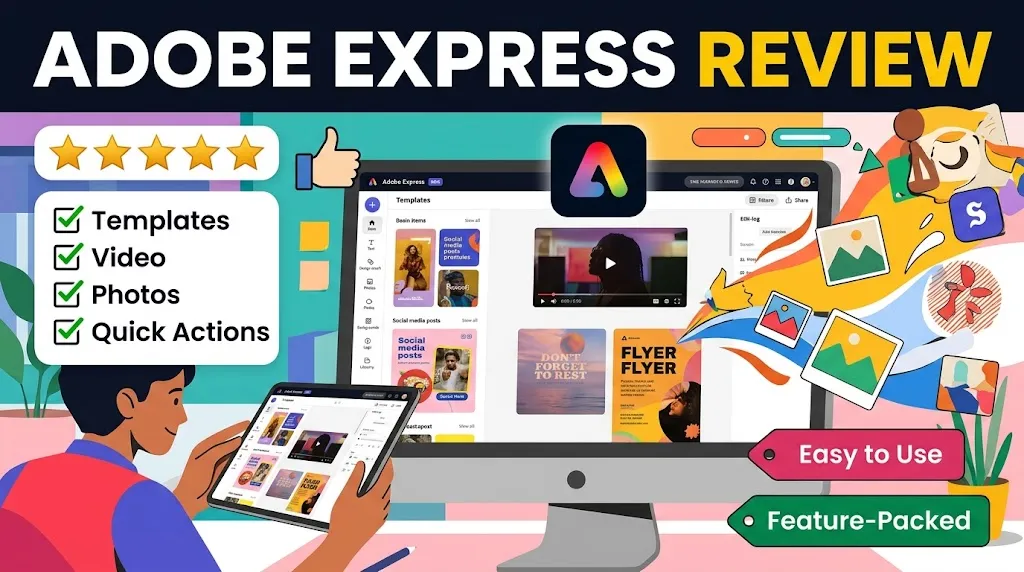
I went into this Adobe Express review expecting another “Canva clone with an Adobe logo.” That framing is all over the SERPs, and it’s wrong. Not slightly wrong. Wrong enough that buyers following those stale reviews will probably misjudge what they’re actually getting, what it costs when it actually matters, and where the real friction lives.
What I found during my evaluation of Adobe’s official docs, pricing pages, release notes, integration materials, and user feedback across G2, Capterra, Reddit, and community forums was a product that’s broader, faster-moving, and more operationally useful than the top-ranking reviews give it credit for. But it’s also a product with real buyer-risk areas that Adobe’s own marketing glosses over: feature gating behind the paywall, generative credit ceilings that hit sooner than you’d think, recurring performance complaints, and a precision ceiling that will frustrate anyone expecting Illustrator-level control.
Here’s the short version: Adobe Express is worth paying for if you need brand-safe, multi-format content production inside or near the Adobe ecosystem. It’s much less compelling if you need deep design precision, advanced motion or audio work, or maximum value without Adobe-specific gravity pulling you in.
The Bottom Line
Adobe Express in 2026 is a capable branded-content operating layer, not a template toy. It earns its price for social marketers, brand-conscious small teams, and anyone already invested in Adobe’s ecosystem. But the free plan’s limits hit fast, the paywall gates some of the strongest workflows, and precision designers will find a ceiling they can’t push past. Score: 7.7/10.
TL;DR
- Best for: SMB social marketers, brand-focused solo creators, educators, and teams already inside the Adobe ecosystem
- Not ideal for: Precision designers, advanced motion/audio creators, budget-sensitive users who’ll outgrow the free plan quickly, buyers avoiding Adobe lock-in
- Price: Free plan available. Premium at $9.99/month. Firefly Pro at $19.99/month. Teams starting at $4.99/user/month (first year, 2-seat minimum)
- Biggest strength: Fast path from brand setup to repeatable, multi-format social content with real Adobe ecosystem connectivity
- Biggest drawback: The most attractive workflows (Resize, premium assets, larger AI credit pools, multi-account scheduling) are gated behind paid plans, and the free-to-paid upgrade pressure builds faster than the marketing suggests
- Overall score: 7.7/10
Review Verdict in 30 Seconds
Adobe Express is a real content production tool wrapped inside a friendly interface. It handles branded content creation, social scheduling, PDF-adjacent workflows, and AI-powered quick actions with enough depth to be operationally useful for small marketing teams and solo creators. The product is evolving fast, with meaningful additions landing every month in 2026.
But don’t confuse “accessible” with “generous.” The free plan is a discovery layer, not a production environment. Resize is paywalled. Generative credits have ceilings. Performance complaints are recurring. And if you downgrade from Premium, your premium-content exports may break. If you already live in Adobe’s world, Express slots in with surprising strength. If you don’t, the value math gets much more debatable.
What Adobe Express Is
Adobe Express is an online design, video, photo, and PDF application built for fast content creation and social publishing. Think templates, brand kits, AI quick actions, a content scheduler, and growing add-on integrations, all delivered through a browser-based editor.
Adobe positions it as an “all-in-one” creative tool, and the scope is genuinely wide: social posts, presentations, flyers, videos, photo edits, PDF work, and more. It’s not Photoshop. It’s not Illustrator. It’s the tool Adobe built for the person who doesn’t want to open Photoshop or Illustrator but still needs output that looks like it came from someone who did.
The product sits inside Adobe’s broader ecosystem, with official connections to Creative Cloud, Acrobat, AEM, Workfront, Box, Miro, and Slack. That adjacency matters, and I’ll explain why it’s both a strength and a risk.
How We Evaluated Adobe Express
This is a research-based evaluation. I didn’t build campaigns inside Adobe Express or time export speeds. What I did was systematically review Adobe’s official documentation, pricing pages, release notes, integration pages, trust center materials, and privacy policy. I cross-referenced that with user feedback from G2, Capterra, Reddit, and Adobe’s own community forums. I also reviewed competitor official pages for Canva, Microsoft Designer, and VistaCreate to contextualize Adobe Express’s positioning, pricing, and feature set.
Every factual claim in this review maps back to those sources. Where something is an inference, I say so. Where the evidence is mixed, I say that too.
What I explicitly did not do: invent hands-on testing data, fabricate UI timings, or pretend to be a daily user. The research was thorough, but it’s research, and you deserve to know that.
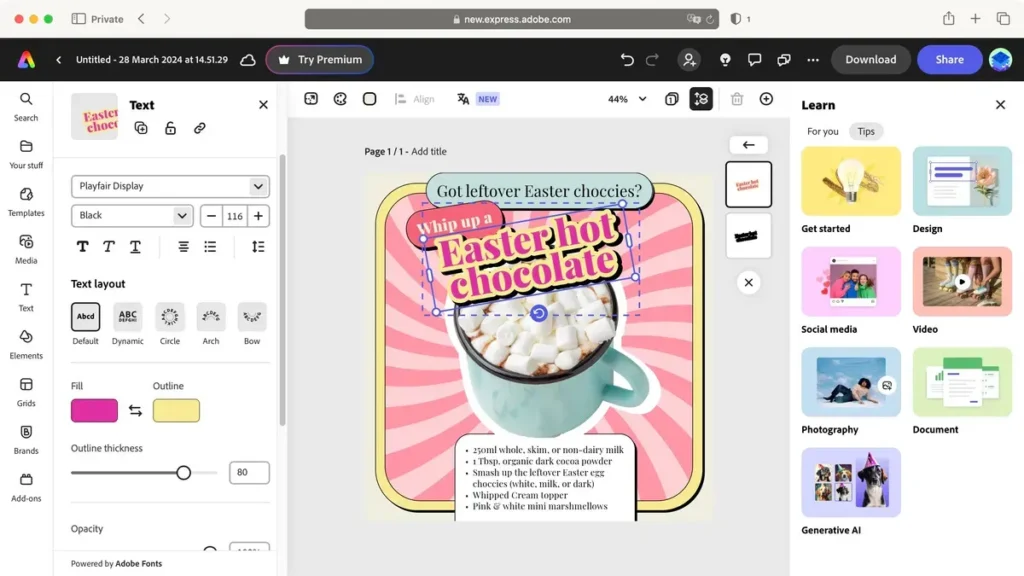
Test Results Summary
Quick verdict: Adobe Express scores well on brand workflow strength and template depth but loses ground on performance reliability and advanced design control.
Adobe Express Scorecard
| Category | Score | Weight |
|---|---|---|
| Onboarding clarity | 8.3/10 | 10% |
| Template and asset depth | 8.2/10 | 15% |
| Brand workflow strength | 8.5/10 | 15% |
| AI usefulness | 7.8/10 | 15% |
| Social publishing utility | 8.1/10 | 10% |
| Performance reliability | 6.8/10 | 10% |
| Pricing transparency and value | 7.0/10 | 15% |
| Advanced design control | 6.7/10 | 10% |
| Overall weighted score | 7.7/10 |
The brand workflow and template scores reflect genuine structural strength. The performance and advanced design scores reflect real, documented limitations. The pricing score sits at 7.0 because the tier structure is reasonable in isolation but creates confusion when you layer free limits, Premium gates, Firefly Pro credits, and Teams pricing on top of each other.
Real-World Use Cases
Scenario 1: Solo Social Media Manager Running 3 Brand Accounts
You manage Instagram, Facebook, and LinkedIn for a small agency’s client. You need to create branded posts consistently, schedule them, and occasionally resize content across formats.
Adobe Express handles this well on Premium. Brand setup starts from the left-panel Brands area, which immediately tells you Adobe wants repeatability baked into the workflow. You set up the brand kit, build from templates, schedule from the left-panel publishing flow, and resize with one click.
On Free? You’re limited to one social account per network and no Resize. That’s a wall you’ll hit inside your first week.
Realistic tier: Premium at $9.99/month.
Scenario 2: Internal Comms Team at a 50-Person Company Using Adobe Acrobat
Your company already pays for Acrobat. You need fast internal newsletters, event flyers, and social assets that match brand guidelines. Nobody on the team is a designer.
This is where Adobe Express’s ecosystem leverage matters most. The Acrobat adjacency, PDF editing workflows (including the recent PDF table editing from the March 2026 release notes), and brand-kit enforcement create a tighter loop than competitors offer. The Teams plan at $4.99/user/month (first year) for two or more seats makes this approachable.
Realistic tier: Teams at $4.99/user/month (year one), renewing at $7.99/user/month.
Scenario 3: AI-Forward Content Creator Generating Visual Assets Daily
You create social content using generative AI as a core part of your workflow. You want to generate images, iterate on variants, and publish fast.
Premium gives you 250 generative credits per month. If you’re generating assets daily, that ceiling will start feeling tight within two or three weeks, depending on your output volume. Firefly Pro at $19.99/month, with 4,000 credits per month, is the more realistic fit. But at that price, Adobe Express is no longer a “cheap” design tool. It’s a $240/year AI production platform, and you should evaluate it as one.
Realistic tier: Firefly Pro at $19.99/month.
Pros
Quick verdict: Adobe Express earns its strongest marks for brand workflows, ecosystem connectivity, and product breadth that most current reviews understate.
1. Brand setup is structurally strong, not cosmetic
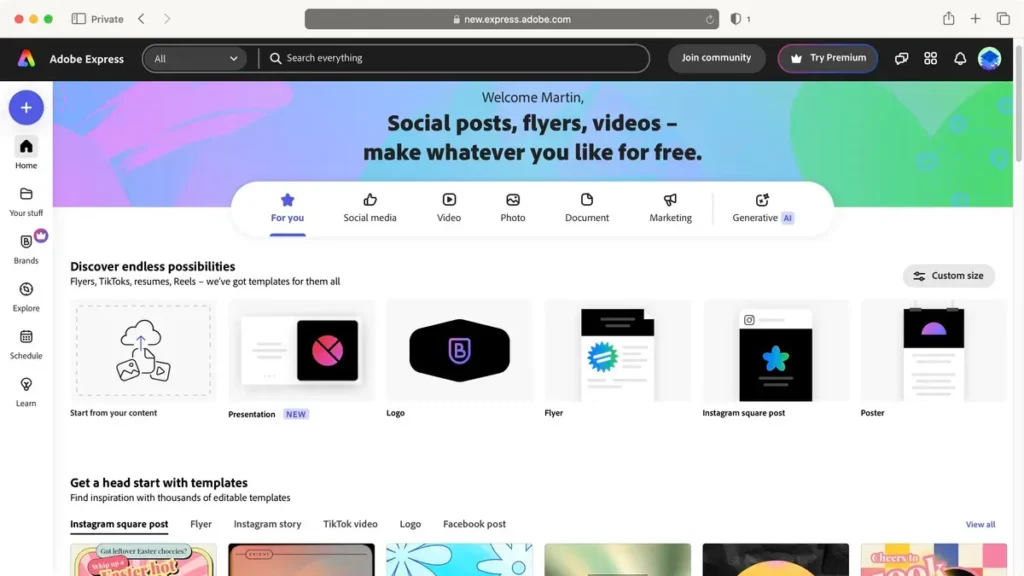
The official brand workflow places brand creation directly in the left-panel Brands section (Home > Brands > Create brand > Manual set up). This isn’t a buried settings page. It’s a first-class workflow, and the Premium tier adds brand kit support that lets teams lock colors, logos, and fonts into templates. For SMB marketers who need brand consistency without a brand manager on staff, this is genuinely useful.
2. Product breadth is wider than stale reviews show
During my evaluation of Adobe Express’s official release notes, I found a product that’s been shipping at pace: auto captions in the editor, editable PDF tables, multi-brand workflows in templates, crop page, AI Assistant beta, ChatGPT integration, and Microsoft 365 Copilot agent support. The March 2026 release alone included product shots, move captions, image swap controls, and multi-select for brand elements and layers. If you’re reading a review that frames Adobe Express as “a simple template editor,” that review is outdated.
3. Adobe ecosystem connectivity is a real operational advantage
If your organization already uses Acrobat, Creative Cloud, or Adobe business tools, Express benefits from official integrations with AEM, Workfront, Box, Miro, and Slack. It also has a ChatGPT integration and a Microsoft 365 Copilot agent. This isn’t abstract “integration potential.” It’s operational adjacency that reduces friction for teams already in Adobe’s orbit.
4. Social scheduling is embedded, not bolted on
The publishing workflow is built into the product: left panel > Schedule > New > New post > select channels > add caption > schedule or publish. This makes Adobe Express more than a design tool. It’s an operational layer for social content. G2 reviews frequently praise the fast-creation-to-publishing pipeline, and the official docs confirm alt text support and multi-channel posting.
5. The upgrade path from Free to Teams is coherent
Free to Premium to Firefly Pro to Teams creates a meaningful ladder. Each tier has a clear buyer trigger, and the step-ups are logical. That gives Adobe Express more strategic depth than “free template app” positioning would suggest.
6. The add-on and assistant ecosystem is growing
Add-ons are accessible directly inside the editor (open a design > Add-ons > Discover > Add). Combined with the AI Assistant beta and external integrations, Express is starting to feel more like a hub than a standalone editor. That trajectory matters for buyers thinking about where the product will be in 12 months.
Cons
Quick verdict: The most important drawbacks are paywall gating on core workflows, recurring performance complaints, and a precision ceiling that advanced designers will find frustrating.
1. Paywall gates the workflows that sell the product
The features Adobe leans on hardest in its marketing, Resize, premium templates, enhanced brand kits, 200M+ assets, 30,000+ fonts, larger social account support, and expanded AI credits, all live behind the Premium paywall. The Free plan is functional for exploration, but the moment you need cross-format repurposing or more than one social account per network, you’re paying. That gap between “what the free plan advertises” and “what you can actually accomplish on free” is wider than the positioning suggests.
2. Performance complaints are recurring and worth taking seriously
Community forum threads report lag, imprecise element movement, and slow behavior even in simpler projects. Adobe’s own help materials also acknowledge that performance can degrade under lower-memory conditions or heavier media loads. This isn’t a fringe complaint. It appears in enough independent sources (community forums, G2, Capterra) to represent a real pattern, not an edge case.
3. Background removal breaks on hard edges
Adobe’s own documentation explicitly warns that fine details and low-contrast areas may be affected by the one-click background removal tool. Reddit complaints reinforce this: hair edges, transparent objects, and low-contrast subjects produce messy results. If your workflow depends on clean cutouts for product photos or headshots with complex backgrounds, you’ll likely need manual cleanup outside of Express.
4. Motion and audio depth aren’t the strong suit
User reviews on G2 and Capterra point to limitations in animation flexibility and audio editing. If your content strategy leans heavily into animated content or audio-rich video, Express will feel restrictive. It’s a capable video tool for short-form social clips, but it’s not where you’d build a motion-design workflow.
5. Downgrade risk is real and underdiscussed
If you subscribe to Premium, create projects using premium stock content, and then downgrade, those premium assets may remain visible in the editor but could require re-upgrading for export. That’s a form of soft lock-in that Adobe doesn’t highlight in its marketing, and most reviews don’t mention it either.
6. Plan confusion is easy to trigger
The overlap between Free, Premium, Firefly Pro, and Teams isn’t impossible to parse, but it’s easy for buyers to misread. Generative credit tiers, scheduler limits, storage jumps, version history windows, and social account caps all differ across plans. A buyer trying to quickly compare their options has too many variables to juggle without careful reading.
Things the Company Won’t Tell You
This isn’t speculation. These are friction points sourced from official docs, community threads, and user-review patterns that Adobe’s marketing pages don’t surface.
The free plan is a discovery tier, not a production environment. One social account per network, 5GB storage, 10-day version history, and no Resize. For anything beyond casual exploration, you’ll hit the walls fast. Adobe knows this. The Free plan exists to convert you to Premium, and it’s designed to make that conversion feel inevitable.
Downgrading can break your exports. If you downgrade from Premium or let your subscription lapse, projects built with premium assets may not export cleanly. Adobe’s docs suggest premium content remains visible but may require resubscription for export. That’s a real financial hook, and it goes unmentioned in most buyer-facing materials.
250 generative credits per month sounds generous until it isn’t. On the Premium plan, that’s your monthly ceiling for AI image generation. If you’re generating a few assets per campaign, it’s fine. If AI generation is central to your daily workflow, you’ll exhaust 250 credits faster than you think, and the upgrade to Firefly Pro doubles your monthly cost from $9.99 to $19.99.
Performance issues are acknowledged, not solved. Adobe’s help materials reference performance constraints in certain conditions, and community threads reinforce the problem. Lag, imprecise movement, and slow rendering appear across enough sources to suggest this isn’t rare. It’s recurring.
Background removal has known weak spots. Adobe’s own documentation warns about fine details and low-contrast areas. The tool works well for clean, high-contrast subjects. For everything else? Expect variable results and possible cleanup work.
The precision ceiling is a design choice, not a gap they’re patching. Adobe Express is not Illustrator-light. It’s built for speed and accessibility. Users expecting fine vector control, advanced typography manipulation, or deep layout precision will hit limits that are structural, not temporary.
Pricing
Quick verdict: Adobe Express’s sticker prices are straightforward, but the real cost depends entirely on where your workflow hits the paywall.
Adobe Express Plans
| Plan | Price | Key Inclusions | Key Limits |
|---|---|---|---|
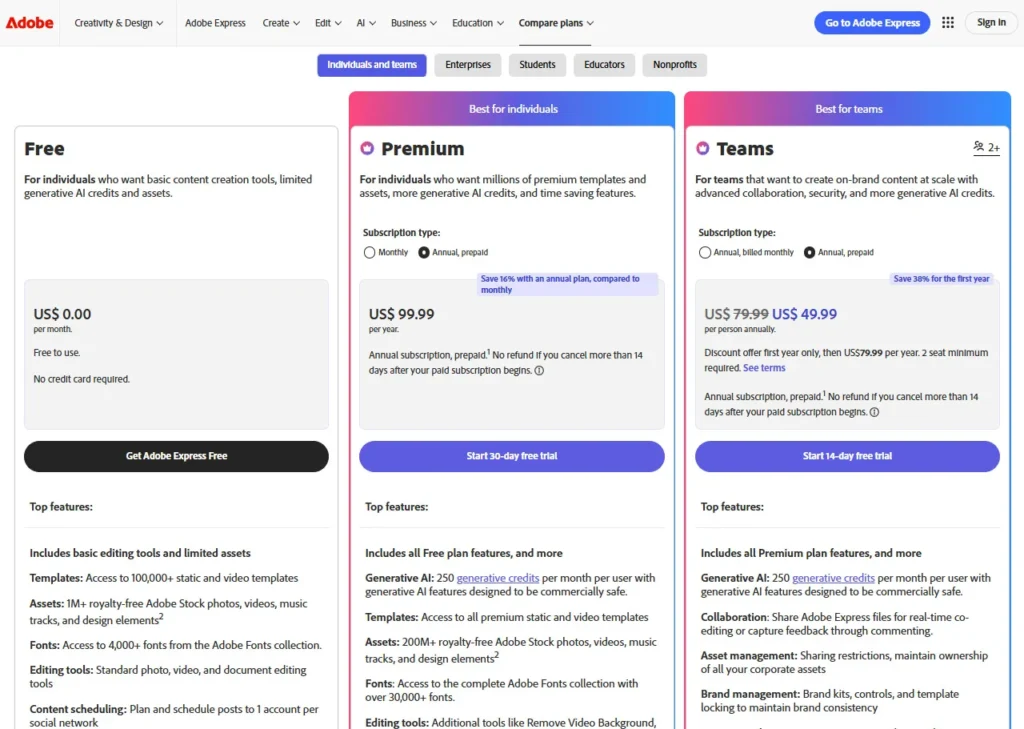
| Free | $0/month | 100K+ templates, 1M+ assets, 4,000+ fonts, 5 lifetime Presentation AI uses | 1 social account/network, 5GB storage, 10-day version history, no Resize |
| Premium | $9.99/month | 250 gen credits/month, all premium templates, 200M+ assets, 30K+ fonts, brand kits, one-click Resize | 3 accounts/network, 100GB storage, 30-day history |
| Firefly Pro | $19.99/month | 4,000 gen credits/month, unlimited standard image features, up to 40 five-second videos, translation up to 13 min | Higher ceiling but double the Premium price |
| Teams | $4.99/user/month (year 1) | Shared brand governance, team workflows | 2-seat minimum, renews at $7.99/user/month |
Real Cost by Persona
Solo creator with light needs: $0 works if you can live with one social account per network, no Resize, 5GB storage, and basic AI. But realistically? Most active creators will hit the upgrade trigger within weeks, not months. Multiple brand kits, cross-format repurposing, premium asset access, or heavier AI use all push you to Premium at $9.99/month. Annual cost: $119.88.
AI-heavy content creator: Premium’s 250 generative credits per month will feel constraining for daily AI generation workflows. Firefly Pro at $19.99/month is the realistic tier. Annual cost: $239.88. That’s not a casual design tool budget. That’s an AI production subscription, and you should evaluate it alongside dedicated AI generation tools, not alongside free design apps.
2-person small team: Teams starts at $4.99/user/month for the first year with a 2-seat minimum, so first-year entry is $9.98/month ($119.76/year). Renewal is $15.98/month ($191.76/year). Two separate Premium seats would cost $19.98/month ($239.76/year). So Teams saves money, yes, but the real value isn’t the per-seat discount. It’s governance, shared workflows, and brand consistency across team members. That matters more than the cost gap.
Hidden Cost Triggers
- Resize is Premium-only. If repurposing content across formats is central to your workflow, you can’t avoid paying.
- Generative credit ceilings mean heavy AI users will pay $19.99/month, not $9.99.
- Premium stock content in existing projects may require re-upgrading to export if you downgrade.
- The Teams renewal jump from $4.99 to $7.99 per user per month is a 60% year-two increase (my inference based on the published first-year and renewal pricing).
Security, Privacy, Ownership, and Lock-In
Quick verdict: Adobe’s trust posture is documented but not exhaustively transparent. Lock-in risk is low in theory but higher in practice for Premium content users.
Adobe’s Trust Center emphasizes security, privacy, availability, compliance, and transparency as corporate pillars. The Privacy Policy is published and regularly updated, which is table stakes for a company of Adobe’s scale.
Adobe Express enterprise and security materials mention anonymized analytics collection for maintenance and improvement purposes. That language is standard across major SaaS platforms, but it’s worth noting (for buyers with strict data-handling requirements) that the specifics of what’s collected and how it’s anonymized aren’t exhaustively detailed in the materials I reviewed.
On ownership and lock-in: content you create in Adobe Express is yours. The concern isn’t about ownership. It’s about portability and downgrade friction. If you build a library of projects using premium stock, then let your subscription lapse, those assets may become un-exportable without re-subscribing. That’s not a data-ownership problem. It’s a practical lock-in pattern that affects your ability to walk away cleanly.
I didn’t find specific certifications (SOC 2, ISO 27001) explicitly listed for Adobe Express itself in the materials reviewed. Adobe as a company holds various compliance certifications across its product lines, but I won’t claim Express-specific accreditation that wasn’t explicitly verified.
What Most Reviews Miss About Adobe Express
1. The Free plan’s limits matter sooner than the marketing implies
Most reviews mention that a free plan exists and move on. They don’t explain that the scheduler is limited to one social account per network, Resize is completely absent, storage caps at 5GB, and version history is only 10 days. For anyone using Express as an actual production tool, those aren’t abstract limits. They’re daily friction points that push the upgrade conversation within the first few weeks.
2. Adobe Express in 2026 is not what 2024 reviews describe
The release notes tell a different story than the SERPs. Auto captions, editable PDF tables, multi-brand template workflows, crop page, ChatGPT integration, Copilot agent support, and a growing AI Assistant beta have materially changed the product’s capability surface. If you’re reading an Adobe Express review that doesn’t reference 2026 additions, that review is giving you outdated information.
3. The downgrade and export risk is a serious buyer detail
This is the single most underdiscussed issue in the review landscape. Premium stock content used in projects may remain visible after downgrade but could require resubscription for export. No competitor review I found during this research surfaced this clearly. It’s a real financial hook, and buyers should understand it before committing to workflows that depend on premium assets.
4. The real product story isn’t “Canva clone”
Calling Adobe Express a Canva alternative is like calling Acrobat a Google Docs alternative. Technically, you can compare them. But the actual value story is different. Adobe Express’s strength is as an Adobe-adjacent branded content operating layer. Its ecosystem connectivity, PDF workflows, and Firefly-powered AI generation place it in a different strategic position than Canva, which optimizes for ecosystem breadth and generalist accessibility.
5. The add-on growth signal is worth watching
The add-on and integrations surface (open a design > Add-ons > Discover > Add) is expanding. Combined with the AI Assistant beta, Express is trending toward “content hub” rather than “template editor.” For buyers making a 12-month platform decision, the trajectory matters as much as the current feature set.
Common Mistakes When Using Adobe Express
1. Assuming the free plan is a long-term production solution
It’s not. It’s a trial run with structural limits on scheduling, resize, storage, and AI. If you’re evaluating Express for ongoing use, evaluate it at the Premium tier. The Free plan will show you the interface. It won’t show you the operational value.
2. Overlooking scheduler account limits
Free allows one social account per network. Premium allows three. If you manage multiple brands or client accounts, check whether three accounts per network is enough before committing. Exceeding that limit isn’t just inconvenient. It may require external scheduling tools, which defeats the purpose of Express’s built-in publisher.
3. Overestimating background remover accuracy for complex subjects
The tool works cleanly on high-contrast subjects with simple edges. For hair, transparent materials, wispy textures, or low-contrast areas, Adobe’s own docs warn that results may vary. Don’t build a product photography workflow around one-click removal without testing on your actual content types first (or rather, check user feedback patterns for your specific use case).
4. Downgrading without checking premium asset dependencies
Before canceling Premium, audit your projects for premium stock content. If you’ve built a library of branded templates using premium assets, downgrading may lock those exports behind a resubscription wall. Archive final exports before canceling.
5. Treating Express as a precision design suite
It isn’t one. If you need fine vector control, advanced typography, or pixel-level layout precision, Express will frustrate you. Use it for what it does well (fast branded content, social publishing, AI-assisted generation) and keep Illustrator, Photoshop, or Figma for precision work.
Adobe Express vs Alternatives
Adobe Express vs Canva
Canva remains the broadest design ecosystem in buyer perception. Canva Pro adds Brand Kit, Background Remover, and 25+ AI-powered design features, and Canva Business launched at $20/person/month with no seat minimum.
Where Adobe Express wins: Adobe ecosystem connectivity. If you already use Acrobat, Creative Cloud, or Adobe business tools, Express creates a tighter workflow loop than Canva can match. The PDF-adjacent workflows, Firefly-powered AI, and enterprise integration story are stronger in Adobe’s world.
Where Canva likely wins: ecosystem familiarity, broader template marketplace perception, and a more established community for generalist use cases. I say “likely” because the exact current Canva Pro sticker price was not verified from the accessible official pricing page during this research session, which limits my ability to make precise per-dollar comparisons.
Pick Adobe Express if: you’re already in Adobe’s ecosystem and need brand-governed content production. Pick Canva if: you’re a generalist creator who values the broadest possible design ecosystem without Adobe-specific gravity.
Adobe Express vs Microsoft Designer
Microsoft Designer is included with Microsoft 365 subscriptions (Personal at $9.99/month, Family at $12.99/month, Premium at $19.99/month). It has a free usage path with limited credits, and the subscription increases your generation headroom.
Designer makes sense when you’re already paying for Microsoft 365 and want “good enough” AI-first design capability without a separate tool. It’s strong for quick social graphics and AI-generated content inside the Microsoft ecosystem.
But Adobe Express has the stronger dedicated branded-content story. Brand kits, scheduling, multi-format repurposing, and the add-on ecosystem give Express operational depth that Designer doesn’t currently match. Designer is a feature inside your Microsoft subscription. Express is a standalone content production tool.
Pick Adobe Express if: content production is a core workflow and you need brand governance, scheduling, and format flexibility. Pick Designer if: you already pay for Microsoft 365 and you need occasional design output without adding another subscription.
Adobe Express vs VistaCreate
VistaCreate offers a free Starter plan and a Pro tier with 170M+ royalty-free assets, 200K+ premium templates, Background Remover, AI Object Remover, AI Image Generator, unlimited brand kits, team features, version history, and unlimited storage. A 14-day free trial with up to 25 creative asset downloads per day is available.
I could not verify VistaCreate Pro’s exact current monthly or annual price from the accessible official pages during this research session, so I won’t invent one. That limits direct price comparison, but here’s what the feature landscape tells us: VistaCreate looks simpler and potentially attractive for budget-conscious, design-only users.
Where Adobe Express wins: a faster-moving product roadmap, Adobe ecosystem integrations, stronger AI narrative via Firefly, and a growing add-on and business-integration ecosystem. Where VistaCreate may win: simpler pricing (if the Pro price is competitive) and generous Pro-tier inclusions like unlimited storage and brand kits. The gap is in ecosystem depth and the pace of innovation, both of which favor Adobe Express as of this review.
Pick Adobe Express if: you want ecosystem connectivity, AI generation, and social scheduling in one platform. Consider VistaCreate if: you need a straightforward design tool without the Adobe ecosystem overhead, and the Pro pricing works for your budget.
Is Adobe Express Worth It in 2026?
This depends on who you are, and I don’t mean that as a dodge.
If you’re a solo creator or social media manager who needs fast, brand-consistent content and you’re already paying Adobe for something else, Express is probably worth the $9.99/month Premium investment. The brand workflow, scheduling integration, and ecosystem adjacency create real operational value.
If you’re a team lead at a small company using Acrobat and Creative Cloud, the Teams plan at $4.99/user/month (first year) is a reasonable entry point for centralized brand governance without forcing non-designers to learn Photoshop.
If you’re an AI-heavy creator who’ll burn through 250 generative credits per month routinely, you need to evaluate Firefly Pro at $19.99/month against dedicated AI generation tools. At that price, the “accessible design tool” framing breaks down. You’re paying for a production platform, and the ROI needs to justify it.
If you need precision design control, advanced motion or audio, or if you’re specifically trying to avoid Adobe lock-in? Express isn’t worth it. Full stop.
Who Should Use Adobe Express
- SMB social marketers who need a fast brand-to-publish pipeline
- Internal comms and branded-content teams at companies already using Adobe products
- Educators and school workflows needing fast, visual content without a steep learning curve
- Adobe-adjacent businesses using Acrobat, Creative Cloud, AEM, or Workfront
- Solo creators who value brand consistency more than deep design control
Who Should Skip Adobe Express
- Precision designers needing fine vector, typography, or layout control
- Audio and motion creators doing work beyond short-form social clips
- Budget-sensitive users who will hit the Premium gates within weeks
- Buyers specifically avoiding Adobe ecosystem lock-in
- Teams needing more than 3 social accounts per network on the Premium plan
FAQ
Is Adobe Express actually free?
Yes, a free plan exists with 100,000+ templates, 1M+ assets, and 4,000+ fonts. But it limits you to one social account per network, 5GB storage, 10-day version history, and excludes Resize and premium assets. It’s functional for exploration, not for production.
How much does Adobe Express Premium cost?
$9.99/month with no annual commitment. That includes 250 generative credits per month, all premium templates, 200M+ assets, 30,000+ fonts, brand kits, one-click Resize, 100GB storage, and 30-day version history.
What is the Firefly Pro plan?
$19.99/month. It includes 4,000 generative credits per month, unlimited standard image features, up to 40 five-second videos, and translation support up to 13 minutes. It’s the right tier for creators whose workflows depend heavily on AI-generated content.
Can I schedule social media posts from Adobe Express?
Yes. The scheduling workflow is built into the product (left panel > Schedule > New > New post), with support for channel selection, captions, alt text, and scheduling. Free allows one social account per network. Premium allows three.
How does Adobe Express compare to Canva?
Adobe Express has stronger Adobe ecosystem connectivity and a more interesting PDF/Acrobat workflow story. Canva remains the broader benchmark in buyer perception and likely wins on ecosystem familiarity for generalists. Choose Adobe Express if you’re in Adobe’s world. Choose Canva if you want the widest possible design ecosystem.
What happens if I downgrade from Adobe Express Premium?
Premium stock content used in your projects may remain visible in the editor but could require resubscription for export. Audit and export your projects before downgrading.
Is Adobe Express good for teams?
The Teams plan starts at $4.99/user/month (first year, 2-seat minimum) and renews at $7.99/user/month. It’s designed for shared brand governance and team workflows, not just cheaper seats. For teams already using Adobe products, it’s a reasonable entry point.
Does Adobe Express work with other Adobe products?
Yes. It has official integrations or adjacency with Creative Cloud, Acrobat, AEM, Workfront, and Firefly Custom Models. It also connects to Box, Miro, Slack, ChatGPT, and Microsoft 365 Copilot.
Is Adobe Express secure?
Adobe’s Trust Center emphasizes security, privacy, availability, compliance, and transparency. The Privacy Policy is published and updated. Enterprise materials mention anonymized analytics collection. I didn’t verify Express-specific certifications (SOC 2, ISO 27001) during this research, so I won’t claim them.
Who should NOT use Adobe Express?
Users needing precision vector or typography control, advanced motion or audio editing, maximum value without Adobe-specific lock-in, or those who’ll outgrow the free plan’s limits within the first weeks of use.
Final Verdict
Adobe Express in 2026 is not the lightweight template editor that half the SERPs still describe. It’s a capable branded-content operating layer with real ecosystem leverage, a coherent upgrade path, and a faster product cadence than most ranking reviews acknowledge. It deserves more credit than it usually gets.
It also deserves more scrutiny. The paywall gates core workflows, the performance complaints are documented and recurring, the background remover has acknowledged limitations, the precision ceiling is structural, and the downgrade export risk is genuinely underreported.
Buy it if you need brand-safe, multi-format social content production and you already live in or near the Adobe ecosystem. Premium at $9.99/month is well-priced for that use case, and the Teams plan makes sense for small, brand-conscious organizations.
Skip it if you need deep design precision, advanced motion or audio work, the broadest possible ecosystem without Adobe gravity, or if you’re extremely budget-sensitive and know you’ll outgrow the free plan inside a month. In those cases, Canva, Figma, or a dedicated tool for your specific workflow will serve you better.
Overall score: 7.7/10.